Intermediate axis labels aren't shown between 0 and 100% #11

Description

Hello!
I love this visual! Last week I noticed that when I work with percentage values between 0% and 100%, the axis labels between the start and end value don't appear, even with "Axis Labels" on. To be more precise, it seems that the visual doesn't show non-whole intermediate values.
Setup
- Tachometer with Start Value = 0%, End Value = 100%. Axis Labels on.
Example Files
How to reproduce the bug
- Set the visual as informed before, or open the example file.
What's expected
- There should be a couple of intermediate values between 0% and 100%
What actually happens
- There are no intermediate labels between 0% and 100%:
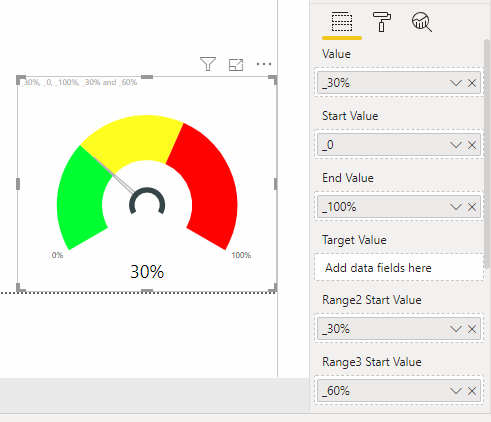
- This doesn't happen if the percentage is higher than 100% (so it's not a problem with the percentage itself):

- I noticed if I put a Target Value, its label shows, but it's a single value, doesn't help much...
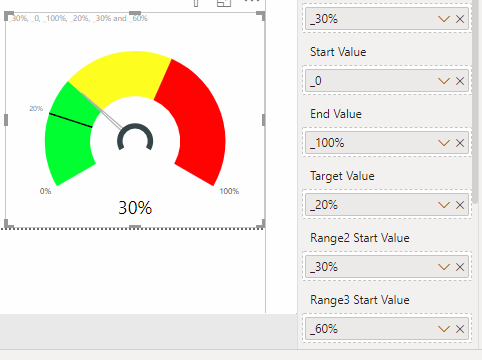
Environment
- Tachometer 3.0.1.0, released 4/25/2017
- Windows 10 and Power BI Desktop 2.70.5494.761 64-bit (June 2019)
- Also in Power BI on cloud (app.powerbi.com)