Text becomes uneditable after it has been copy-pasted via hotkey combination #136

Description

| Meta-Info | Value |
|---|---|
| ExtProjectId | JCPIM-01.3 |
| Original Estimation | ???h |
| Remaining Estimation | ???h |
Overview
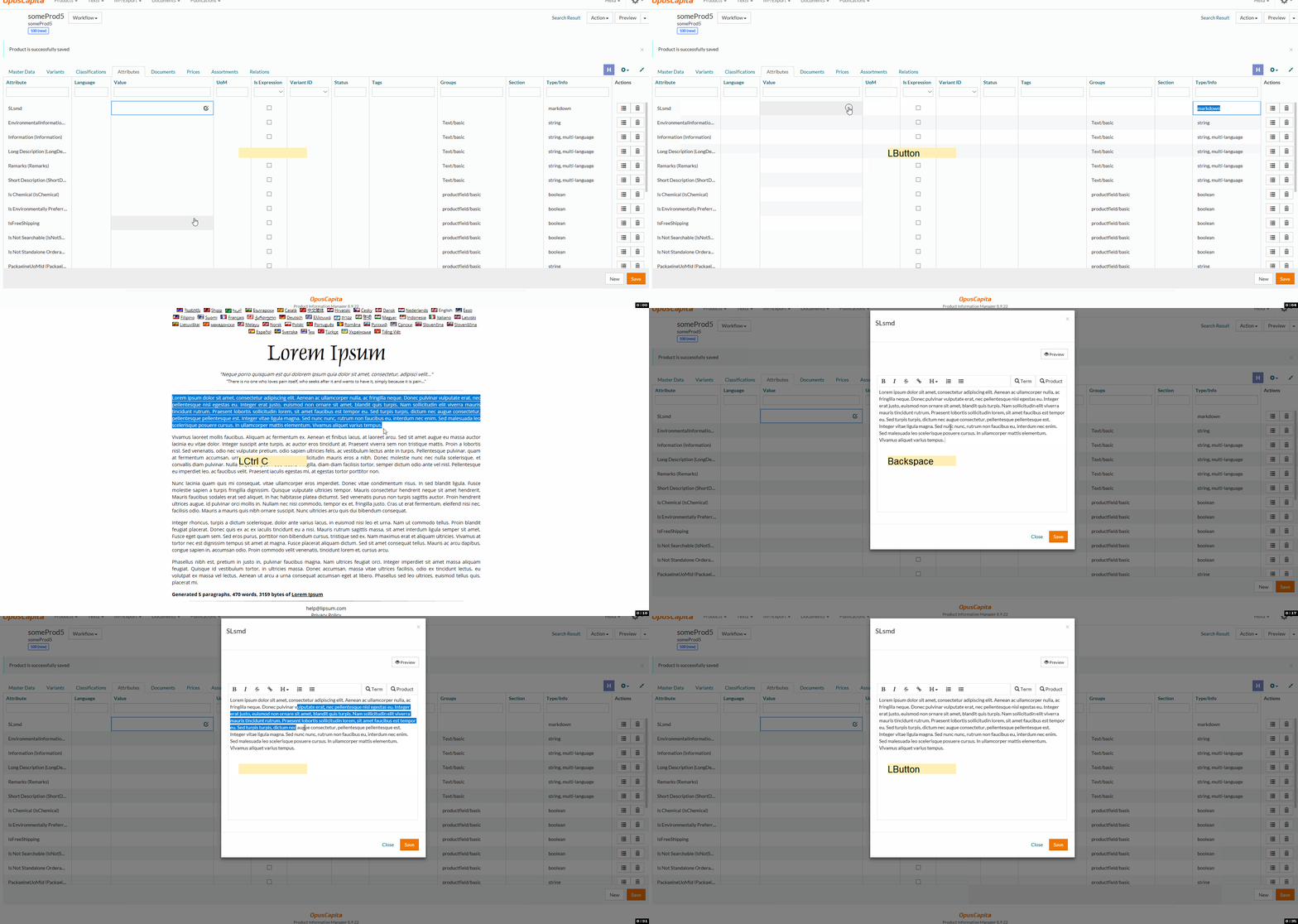
Text becomes uneditable after it has been copy-pasted via hotkey combination Ctrl+C/Ctrl+V in Edge browser, please, see attachment.
Preconditions
Microsoft Edge version: 42.17134.1.0
⚡️ Please note, that the issue is not reproduced on MS Edge version 41.16299.248.0! ⚡️
User is using Edge browser.
User is logged into PIM.
There is a markdown attribute created in the installation.
Steps to Reproduce
- Open
Product Searchpage - Create any product
- Open newly created product on
Product Editorpage onAttributestab - Press
Newbutton and add a markdown attribute - Copy provided text below and paste it into markdown attribute value:
Lorem ipsum dolor sit amet, consectetur adipiscing elit. Quisque interdum mattis justo sit amet facilisis. Sed ultricies, sapien sed dignissim blandit, sapien felis tristique dolor, sed condimentum purus nulla eu diam.
- Put text cursor into center of a paragraph and try to press
Delete,Backspace,Left Arrow,Right Arrow.
Actual Result
Text is not edited.
Expected Result
Text is edited in the way relevant to the last key pressed.
- Press
Savebutton
Actual Result
Text is not saved.
Expected Result
Text is saved.
User can still use hotkeys mapped to the markdown toolbar formatting buttons.
Edge version: 42.x
Original issue: https://github.com/OpusCapita/pimline/issues/405