[Request] Relax TS compiler options in test files #20

Description

The strict compiler options in tsconfig.json can cause unexpected compilation failures in test files - where your code may be in a 'dirty' state (due to debugging an issue) but you still expect it to work.
TL;DR Solution
When generating the tsconfig.spec.json file, change some of the strict rules such as 'noUnusedLocals', 'noUnusedParameters', 'noImplicitReturns', 'noFallthroughCasesInSwitch', 'noImplicitAny' to be
false.
When a test file fails to compile it is very difficult to notice right away. In WebStorm, your 'Test Run' tab won't show that there was a compilation failure, it will simply show the result of the last successfully compiled test run - giving you a false sense of security if the last test passed or creating confusion if you're sure you fixed the last test but it still failed. You have to manually change to the 'Karma Server' tab and scroll through the logs to finally see that it failed to compile and no new tests were ran.
I understand the motivation for being strict, but when writing tests there are often times where it is useful to 'break the rules' locally, knowing that you will fix it later.
In the contrived scenario below I have a working spec file.
Successful Compile
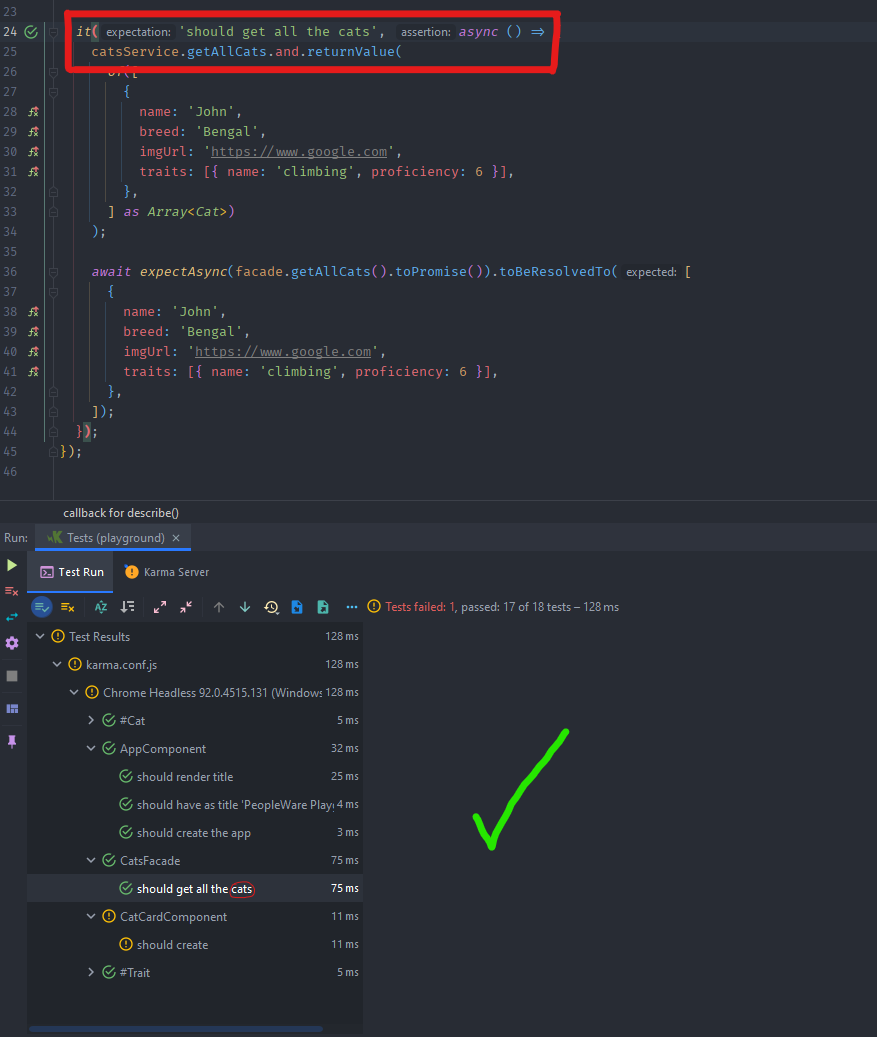
Then I declare a variable which is never read (noUnusedLocals) because I know I will set it soon, however I am first focusing on some other test code in this file (out of the scope of this image).
Compilation Failure
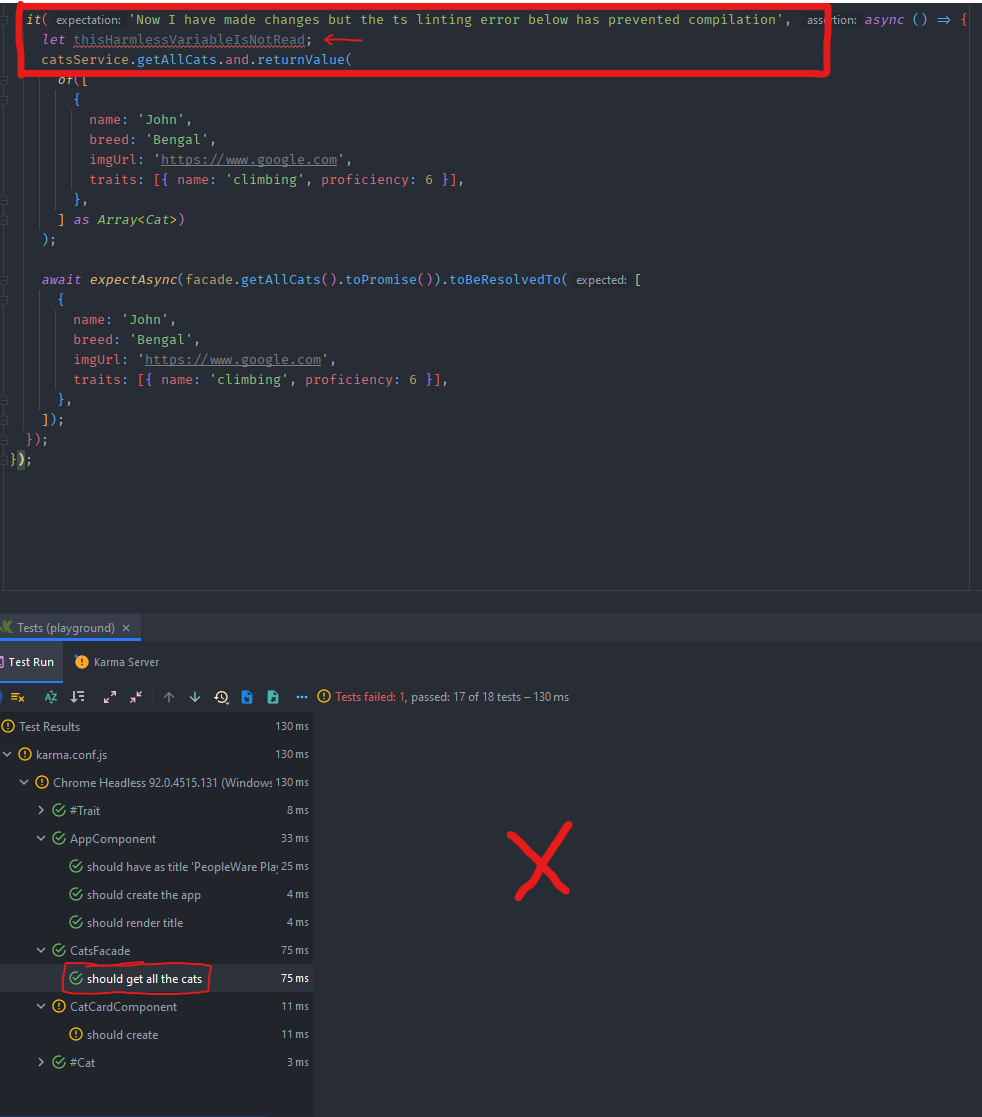
I have been working on some other code in this file (perhaps another test case, perhaps making modifications to the testbed), and I also changed the value for the expectation of the test case in the image.
When I see the green light on my test I am pleased to see my changes worked, but upon closer inspection, the test output is exactly the same as the previous output.
After some head scratching I look in the 'Karma Server' tab and scroll up a few times and see this:

That harmless line I added a while ago has prevented my new changes from being compiled and run, but I already spent time thinking there was an issue with the code I was working on (out of the scope of this image).
This is an easy trap to fall into because we also have TSLint in the ng new schematic, but TSLint errors won't cause your code to fail compiling. So you could potentially have many red errors in your code and it still compile fine, but then write some code which violates the tsconfig.json compiler rules - which also has a red error indicator - and that would make compilation fail.
Conclusion
Typescript compiler errors thrown while running Karma tests inside of WebStorm will make compilation fail, but the failure is hidden within the Karma Server tab so can easily go unnoticed. This leads you to believe the test results are from your latest changes when in fact they are old results.
Solution
When generating the tsconfig.spec.json file, change some of the strict rules such as 'noUnusedLocals', 'noUnusedParameters', 'noImplicitReturns', 'noFallthroughCasesInSwitch', 'noImplicitAny' to be false.