WinMac is a revolutionary customization project that brings together the best of both Windows and macOS operating systems, offering users unique and seamless Windows experience.
Documentation | Features | Installation | Releases | Additional utilities | Credits
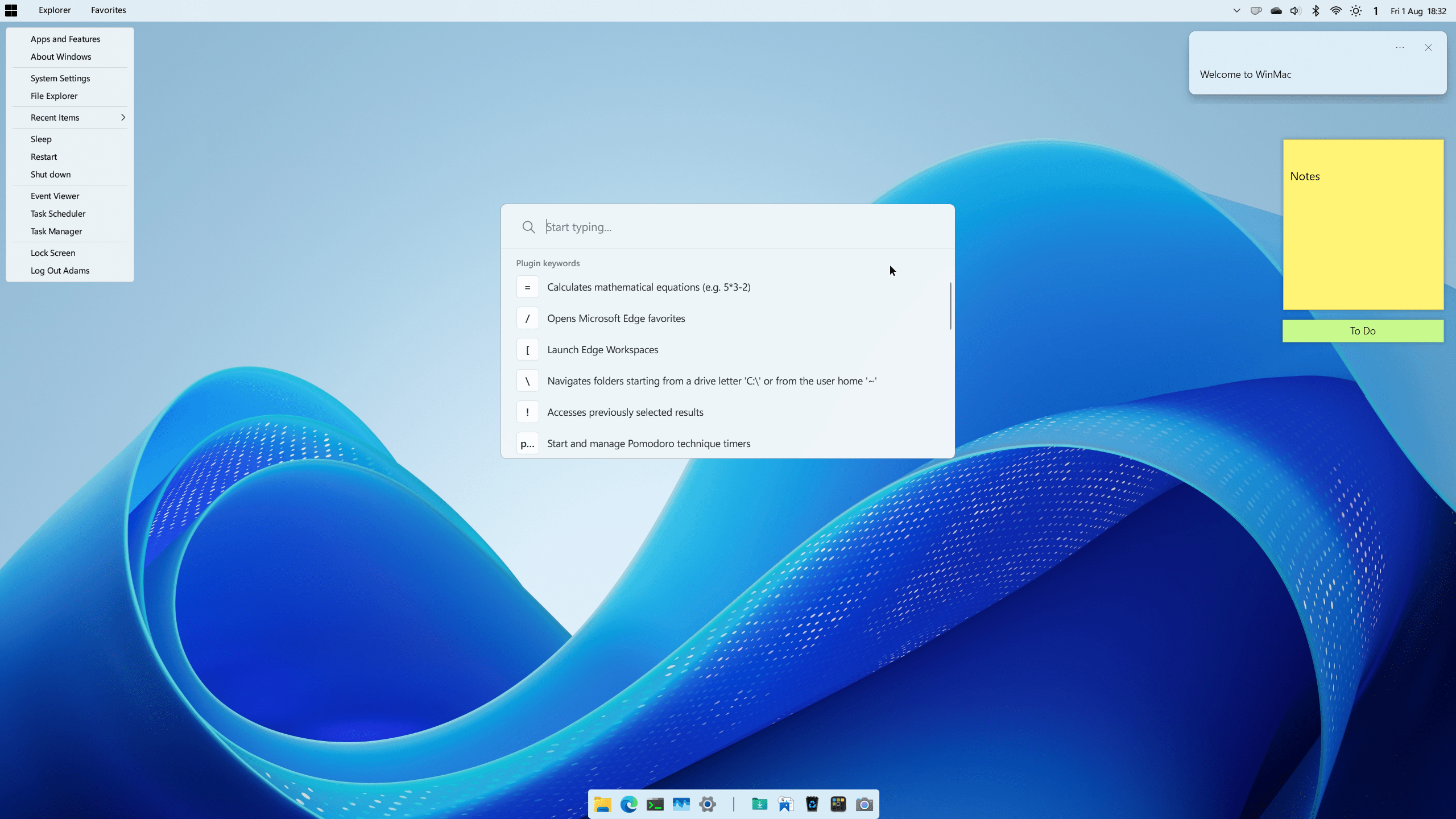
Click for more images
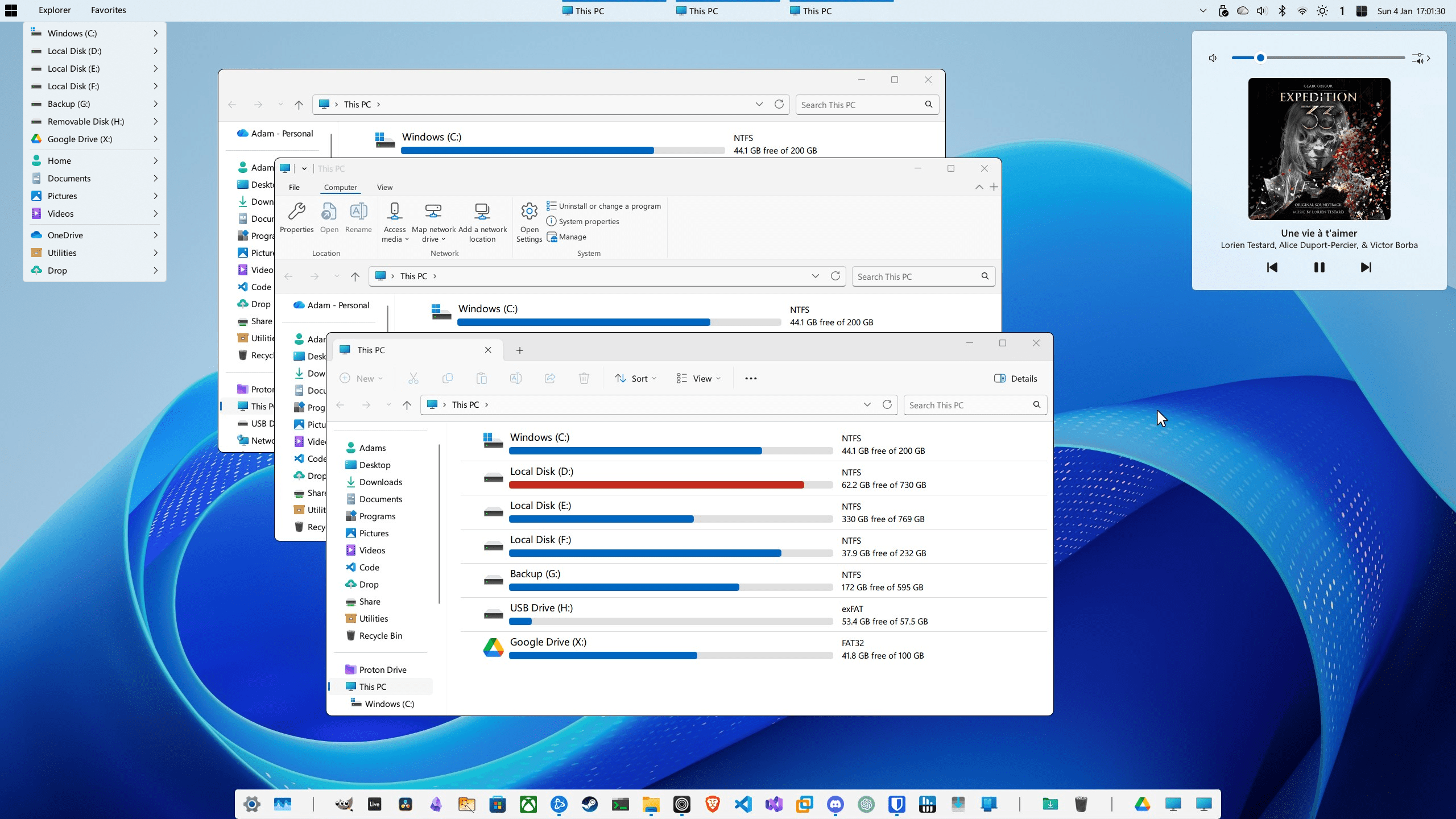
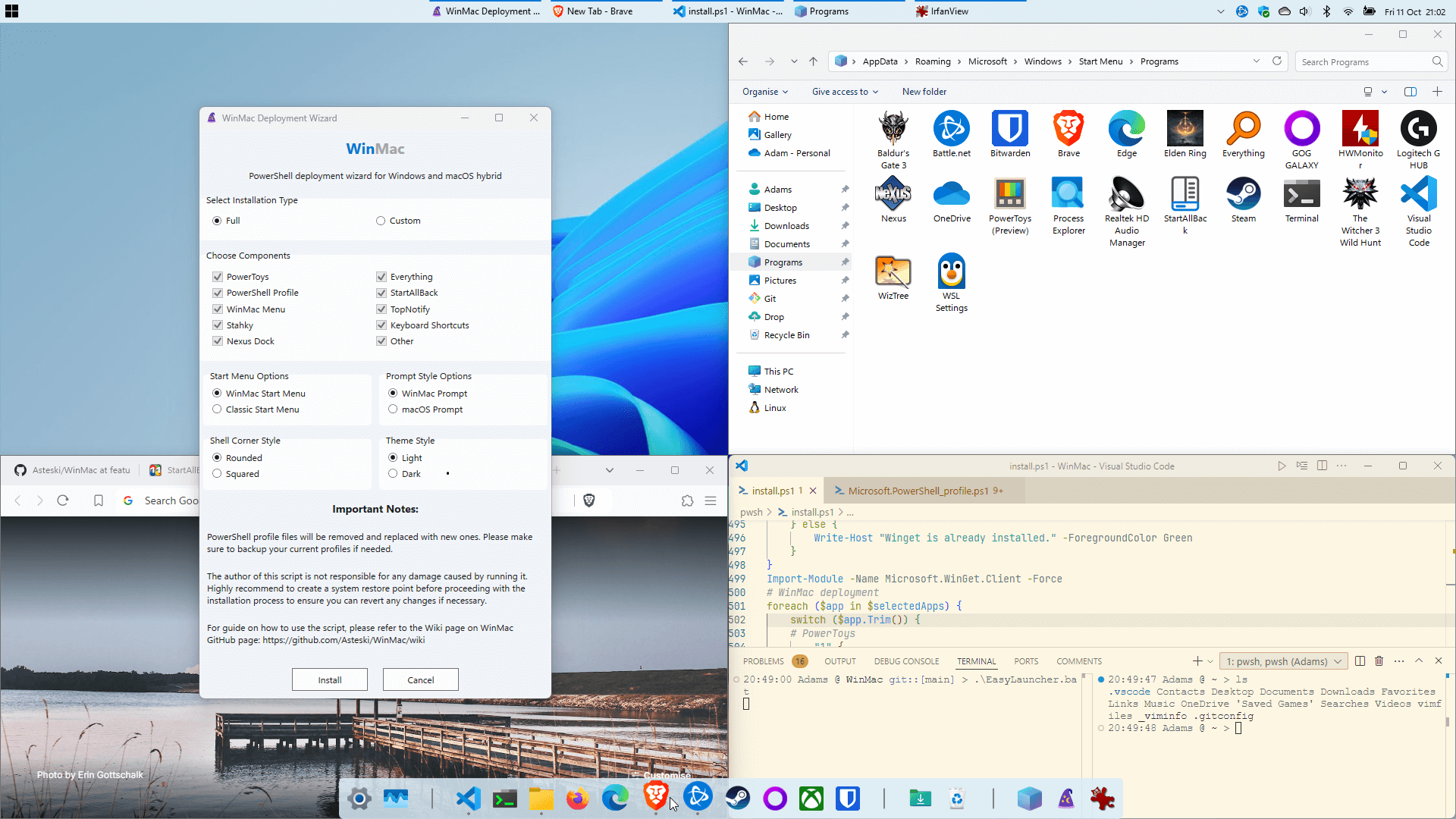
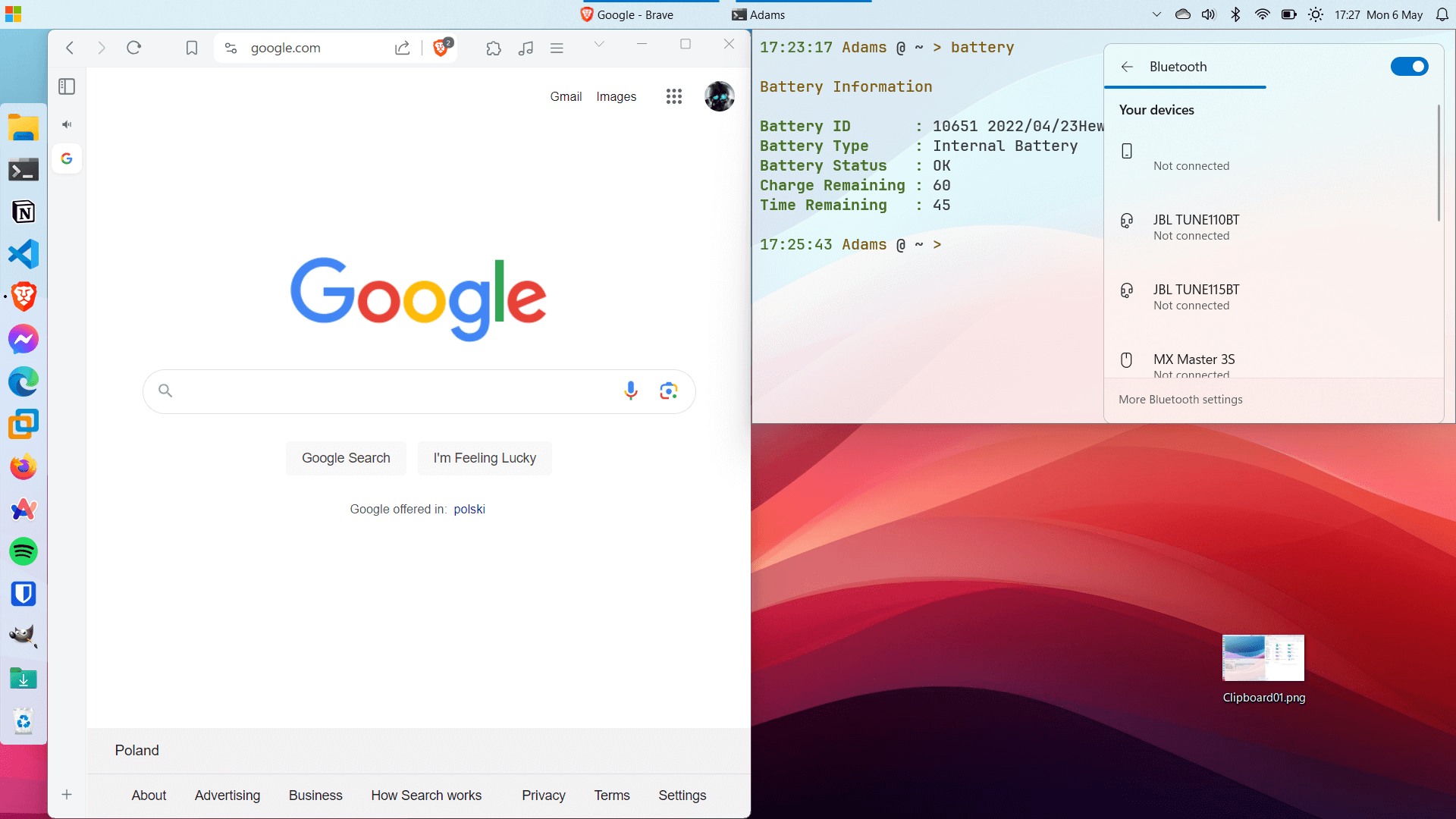
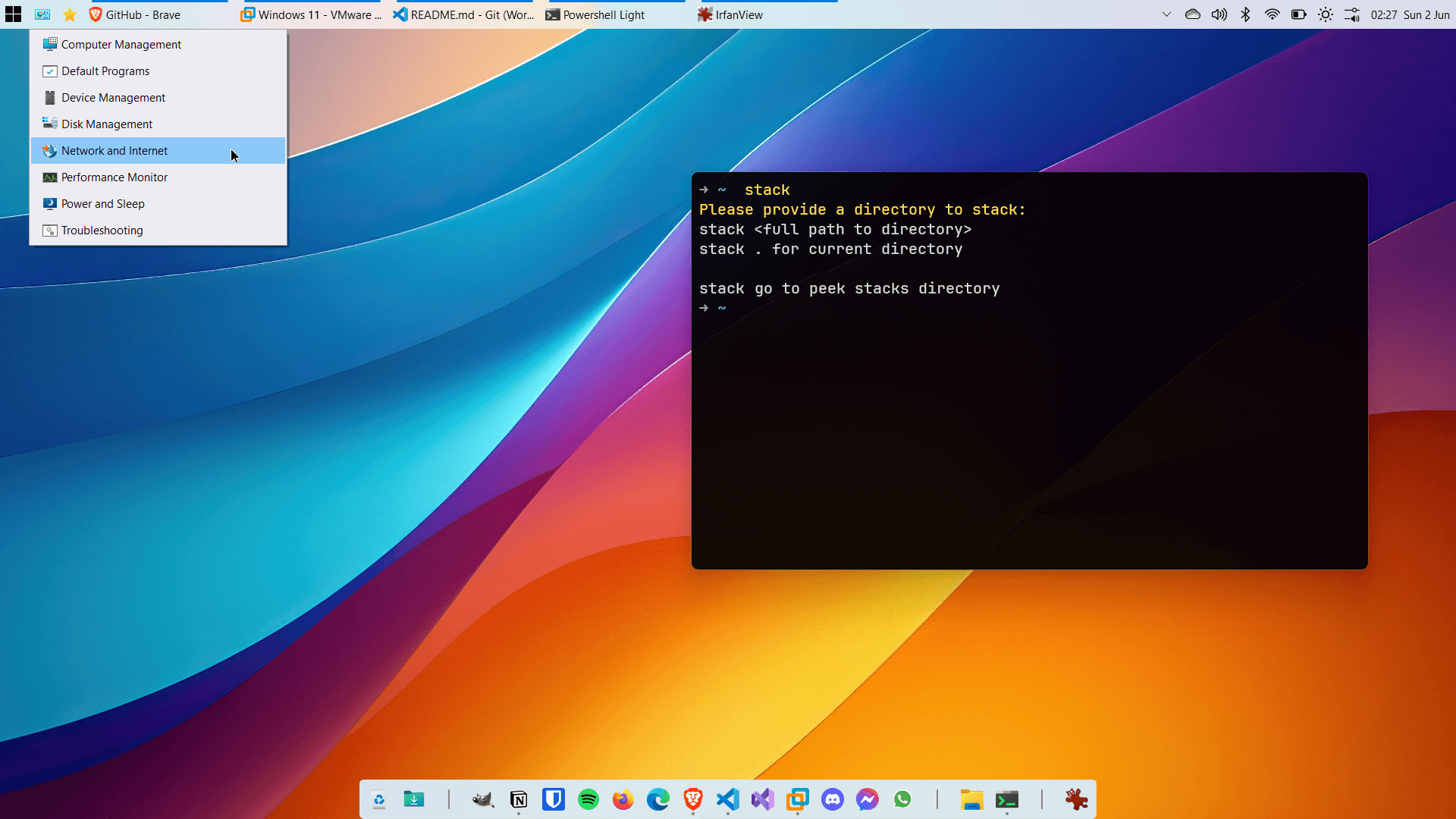
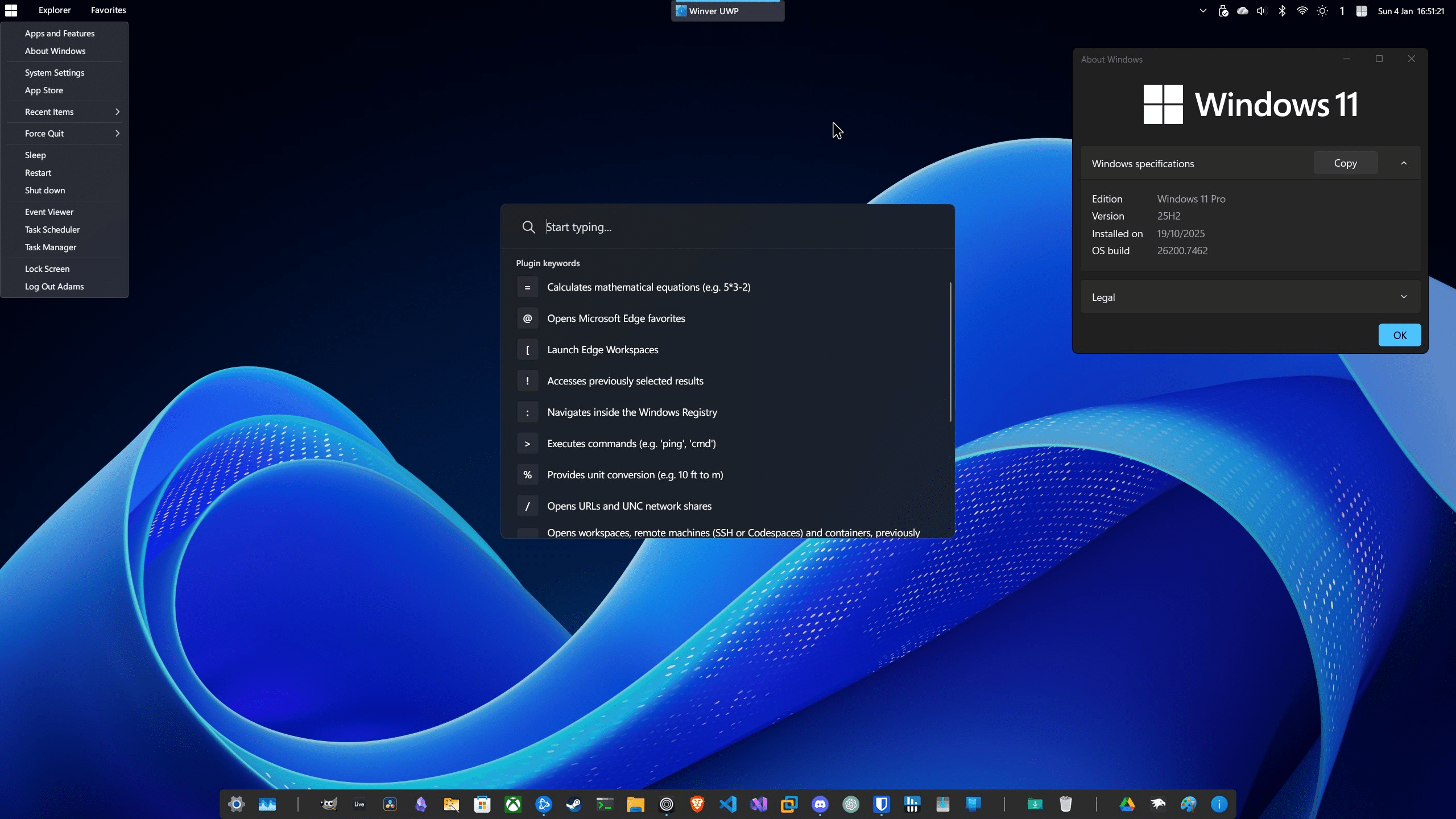
Click for more images
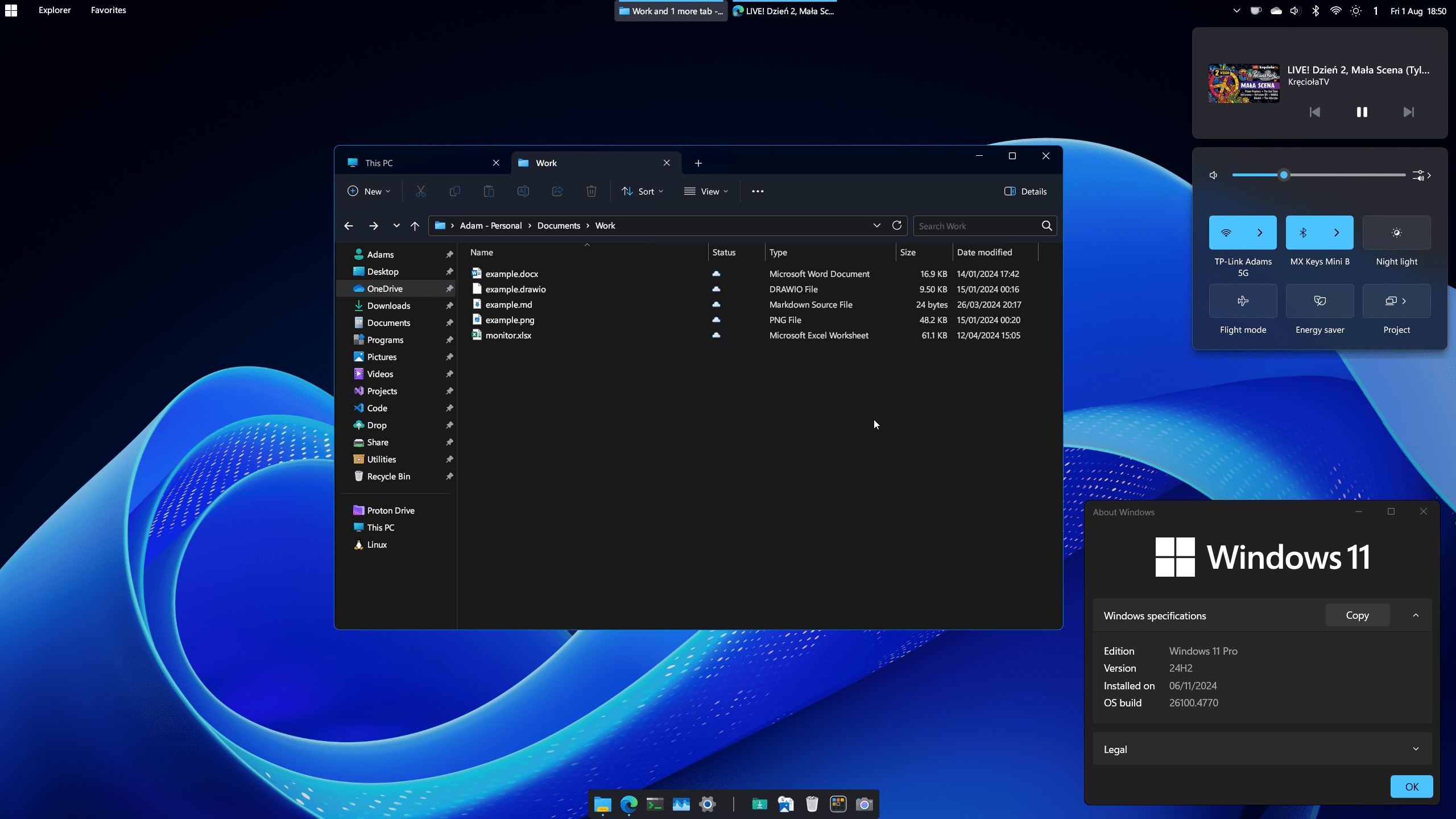
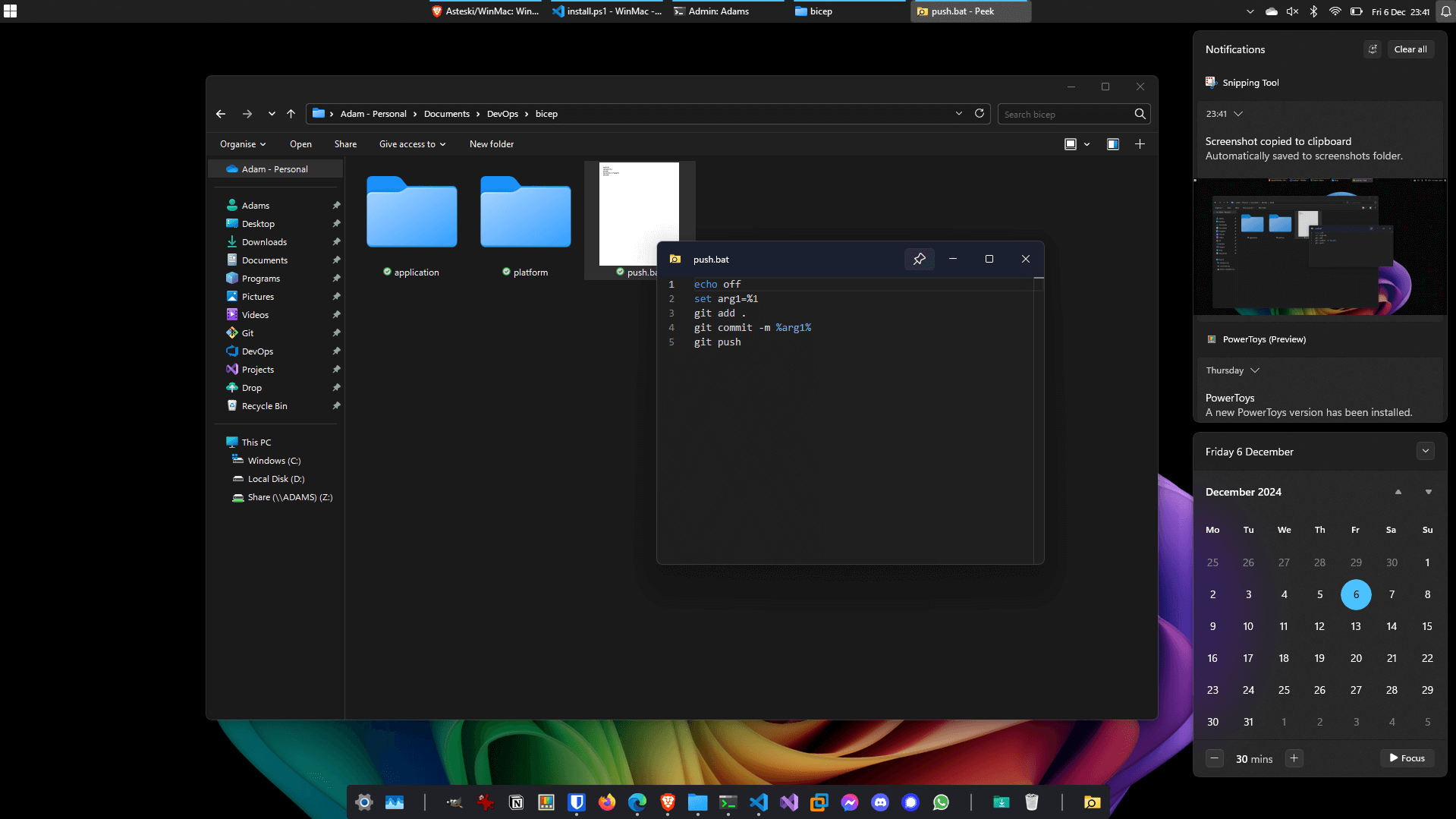
-
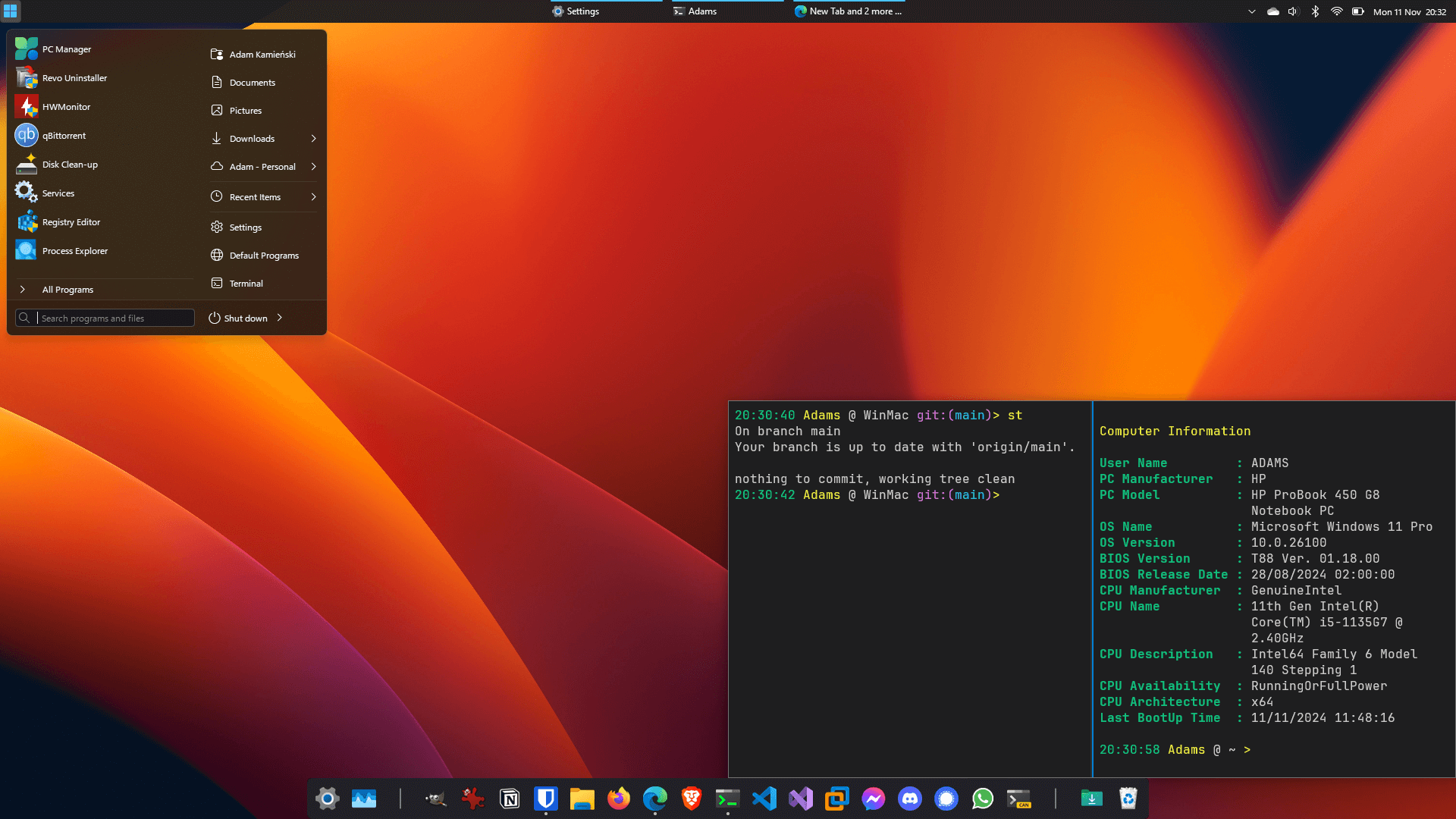
WinMac Menu - Start Menu replaced with newly developed Win32 app to fully resemble functionality of Apple Menu
-
Quick Launcher - Spotlight-like launcher for power users that provides instant access to files, folders, calculator functions, applications, and settings on your system, among many other features
-
Dock - highly customizable and feature-rich dock application, used to achieve macOS-like dock experience
-
Quick Look - peek into a file or folder content instantly by pressing a Space bar
-
Menu Toolbar - highly customizable toolbar added to taskbar to resemble macOS Menu Bar
-
Hot Corners - assign custom actions triggered when you hover your mouse cursor over the screen corners
-
Enhanced Start Menu - additionally you can choose to replace default Start menu with enhanced Windows 7 start menu, instead of WinMac Menu or have them both available from Start button
-
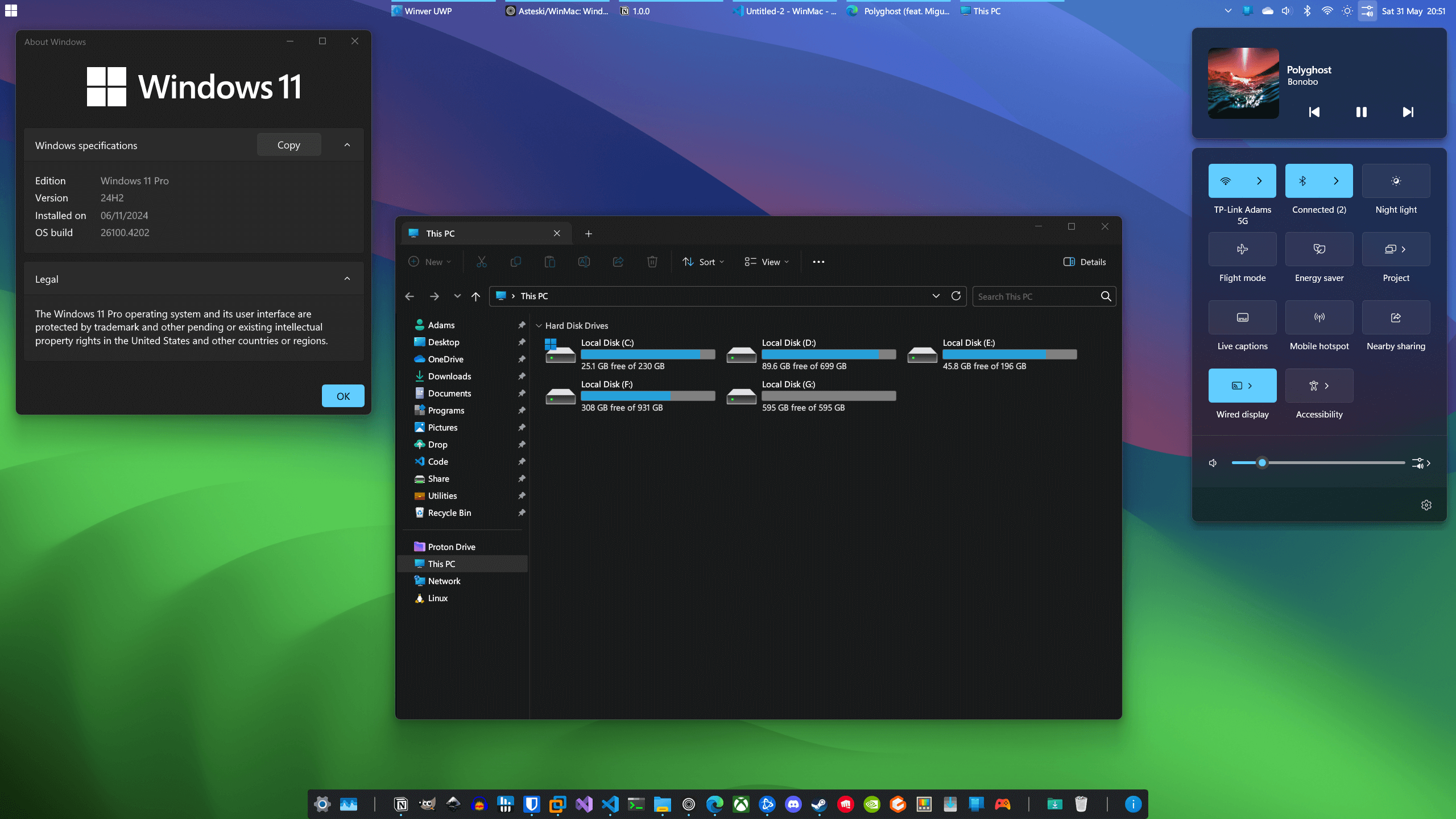
Enhanced Taskbar - legacy Taskbar put on top, with enhanced capabilities and looks to match Windows 11 design
-
Enhanced File Explorer - improved File Explorer looks and cleaned up context menus, which makes File Explorer load fast and look clean
-
Enhanced Terminal - custom prompt and a ton of new custom functions and aliases, bringing most commonly used macOS/Linux commands
-
Enhanced Icons - refresh legacy and default Windows components with modern set of icons
-
Keyboard Shortcuts - new keyboard shortcuts to enhance Windows 11 workflow
Important
Prior to installing WinMac, it is strongly recommended that you read Installation Guide Wiki page for comprehensive guidance.
EasyLauncher batch script allows the installer to be run as a GUI or in a Terminal to make the installation and configuration process simple and straightforward.
Here are the ways you can run different deployment mods:
- EasyLauncher.bat runs installation GUI by default
- EasyLauncher.bat -nogui or -n runs installer fully in Terminal
- EasyLauncher.bat -uninstall or -u runs uninstallation GUI
- EasyLauncher.bat -uninstallnogui or -un runs uninstaller fully in Terminal
Caution
You must run batch file in Administrative session of PowerShell 7, not Windows PowerShell!
You can choose between full or custom installation, if you only want to install specific WinMac components.
WinMac is supported by Windows 11 Home, Pro, LTSC, IoT LTSC, on both x86 and ARM based platforms.
- PowerToys by Microsoft
- Everything by David Carpenter
- StartAllBack by Tihiy
- Open-Shell by Open-Shell
- Windhawk by Ramen Software
- AutoHotkey by AutoHotkey Foundation
- Nexus by Winstep
- NewModernWinver by torchgm
- WinXCorners by vhanla
- Simple Sticky Notes by Simnet
- WinLaunch by jensroth
- MacType by snowie2000
- Rebound by Ivirius
- SVG Thumbnail Extension by ThioJoe
- SecureUxTheme by namazso
- Windows Modern Cursors by imshvc
- Window Switcher by sigoden
- Quick Look by emako
- PSTree by santisq
- ntop by gsass1
- ptr by 8LWXpg
- z by rupa
Note
Keep in mind that StartAllBack is not a free software and requires license to run permanently. Free version will stop working after 100 days.
WinMac is not planned to be used for business/earning purposes. If you're not okay with me using your software, please let me know.
Please support creators however you can for their wonderful work!
Enjoy and support my work by giving feedback and contributing to the project!