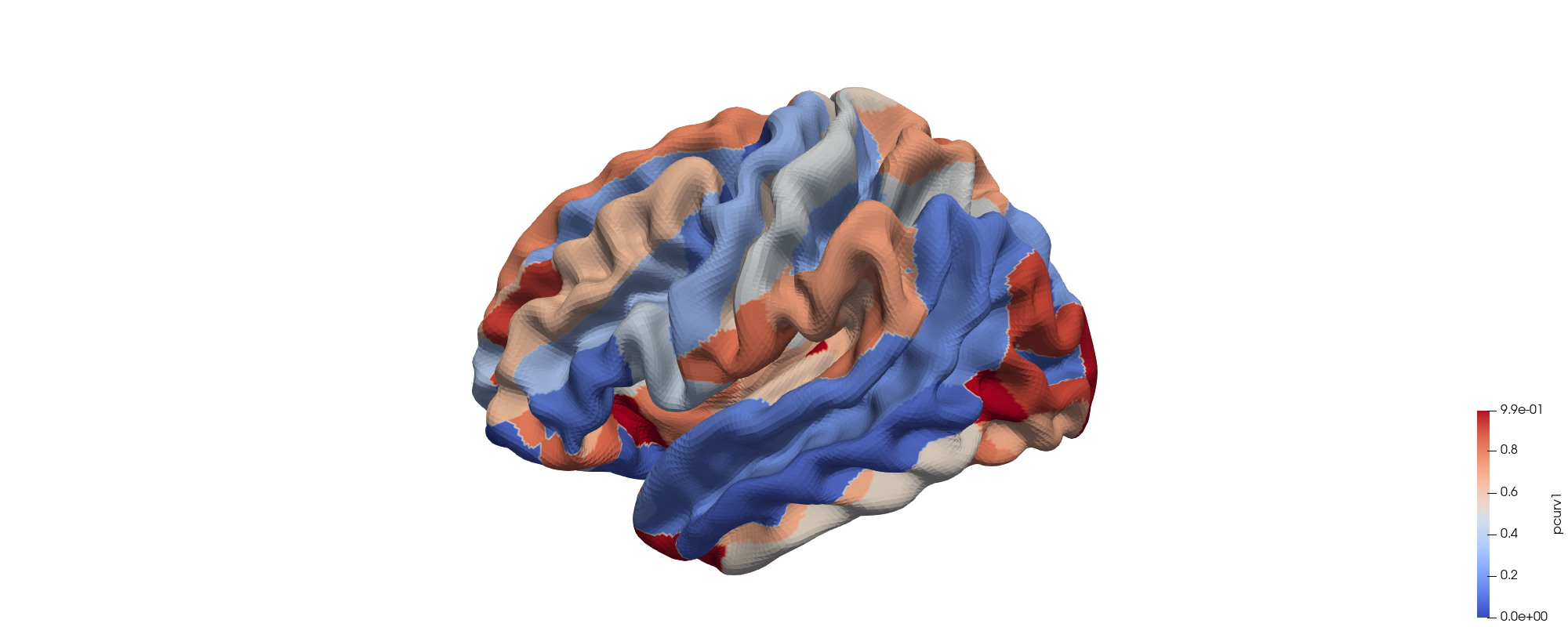
-
Data Prepare
(1) Prepare a .txt file with
160rows andmcolumns. Elements in one row are split by space. Each element can be an integer or float number.Example: file
data/example.txt. Herem=1and data type is float.Hint: you can call the
build_txt()function inutils.pyto easily generate such txt file from an array (or list) in(160,-1)shape. -
Build .vtk file
(1) In a Windows terminal,
cdto this repo's root directory, then$ .\bin\Network2DestrieuxSurfaceRendering.exe .\bin\icbm_avg_mid_sym_mc_right_hires.vtk ${YOUR_INPUT_TXT_PATH} ${YOUR_RIGHT_OUTPUT_TXT_PATH_WITHOUT_SUFFIX} -V .\bin\Atlas_Right_Destrieux.txt -R .\bin\RightROI2NodeLookupTable.txt -m ${THE_COLUMN_NUMBER_M} $ .\bin\Network2DestrieuxSurfaceRendering.exe .\bin\icbm_avg_mid_sym_mc_left_hires.vtk ${YOUR_INPUT_TXT_PATH} ${YOUR_LEFT_OUTPUT_TXT_PATH_WITHOUT_SUFFIX} -V .\bin\Atlas_Left_Destrieux.txt -R .\bin\LeftROI2NodeLookupTable.txt -m ${THE_COLUMN_NUMBER_M}
Example:
$ .\bin\Network2DestrieuxSurfaceRendering.exe .\bin\icbm_avg_mid_sym_mc_right_hires.vtk .\data\example.txt .\output\example_right -V .\bin\Atlas_Right_Destrieux.txt -R .\bin\RightROI2NodeLookupTable.txt -m 1
$ .\bin\Network2DestrieuxSurfaceRendering.exe .\bin\icbm_avg_mid_sym_mc_left_hires.vtk .\data\example.txt .\output\example_left -V .\bin\Atlas_Left_Destrieux.txt -R .\bin\LeftROI2NodeLookupTable.txt -m 1
(2) Then the output .vtk file will be generated in the given output path, like file
output/example_right_1.vtkandoutput/example_left_1.vtk). -
Install App ParaView
(1) Home page: https://www.paraview.org/
(2) Click "DOWNLOAD"
(2) Download and install "ParaView-5.11.0-Windows-Python3.9-msvc2017-AMD64.msi"
-
Operations in ParaView
(1) File -> Open ... (choose the .vtk files)
Hint: you can open multiple .vtk files at a time. Click the "eye" button near the .vtk file's name to make it visible (or invisible)
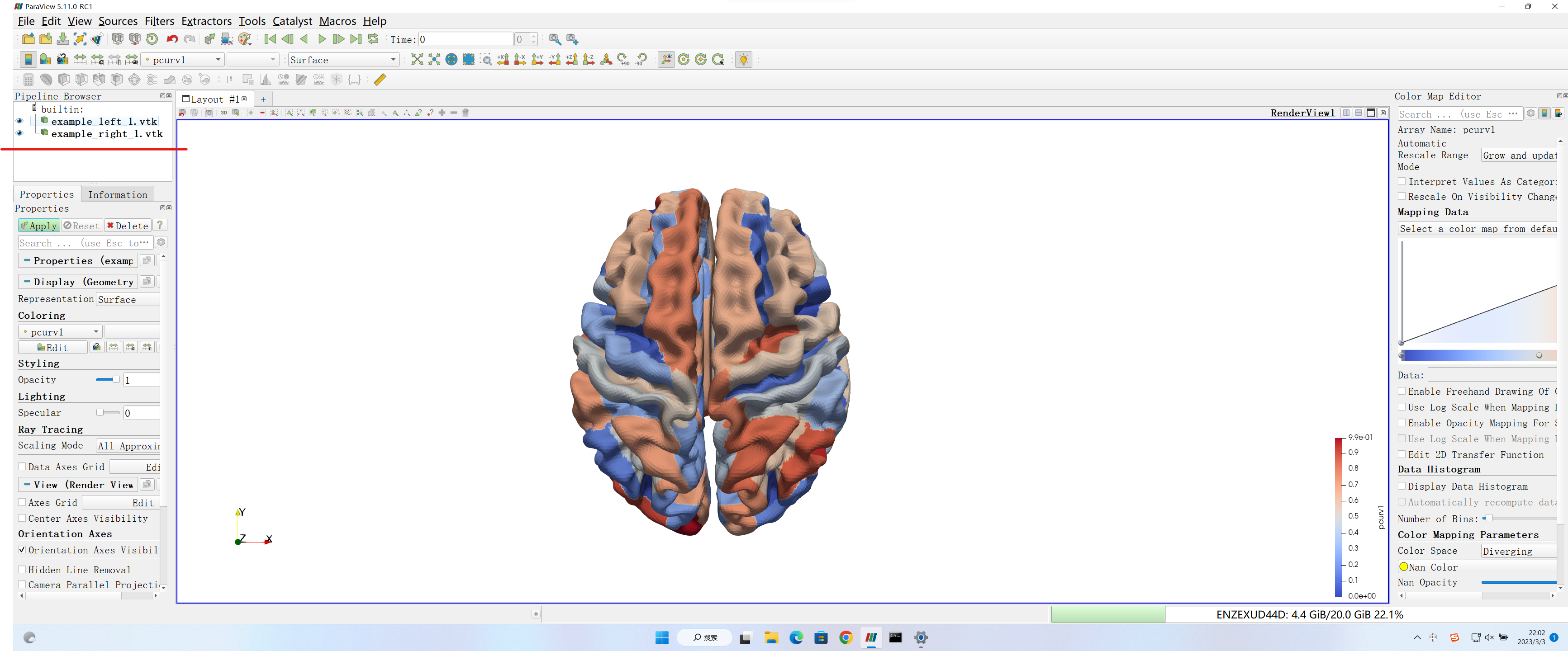
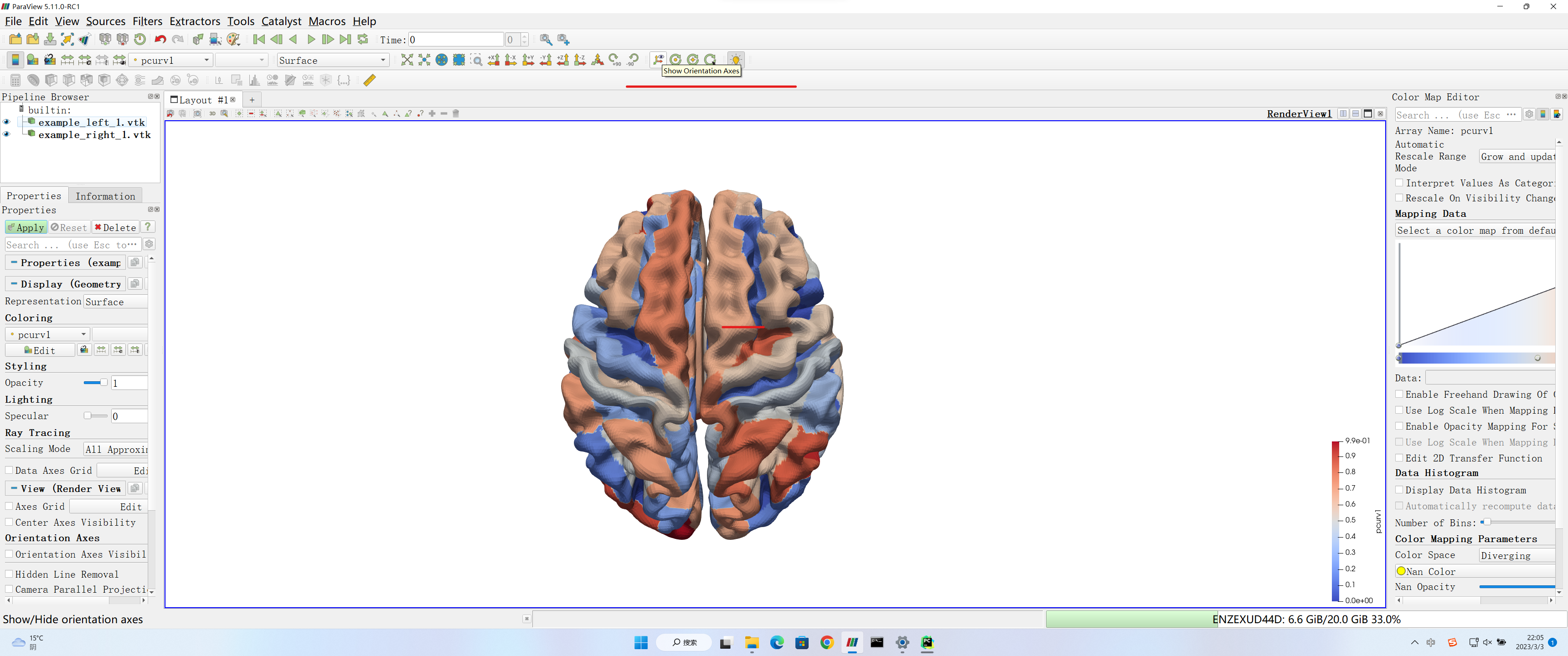
(2) Hide the XYZ axis label
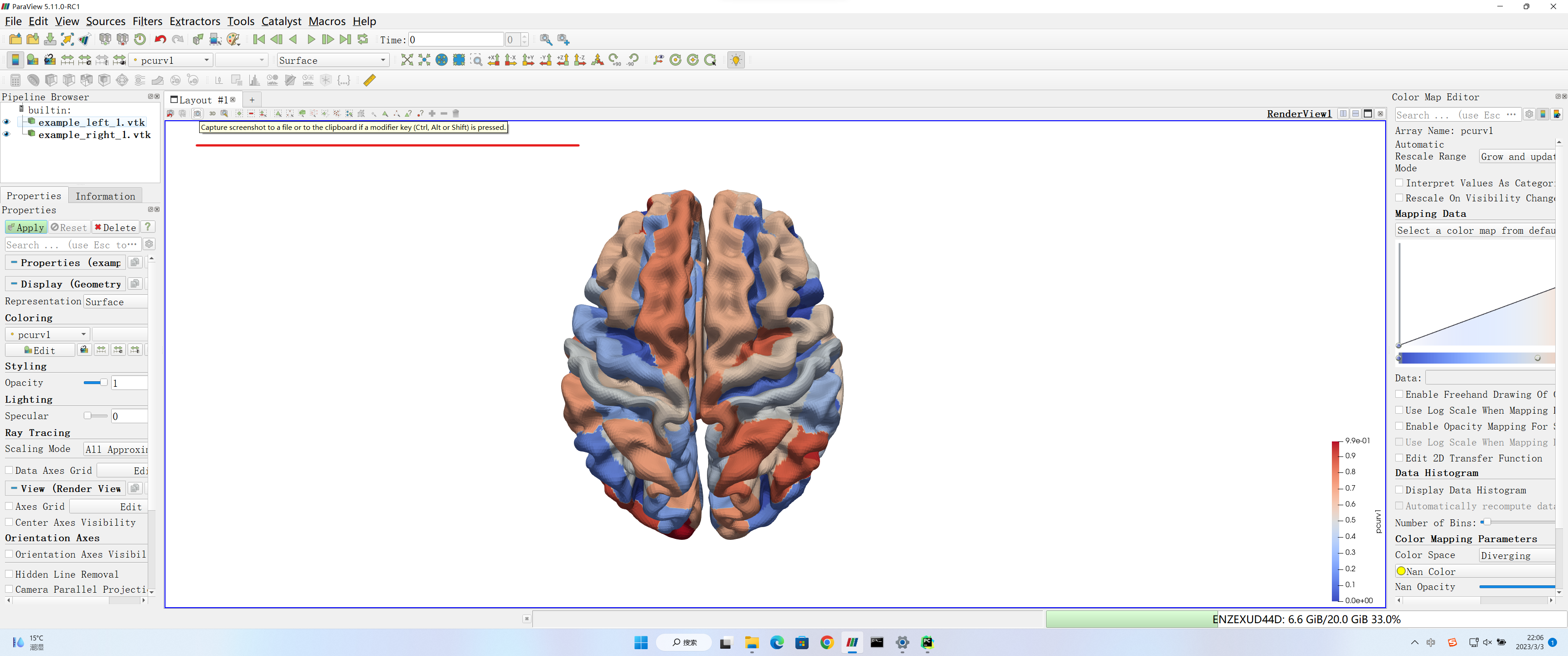
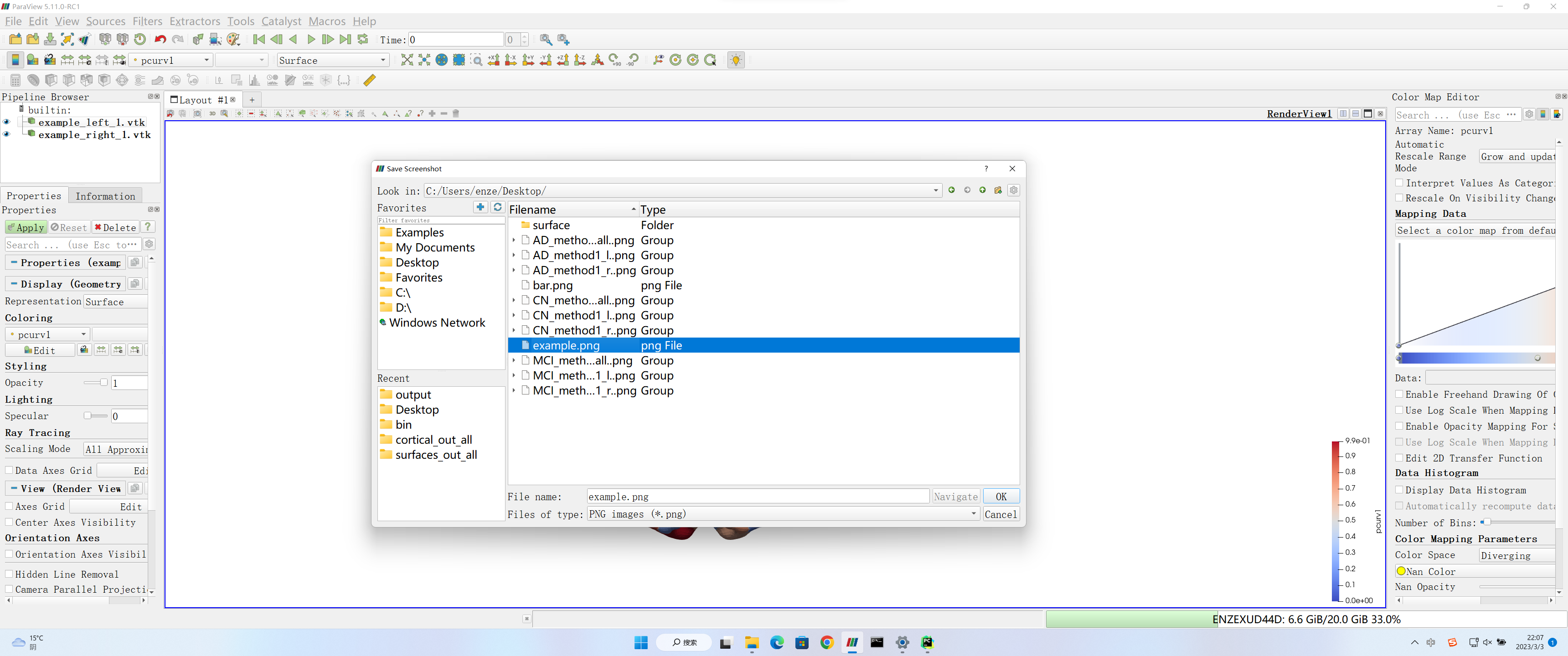
(3) Make screenshots
Please email chenm@wfu.edu