A super-fast URL probing tool (Beta)
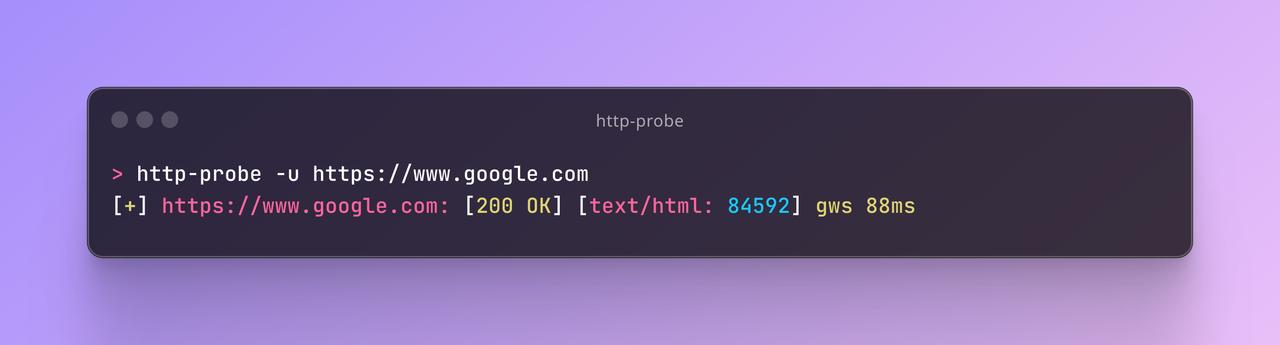
- Extremely fast.
- By default, probe for status code, content-length, title, redirect chain, CSP header, response time, Server and Powered-By header (to detect CDN & other technologies).
- Fast to use and efficient.
- Anti-Feature: not quite customizable, instead designed for quick usage.
- by default, fallback from https to http.
- Supports domains and URLs as input.
go install github.com/GraveSIN/http-probe@latestProbe a URL via different HTTP methods or DNS
Usage:
http-probe [flags]
Flags:
-d, --data string HTTP request body data
--dns Enable DNS probing instead of HTTP
-f, --file string File containing URLs (one per line)
-h, --help help for http-probe
-X, --method string HTTP method to use (default: GET) (default "GET")
-o, --output string Output file path
-t, --threads int Number of concurrent threads (default 10)
-T, --timeout int Timeout in seconds for each HTTP request or each DNS record's resolution (default: 10) (default 10)
-u, --url strings Target URL(s) to probe
- Via Command Line:
http-probe -u google.com,facebook.com,http://facebook.com- Via File:
http-probe -f urls.txt- Via Standard Input (stdin):
cat urls.txt | http-probeor
echo "google.com" | http-probe
- Probe DNS resolvers
echo "google.com" | http-probe --dns -T 5- Automatically attempts HTTPS first, falls back to HTTP if unsuccessful
- Probes redirect locations
- Probes html title
- Shows server technology information when available