Open source CLI to loop the .gcode content inside a .3mf archive N times, useful for running the same print multiple times on a print farm.
WizardExample.mp4
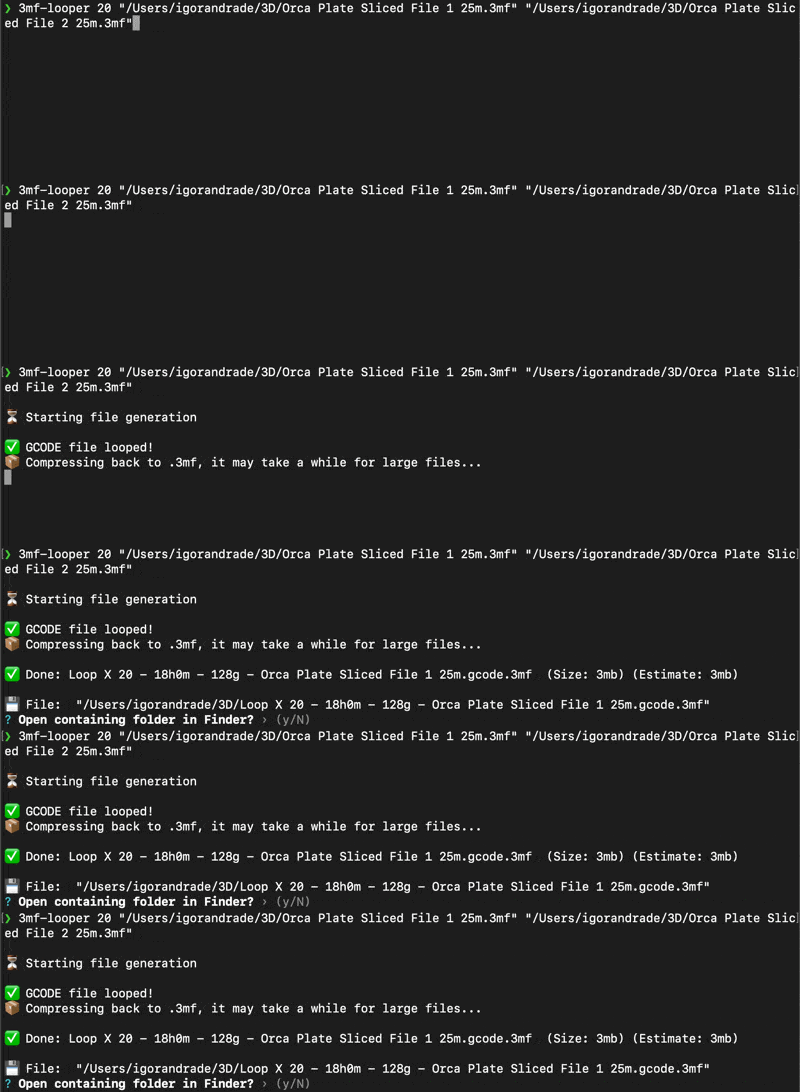
If you already have Node.js and npm installed, install the tool globally:
npm install -g @igorbuilds/3mf-looperIf you don’t have Node yet:
- Go to nodejs.org/en/download and install the LTS version
- Then run the install command above
3mf-looper <count|time|grams> <file1.3mf> [file2.3mf file3.3mf ...]- count: positive integer (e.g.,
5) - time: number with unit
m,h, ord(e.g.,120m,2h,1d) - weight: number with unit
gorkg(e.g.,100g,2.5kg) - One or more
.3mffiles
# Count-based
3mf-looper 5 /path/to/file1.3mf
# Simplest way

# Time-based (3 hours total)
3mf-looper 3h /path/to/file1.3mf /path/to/file2.3mf
# Get GCODE(s) print time and fits as many possible loops in the given time

# Filament-based (100 grams total)
3mf-looper 100g /path/to/file1.3mf
# Get GCODE(s) filament usage and fit as many possible loops in the given weight- Unzips the
.3mfto a temporary directory - Search for the
.gcodefile - Stream-concatenates the
.gcodefileloopCounttimes (memory-efficient) - Analyzes each input’s G-code to compute per-loop total time and filament usage
- Re-zips to
Loop X {repetitionCount} - {H}h{M}m - {grams}g - {originalFileNameWithoutTrailing.gcode}.gcode.3mf - Cleans up temp files
- Ask to open file's folder
If the .3mf lacks a root metadata/ folder or no top-level .gcode is found there, it fails with an error.
Additionally, the tool injects comments:
- Header and footer (same text) at the very start and end:
; File modificated at {YYYY-MM-DD HH:MM:SS} for {repetitions} loops for files: {file1, file2, ...} - Between each repetition (before loops 2..N):
; Starting loop {number} - Before each file’s content within a loop:
; Starting loop {number} for "{fileName}"
- When multiple files are provided, their
.gcodecontents are appended in order per loop, and the combined result replaces the first input’s.gcodebefore re-zipping. Example for two files (A then B):; File modificated at ... {File A} {File B} ; Starting loop 2 {File A} {File B} ; Starting loop 3 ... ; File modificated at ...
- Uses streaming to handle large
.gcodefiles - Original file is untouched
If you want to run the latest version from this repository:
- Clone this repository
- Install dependencies:
npm install- Install the CLI globally from the local folder (so the
3mf-loopercommand points here):
npm install --global .- After making changes, reinstall to update your global command:
npm install --global .Tip: advanced users can use npm link for a live symlinked global command during development.