Releases: Intelligence-Factory-LLC/Buffaly.CodexEmbedded
v2026.03.07.02

Release Notes - February 23, 2026
New Features
UI Improvements
This update is mostly about making long running work easier to track and easier to interrupt.
- Live turn activity strip with a running timer and a quick cancel link.
- Reasoning display is cleaner and more reliable in-flight because it keys off task boundaries instead of timing quirks.
- Sidebar status is more trustworthy: processing badges and timestamps reflect real updates, not attach time.

- Easier model selection with reasoning level controls in one place.

- Notification bubbles on tasks when they complete.

Server Improvements
- The server now runs on a stronger orchestrator, so it is more stable under load (lots of active sessions) and recovers better after restarts.
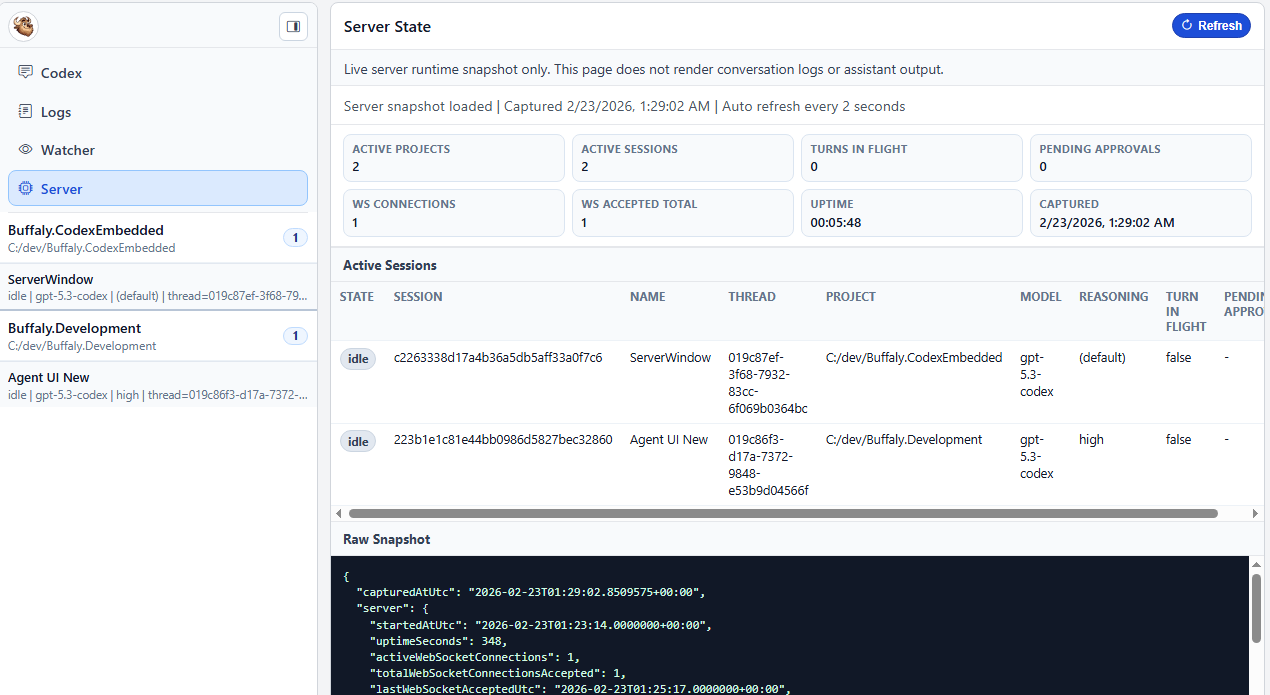
- New server state page at
/serverwith a runtime snapshot view, plus some usability cleanup (labels, badges, refresh button contrast).
New Developer Features
- Realtime logs screen at
/logsshowing live Codex to server communication over the app-server JSON-RPC protocol.

- Watcher screen at
/watcherfor monitoring CLI or Web sessions using the same timeline style as the main UI.

- Server state screen at
/serverfor visibility into what the orchestrator thinks is happening (websocket connections and app-server communication).

Reliability and Sync Improvements
- Improved session message handling and timeline sync for assistant response events.
- Hardened the UI and websocket event pipeline against message floods and redundant updates.
- Better recovery for stuck turns: core completion signals are used to unwind state, and
task_completeis treated as authoritative turn completion (with updated core tests).
v2026.03.03.02
Release v2026.03.03.02
v2026.02.27.01
Release Notes - February 27, 2026
New Features
This release is all about working faster and safer across long conversations and multiple sessions, with full Planning Mode support, voice dictation, and a new recap workflow you can export anywhere. 🚀
🧠 Planning Mode (Fully Supported)
Planning Mode is now end-to-end: stream a plan, review it, approve it, and keep going without losing state.
- Streaming plan output now stays readable with a compact single-line status strip.
- Proposed plans render as expandable timeline cards, so you can approve and reference them later.
- Plan output is rendered as canonical markdown with delta reconciliation during streaming.


🎙️ Voice Dictation
Voice dictation is now supported for easier prompt entry when you want to move quickly.

🧾 Recap Screen (Export-Friendly)
The new recap screen is built for end-of-day reports, sharing with teammates, and exporting your work to other LLMs for summaries or deeper research.
- Added recap mode at
/recapwith day and query drill-in plus a live recap timeline. - Added recap report history in the sidebar and aligned recap controls with the main index UI.

⚡ Long Conversation Review
Long sessions are easier to review without getting buried in raw tool output.
- Added diff-style highlighting for timeline tool output and code blocks.
- Reduced noisy default tool preview lines and added expandable hidden-line previews.
- Fixed extra blank lines in timeline diff rendering.

Server and Timeline Improvements
Timeline loading and session attach paths were reworked to improve speed and consistency.
- Split turns APIs into bootstrap, watch, and detail endpoints with shallow turn summaries.
- Switched UI to shallow bootstrap with lazy turn-detail hydration for faster initial render.
- Removed the legacy timeline endpoint and increased the bootstrap window for cleaner flow.
- Emitted authoritative
session_attachedwhen attaching loaded threads. - Tuned
/serverauto-refresh timing so state snapshots are easier to copy and inspect.
🧩 Multi-Session Safety and Reliability
You can run more Codex sessions at once without the UI getting confused, even when sessions reconnect or recover.
- Added automatic recovery for stale pending turn-start sessions.
- Improved attach behavior by emitting authoritative
session_attachedfor loaded thread attach. - General cleanup across recap, timeline, and turn lifecycle handling.
🛠️ Developer and Integrations
This release adds practical controls for plan collaboration and speech workflows.
- Integrated Codex protocol plan collaboration mode with explicit default-mode handling.
- Added end-to-end handling for plan-mode user input requests.
- Added OpenAI API key management for app flows that require external service calls.
- Added segmented speech-to-text frontend wiring and recap voice updates in-session.
🧹 Cleanup and Fixes
- Fixed speech transcription 400 retry loops and improved single-key lookup behavior.
- Hardened recap routing and binding for hosted base paths and single-session context.
- Enforced recap workspace defaults for safe read-only/no-approval operation.
- Tightened tool input modal behavior to require explicit selection.
v2026.02.25.02
Release Highlights
- Added a new Settings page with theme toggle and collapsible sidebar navigation.
- Added timeline jump mode and support for collapsed sections to move faster through long sessions.
- Restored model and reasoning labels in header controls for clearer active session context.
- Improved dark mode contrast for selected sidebar and active project states.
- Fixed stale turn handling and cancel behavior to keep processing state more accurate after aborts and reconnect events.
What changed today
- Added reliable recover and cleanup logic for in flight turns, including inactivity-based stale recovery.
- Improved cancel fallback messaging and state cleanup after forced clears.
- Cleaned up timeline header presentation while keeping model and reasoning visibility.
v2026.02.23.01
Release Notes - February 23, 2026
New Features
UI Improvements
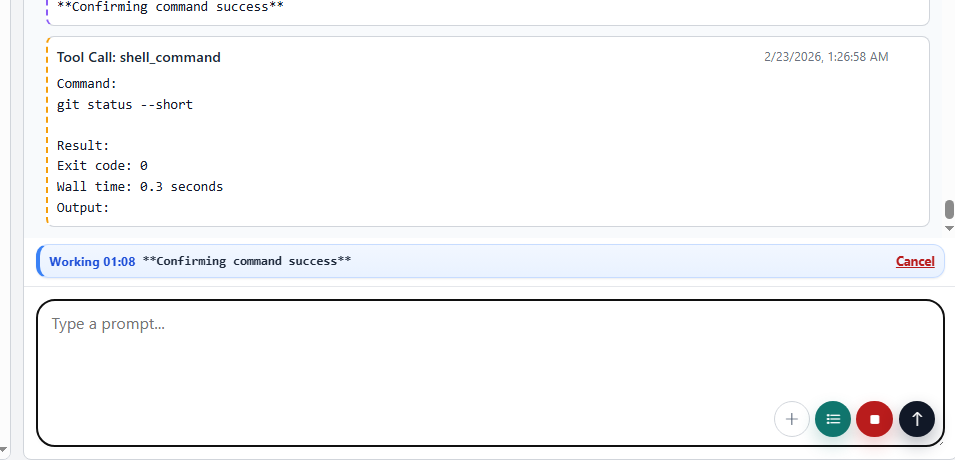
This update is mostly about making long running work easier to track and easier to interrupt.
- Live turn activity strip with a running timer and a quick cancel link.
- Reasoning display is cleaner and more reliable in-flight because it keys off task boundaries instead of timing quirks.
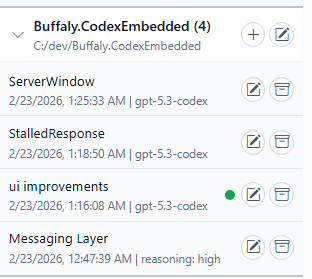
- Sidebar status is more trustworthy: processing badges and timestamps reflect real updates, not attach time.
- Easier model selection with reasoning level controls in one place.

- Notification bubbles on tasks when they complete.
Server Improvements
- The server now runs on a stronger orchestrator, so it is more stable under load (lots of active sessions) and recovers better after restarts.
- New server state page at
/serverwith a runtime snapshot view, plus some usability cleanup (labels, badges, refresh button contrast).
New Developer Features
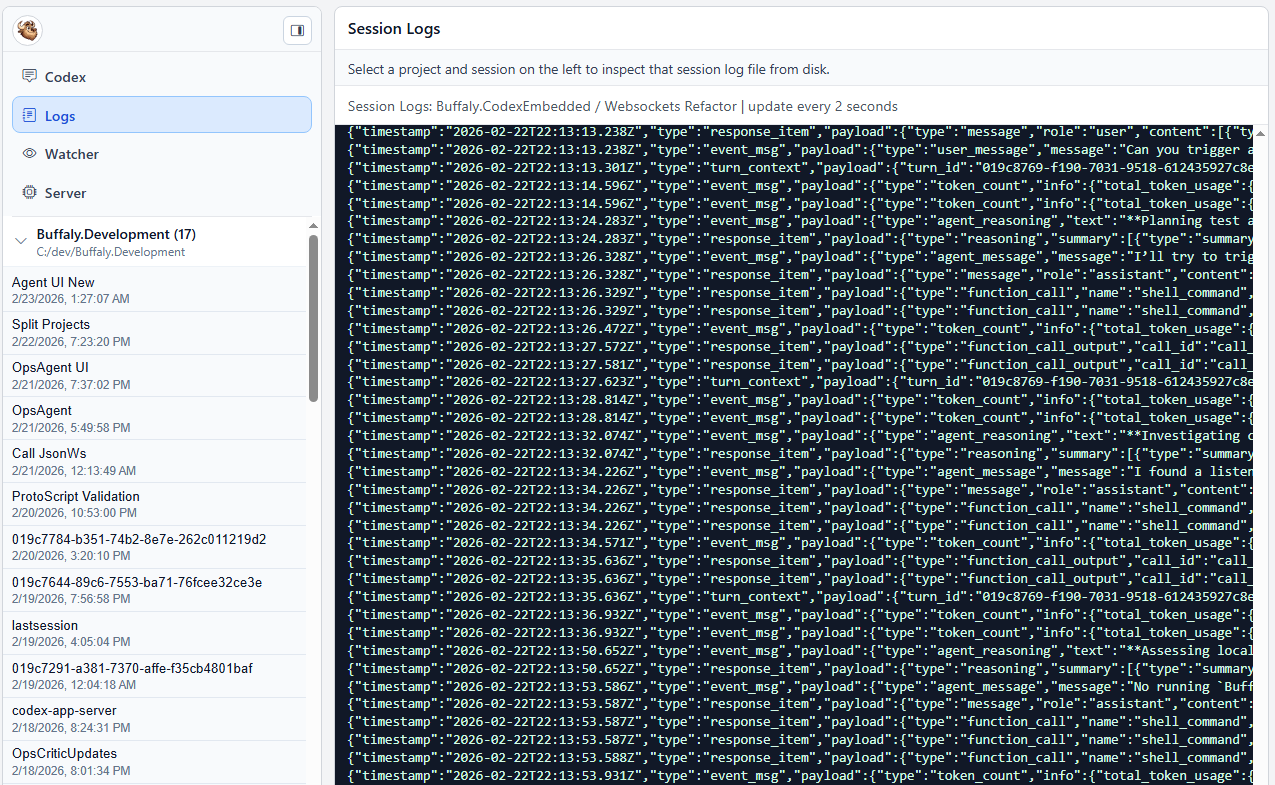
- Realtime logs screen at
/logsshowing live Codex to server communication over the app-server JSON-RPC protocol.
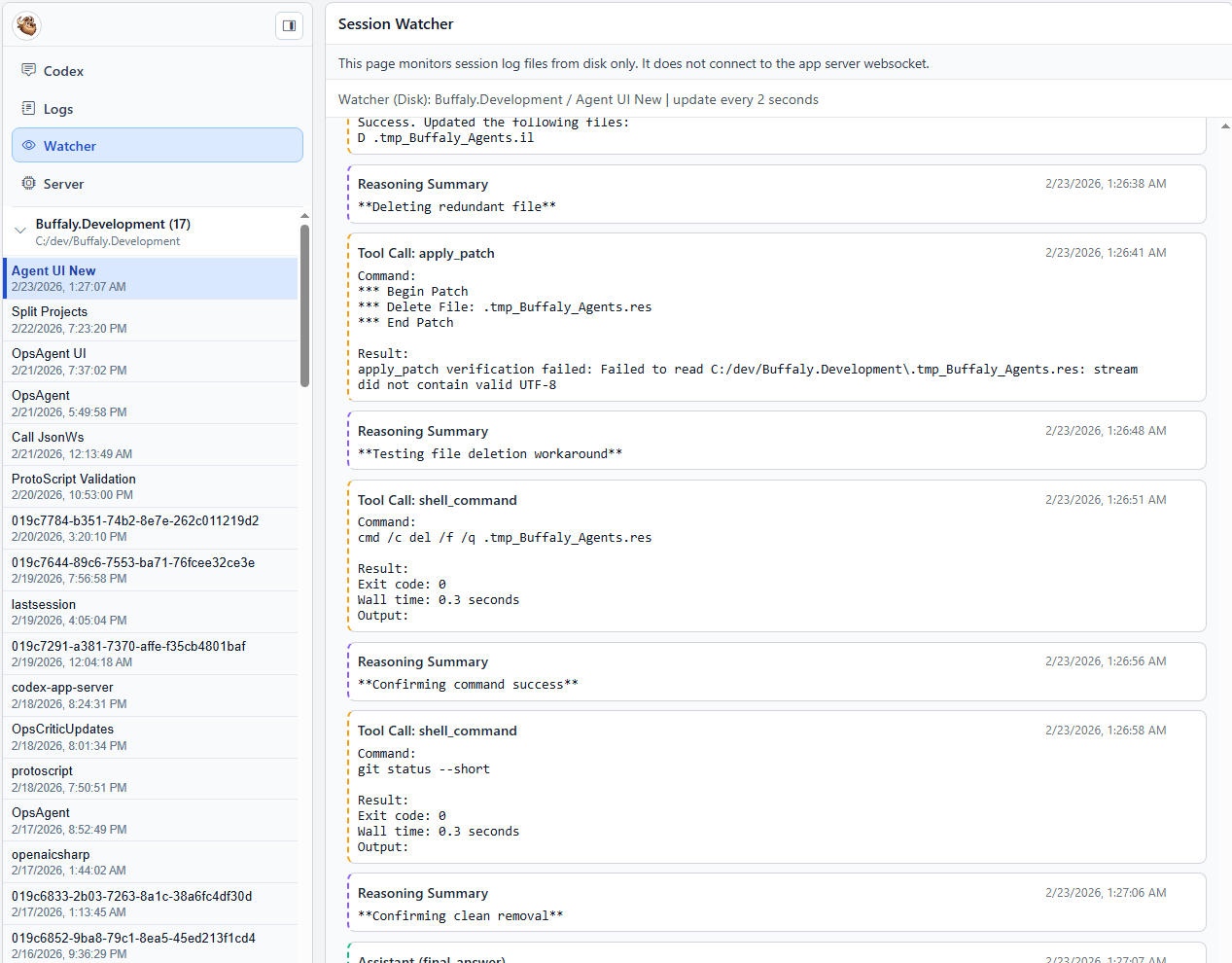
- Watcher screen at
/watcherfor monitoring CLI or Web sessions using the same timeline style as the main UI.
- Server state screen at
/serverfor visibility into what the orchestrator thinks is happening (websocket connections and app-server communication).
Reliability and Sync Improvements
- Improved session message handling and timeline sync for assistant response events.
- Hardened the UI and websocket event pipeline against message floods and redundant updates.
- Better recovery for stuck turns: core completion signals are used to unwind state, and
task_completeis treated as authoritative turn completion (with updated core tests).
v2026.02.22.02
Enhance CodexClient for deferred completion handling

Updated the CodexClient class to manage deferred completion of turn notifications. Added fields for tracking status and errors, and implemented logic to defer completion until necessary data is available. Introduced a background task for scheduling deferred completions and modified the completion method to accommodate these changes.
Buffaly Codex Embedded v2026.02.21

Buffaly Codex Embedded v2026.02.21
Initial public release of the Windows-first web UI for Codex app-server.
Included
- Multi-session web UI
- Session timeline and history
- CLI + web parallel workflow support
- Windows installer scripts:
install.ps1buffaly-codex-webbuffaly-codexbuffaly-codex-updatebuffaly-codex-uninstall
Quick start
- Download
Buffaly.CodexEmbedded-win-x64-v1.0.0.zip - Extract zip
- Run:
powershell -NoProfile -ExecutionPolicy Bypass -File .\install.ps1 - Open new terminal:
buffaly-codex-web - Open URL shown after
Now listening on:
Requirements
- Windows 10/11
codexCLI installed- Codex authentication completed (
codex login)
Known limitations
- Codex is required at runtime. If missing or unauthenticated, install still succeeds but session start will fail with clear warnings.
- Web command prints URL; browser is not auto-opened.
Security
- Do not expose this UI to the public internet.
- Recommended: localhost bind + Tailscale tailnet-only access.