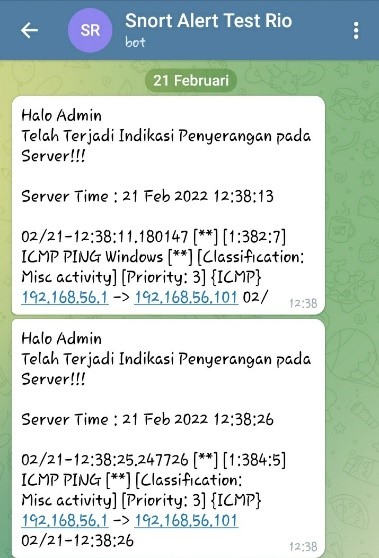
Programs are created using a bash script that is linked to Telegram's API to provide a notification message that an attack has occurred.
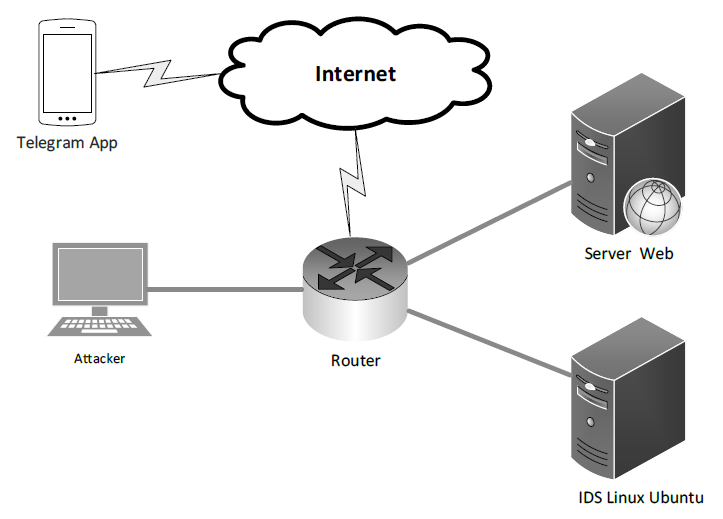
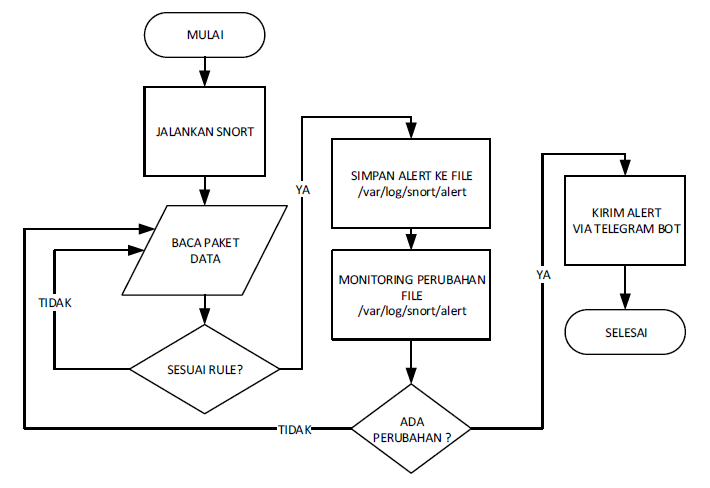
Clone repository
https://github.com/IrvanDimetrio/Snort-Telegram-Bot-Application.gitSnort Installation
sudo apt-get install snort -yCreating Telegram bot API notification messages requires registration in the @BotFather account; @BotFather is the official Telegram account used to create Telegram bots; first, in the search bar of the Telegram app, type @BotFather; then, click on Start to start the Telegram bot registration process; type /next start/newbot
@BotFather will issue a telegram api bot token once the bot registration process is complete. This token will be used to get Telegram ID on mobile devices.
For the next step, which is to get the chat_id bot that has been created so that the message sent matches the bot that was created, use a web browser, the author uses chrome to access:
https://api.telegram.org/bot[BotToken]/getUpdates
The last stage for making a telegram bot is by trying the chat_id obtained to send messages to the bot by accessing the url:
https://api.telegram.org/bot[BotToken]/sendMessage?chat_id=[chat-id]&text=Coba%20Kirim%20Pesan
sudo gedit /etc/snort/snort.confSearch for "ipvar HOME_NET". Then change the "any" to your device IP Address. Example : ipvar HOME_NET 192.168.56.101
sudo gedit /etc/snort/snort.debian.confSearch for "DEBIAN_SNORT_HOME_NET". And set your device IP Address. Example : DEBIAN_SNORT_HOME_NET="192.168.56.101".
sudo gedit /etc/snort/rules/local.rulesExample local rules snort :
# LOIC DoS Attack
  alert udp $EXTERNAL_NET any -> $HOME_NET $HTTP_PORTS (msg:"SLR - LOIC DoS Tool (UDP Mode)  - Behavior Rule (tracking/threshold)"; threshold: type threshold, track by_src, count 100 , seconds 5; classtype:misc-activity;  sid:1000002; rev:1;)

# TCP Port Scanning
alert tcp any any -> $HOME_NET any (msg:”Nmap TCP Port Scanning”; detection_filter:track by_src, count 30, seconds 60; sid:1000003; rev:1;)

# Potential SSH Brute Force
alert tcp any any -> $HOME_NET 22 (msg: "Potential SSH Brute Force Attack Port 22"; sid: 1000004; rev:1;)

# Remotel Telnet Access
alert tcp any any -> $HOME_NET 23 (msg: "Potential Remote Telnet Access Port 23"; sid: 1000005; rev:1;) cd snort-telegram-bot-application/
sudo gedit bot-telegram.shChange the username and then fill the chat_id and token variable and save the file.
Before we run the program, we will validate the configuration.
sudo snort -T -c /etc/snort/snort.conf -i enp0s3-i : Your network interface (Maybe yours is gonna be different)
You can check your network interface by running this command
ifconfigFirst terminal
sudo snort -i enps03 -c /etc/snort/snort.conf -l /var/log/snort -d -A console > /home/[username]/log.txtSecond terminal
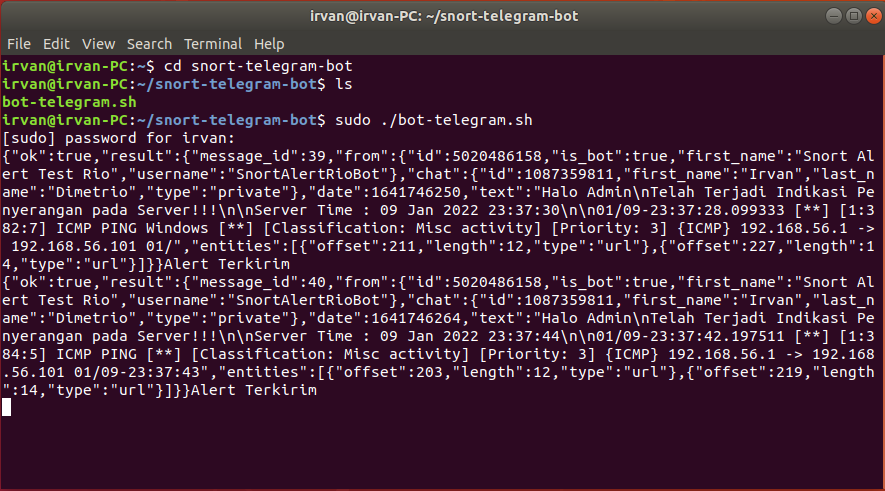
Go to telegram-bot-for-snort folder and run the program
  cd snort-telegram-bot-application/
  ./bot-telegram.sh
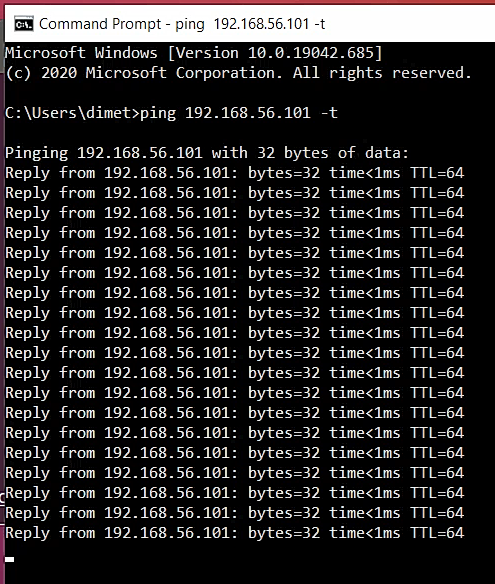
And then try to attack your device like ping or something else. Example :
ping 192.168.56.101 -t