BML is a command-line bookmark management system for quickly managing working directories in your terminal
Currently, BML works on Linux and macOS (including both Intel and M1 Macs). Windows support is not available.
Not having the ability to cd into bookmarked working directories has been a bit annoying, I sometimes found myself forgetting where project directories on my system or found using the cd command constantly when switching between common working directories tedious. So I decided to make my own terminal working directory bookmark management system.
Creating an application that can change the working directory of a terminal session is not as simple as I thought it would. I wanted to write it Golang, but programming an app that could change the working directory of the parent terminal session process was not a trivial thing. In the end, I decided to split the bookmark management system into a Golang app and the change of working directory logic in a bash command stored in my ~/.bashrc. If you know of a better architecture for this, please feel free to share it. Additionally, I chose this approach because I did not want to write the whole thing as one large shell script.
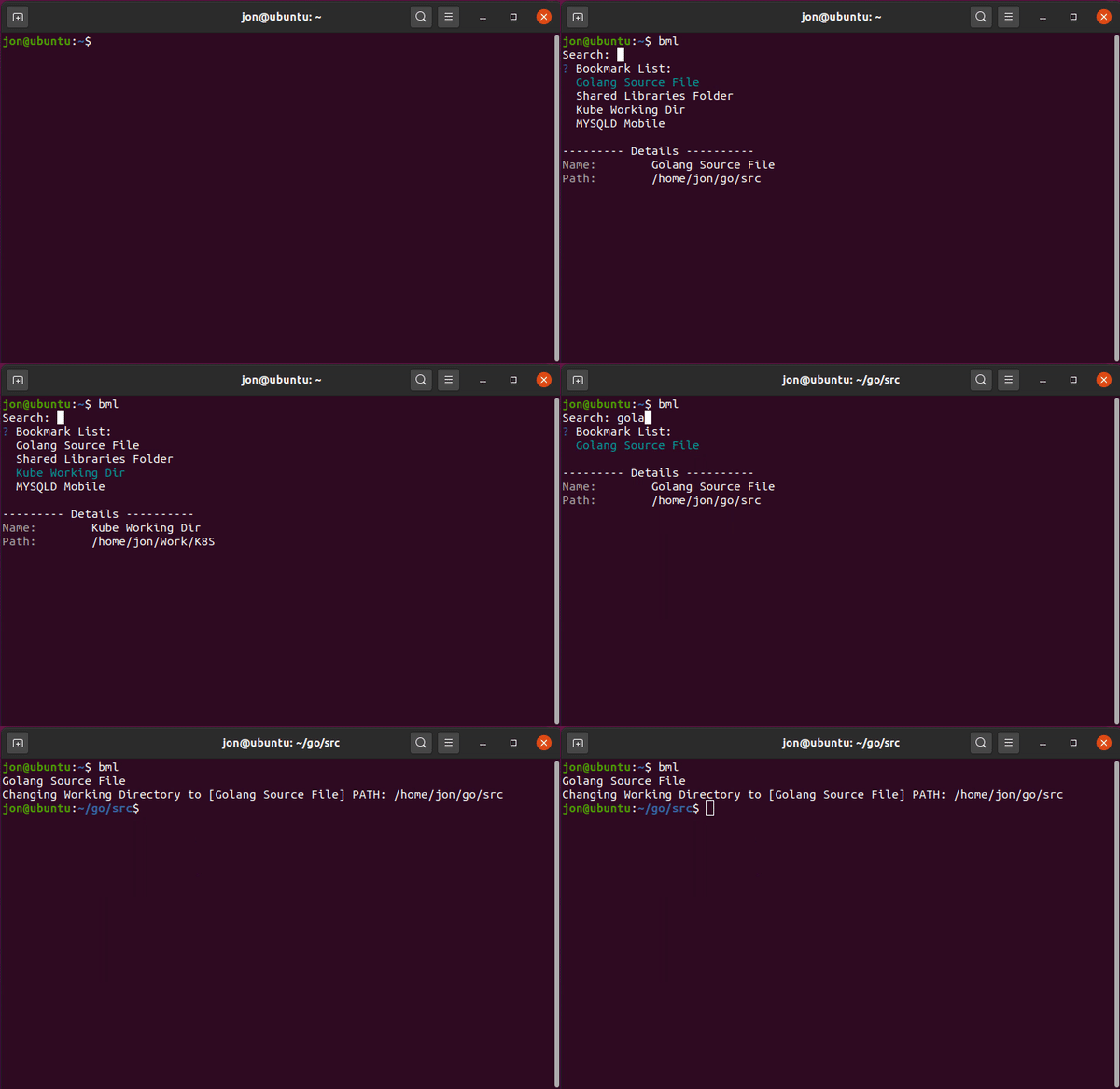
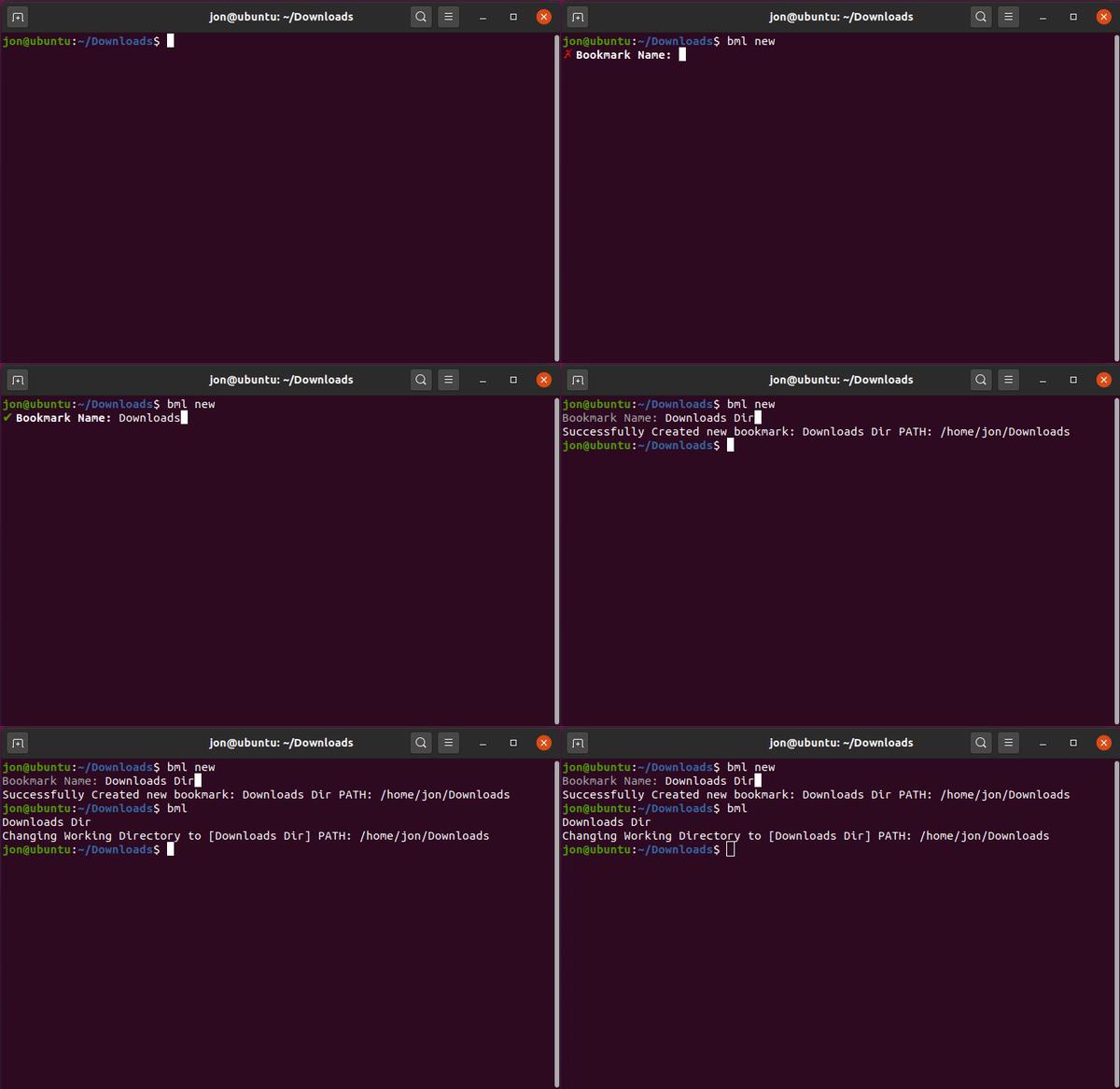
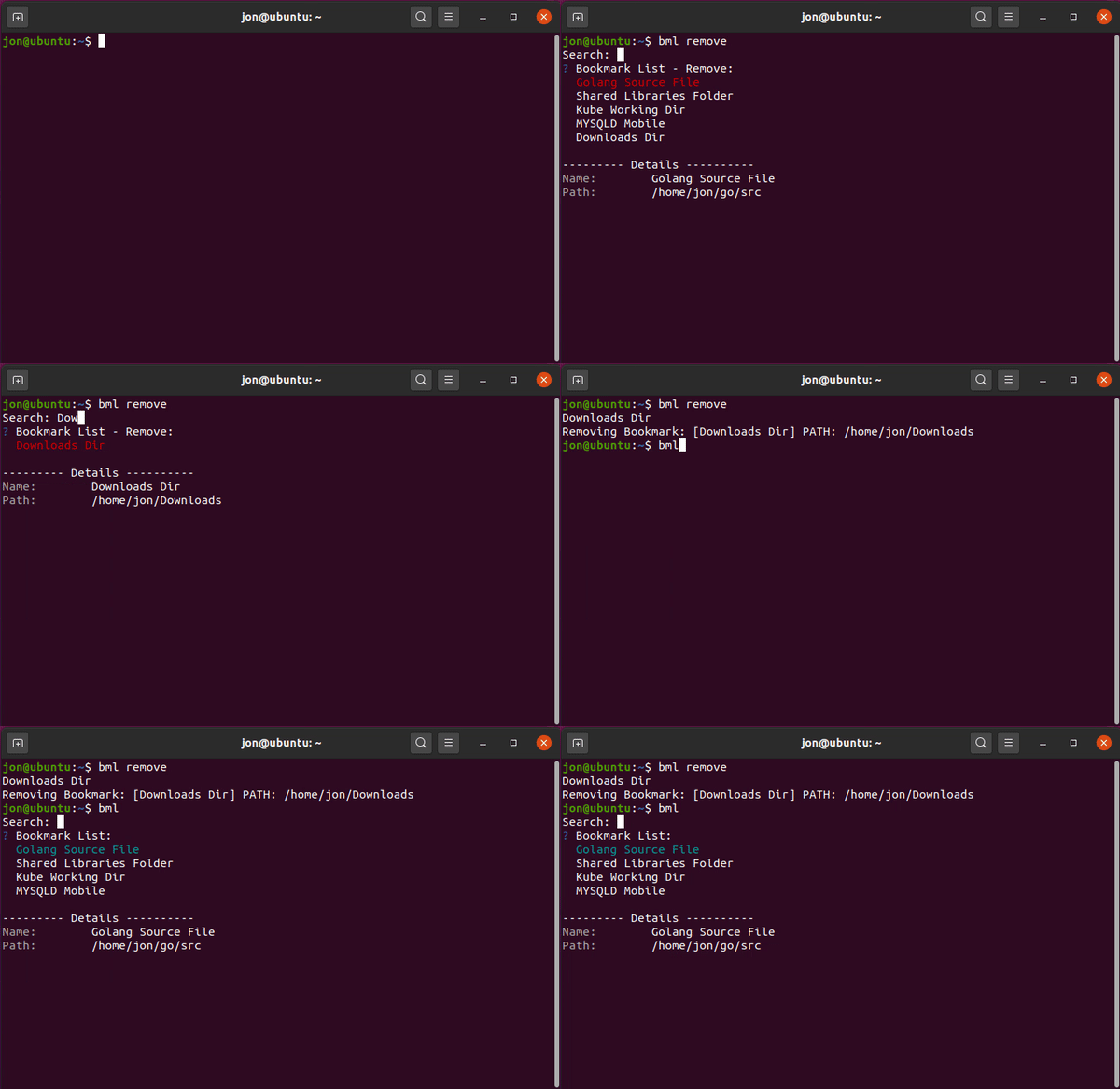
All this app requires is an installation of Golang to build and install the Binary.
Run the commands below to install bml
git clone https://github.com/JonAlfaro/BML.git
cd ./BML
go build
./BML install
Once install you will have to start a new terminal session. All new terminal sessions after installation will have the bml command present.
bml uninstallSupported Commands:
$ bml
$ bml new
$ bml remove
$ bml uninstall
$ bml help