Chrome extension (Manifest V3) that helps people who sit for long periods improve posture through progress tracking, reminders, and motivation.
Download the repository as a ZIP file and load it as a Chrome extension:
- Open Google Chrome and go to: chrome://extensions/
- Enable Developer mode (top-right corner).
- Click Load unpacked.
- Select the folder containing
manifest.json.
Once loaded, the Alignify icon will appear in the Chrome toolbar.
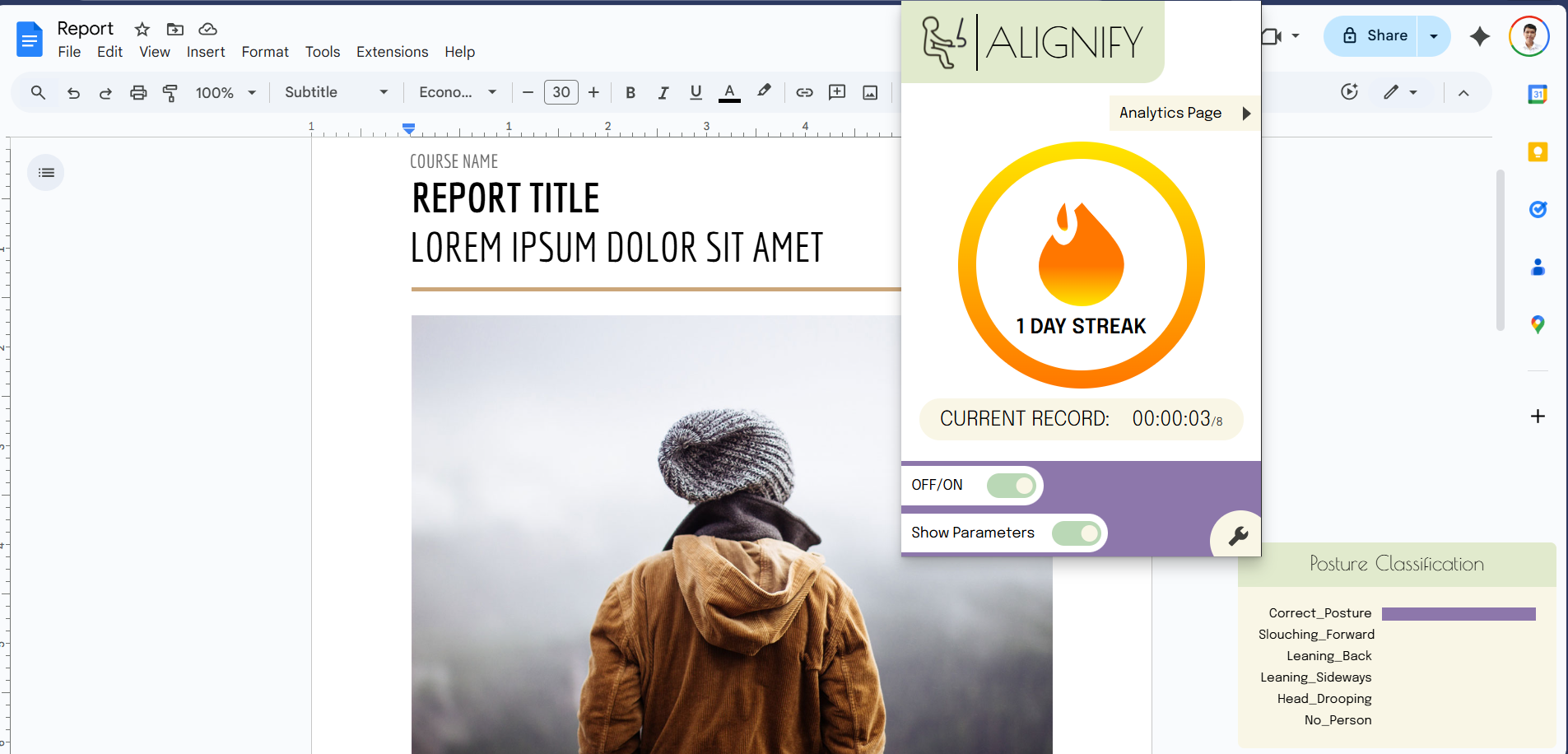
- Click the Alignify extension icon in the Chrome toolbar.
- Use the app to:
- Track posture progress over time
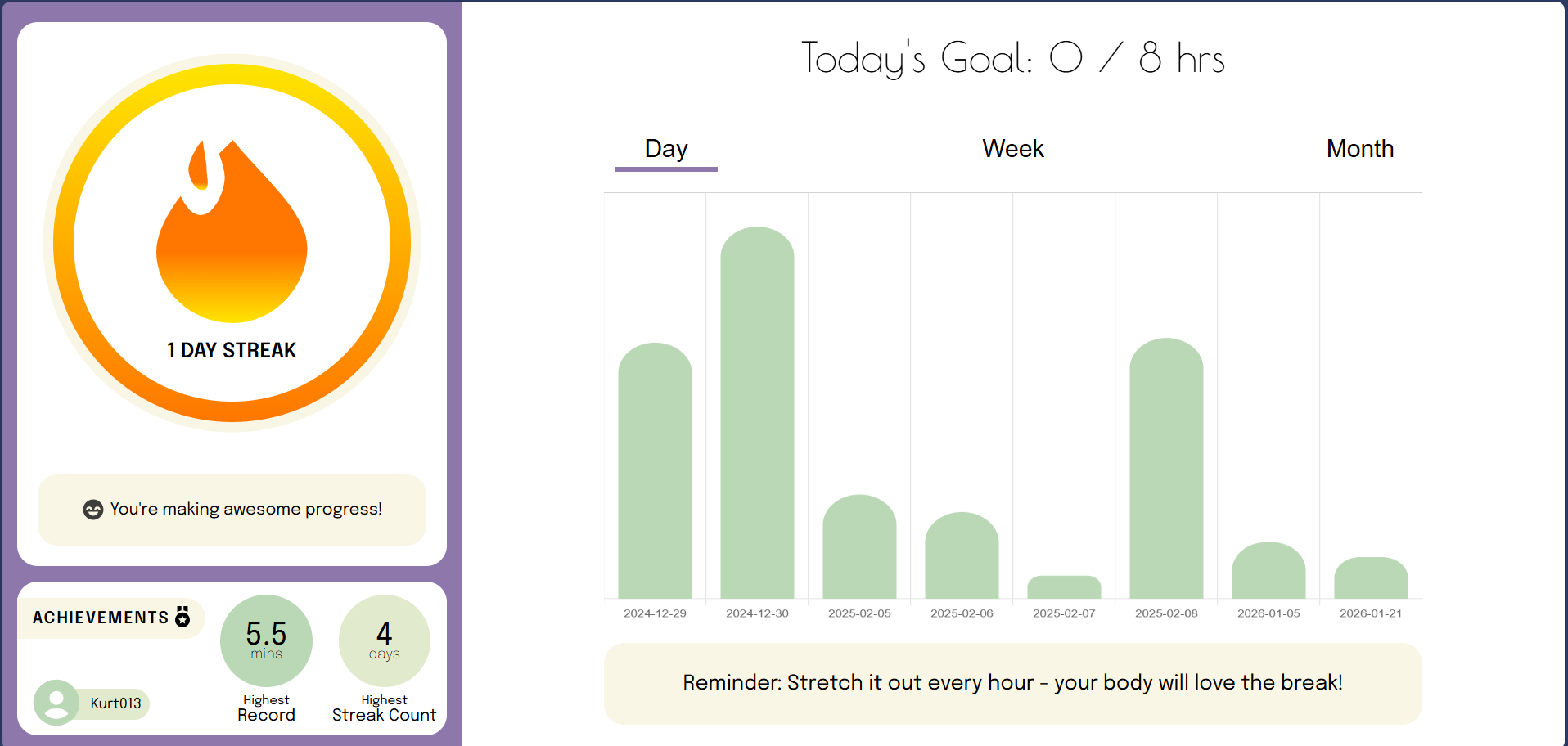
- View daily, weekly, and monthly statistics
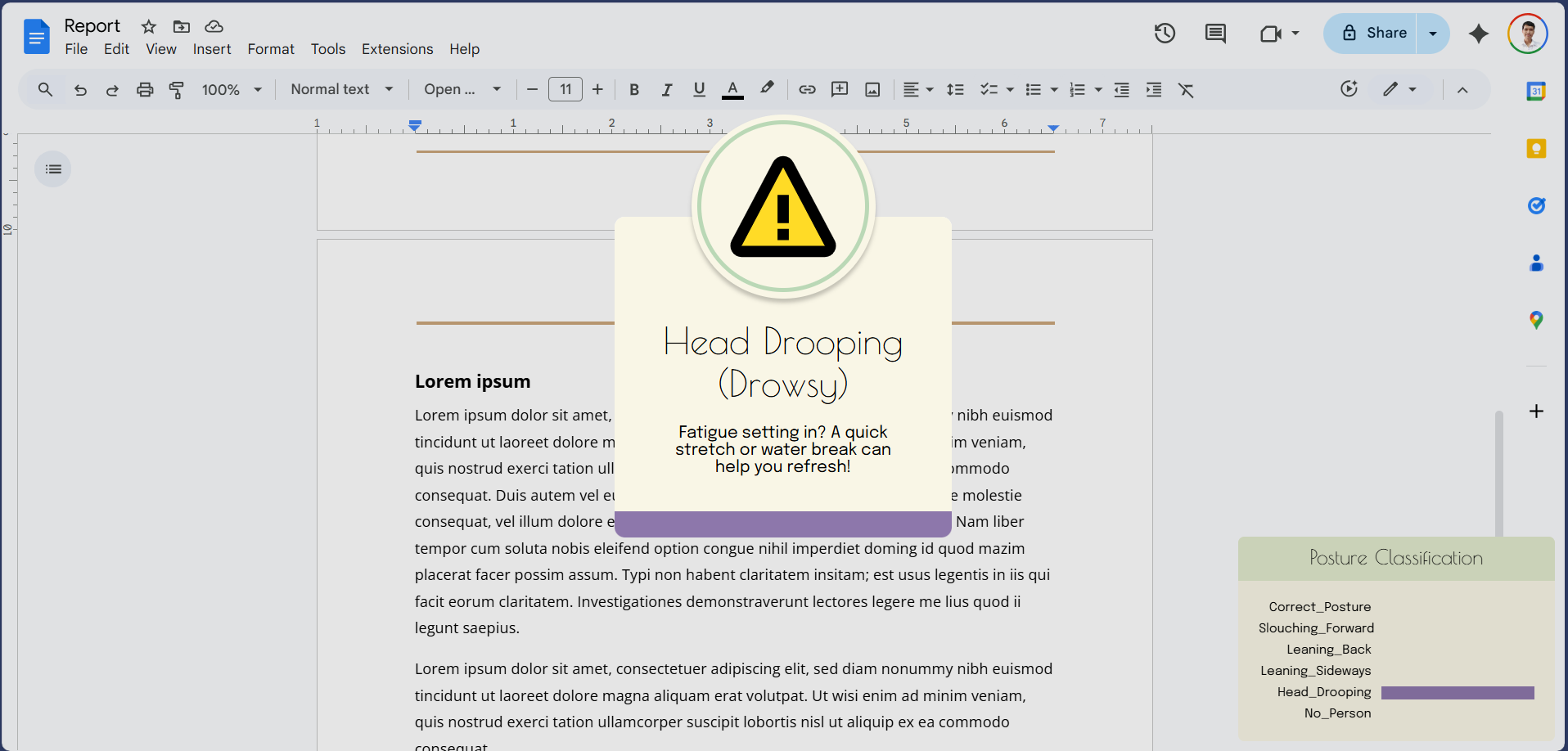
- Receive posture, stretching, and hydration reminders
- See motivational messages and achievements
- Track daily, weekly, and monthly posture progress
- Visual bar chart for posture history
- Progress stats (highest record, current streak, highest streak)
- Posture, stretching, and hydration reminders
- Motivational messages to encourage healthy habits
- Interactive charts with Day / Week / Month views
- Learned how to build a Chrome Extension using Manifest V3 through reading official docs
- Implemented progress tracking and reminders with Chrome Storage API
- Gained experience with Chart.js for data visualization
- Explored machine learning integration with Teachable Machine
- Improved skills in HTML, CSS, and JavaScript for interactive UIs
Overall, building this extension was fun but challenging. Integrating Teachable Machine was tricky because there is limited documentation for Chrome Extensions. After hours of experimenting, I found a solution: download the necessary model files locally and configure manifest.json to point to them.
I also faced challenges with audio permissions, which were resolved by explicitly configuring them in manifest.json. This project taught me that Manifest V3 is stricter than V2, which prevents things like loading external scripts from a CDN, requiring workarounds like local hosting of model files.





View the full Figma design here:
Open Figma
See LICENSE for full details.