Habib University E-Dukaan
(the heroku link has now expired due to inactivity)
Habib University has a Dukaan located at the ground floor in the university premises that sells all necessary stationary items you may need while you are in the University. We Aim to bring the dukaan on your computer. While you are busy and suddenly notice that you would need a set of pencils before your class begins, we provide you a deliery service. All you have to do Place your order, estimated time of delivery would be provided and your problem would be solved.
You can acsess the web application at: https://hu-edukaan.herokuapp.com/checkoutone (Hosted on Heroku: a platform as a service (PaaS) that enables developers to build, run, and operate applications entirely in the cloud)
The flask based codes were mostly edited from the official documentation: https://flask.palletsprojects.com/en/2.0.x/
- The main Algoritm used in this project is Dijikstra's Algorithm to find the shortest path from HU-Dukaan to Your selected destination from the dropdown menu
- Data Structures Used Are:
- Dictionary, Stack
- Graph
- The dictionary and stacks is used to store the inventory and update items in the cart, while the graph data structures helps create the map of the university.
You can simply click on https://hu-edukaan.herokuapp.com/checkoutone to see the output frontend, however to get this file running on your computer you would have to:
- pip install flask
- Run file: app.py
- here finally the app runs, cntrl+enter
Output:
- Debug mode: on
- Restarting with stat
- Debugger is active!
- Debugger PIN: 184-775-028
- Running on http://127.0.0.1:5000/ (Press CTRL+C to quit)
#this is a local link that you can host on your local server and will open the file on your browser
As you land on the page you will see;
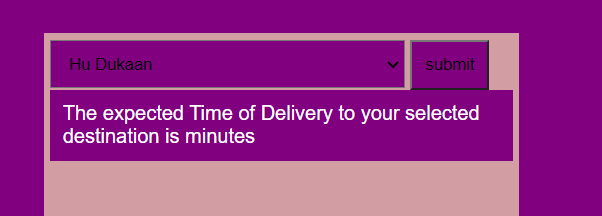
this is a drop down menu that has all the possible destinations. After selecting, click submit. Your estimated display time would be displayed.
- There are alot of additional features on the web application, suchas the add to cart button (this is a known bug) on the console even after getting the request from the button their is no display on the front-end server. So to show the working, the code is written in the @app.route('/cart) function and in the inventory.py file that shows how the cart is updated as we recieve orders.
- Login/sign Up feature: As this feature was neither in our proposal nor a main feature and required data base sytems to store and get ids of users we have routed the files but you can still see them on the page as a dummy feature to add the feel of a real-world e-commerce web application.
- app.py (The Flask Backend)
- algorithm.py (Dijikstra Implementation Backend)
- algorithm backend.py (Console Based Output as shown in Presentation)
- The template folder includes all the html files, while the static folder has the css style sheet.
- inventory.py (Cart implementation Backend)
- output.sqlite (Not used : But the data base of the inventory)