|
Developer: Brian Lorick |
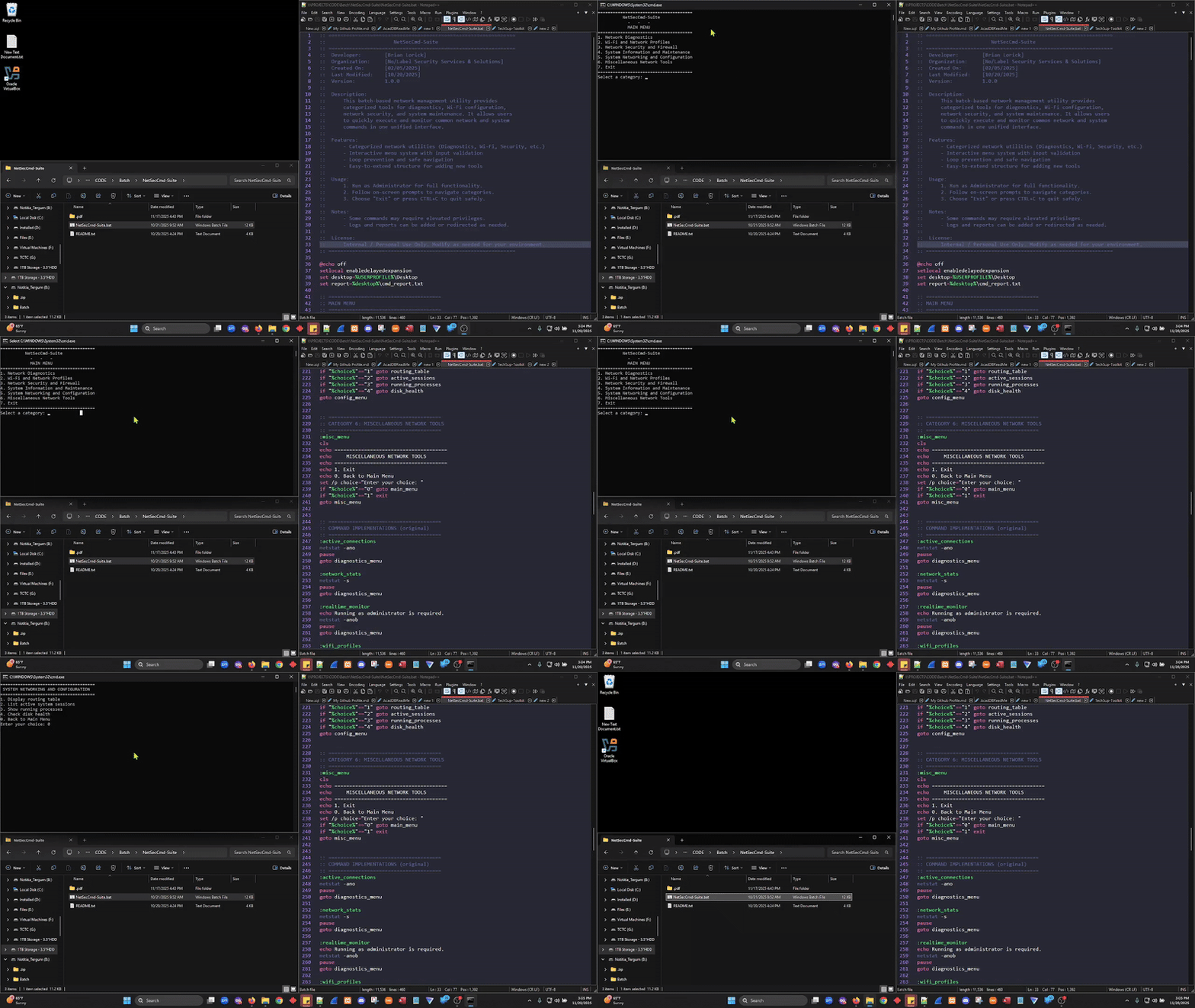
|
The Network Security Command Suite is a Windows Batch-based utility designed to simplify and centralize essential network administration and system maintenance tasks.
Through an interactive, menu-driven interface, it allows IT professionals to execute diagnostic, configuration, and monitoring commands quickly — without manually recalling complex syntax.
This tool is particularly useful for technicians, system administrators, and cybersecurity professionals who need a portable, script-based toolkit for troubleshooting and maintaining Windows systems.
-
Categorized Utilities
- Network Diagnostics
- Wi-Fi and Network Profiles
- Network Security and Firewall
- System Information and Maintenance
- System Networking and Configuration
- Miscellaneous Tools
-
Built-In Capabilities
- View and monitor network connections
- Test connectivity (ping, tracert, nslookup)
- Manage Wi-Fi profiles and interfaces
- Inspect firewall status and reset TCP/IP stack
- Generate system diagnostic reports
- List installed software, uptime, and resource stats
-
Design Highlights
- Interactive menu with input validation
- Loop prevention and safe navigation
- Modular structure for easy expansion
- Compatible with PowerShell integrations
| Component | Description |
|---|---|
| Language | Windows Batch Script |
| Platform | Windows 10/11 (Administrator Mode Recommended) |
| Dependencies | Built-in Windows tools (netsh, netstat, ipconfig, wmic, nslookup, powershell) |
| File Name | NetworkManagementTool.bat |
- Run as Administrator for full functionality.
- Follow the on-screen menu prompts.
- Choose a category and tool to execute a network or system command.
- Press
CTRL + Cor select Exit to quit safely.
netstat -ano— View active network connectionsnetsh wlan show profiles— Display saved Wi-Fi profilesipconfig /flushdns— Clear DNS cachesysteminfo— Retrieve system detailspowershell -Command "Get-NetTCPConnection -State Listen"— List open TCP ports
======================================
NETWORK MANAGEMENT TOOL
- Network Diagnostics
- Wi-Fi and Network Profiles
- Network Security and Firewall
- System Information and Maintenance
- System Networking and Configuration
- Miscellaneous Network Tools
- Exit
======================================
This tool streamlines network troubleshooting and system diagnostics for internal IT operations at No/Label Security Services & Solutions, enabling:
- Faster resolution of connectivity issues
- Centralized command execution
- Simplified maintenance workflows
It demonstrates expertise in:
- Windows scripting and automation
- Network configuration and security
- Systems diagnostics and administration
Internal / Personal Use Only
You may modify and adapt the script to suit your environment.
Attribution is appreciated.
- Exportable logs and reports (TXT/CSV/PDF)
- PowerShell integration for advanced automation
- GUI-based version for non-technical users
- Remote system management (via SSH or WMI)
Developer: Brian Lorick
Organization: No/Label Security Services & Solutions
“Simplify the complex. Automate the routine. Secure the system.”