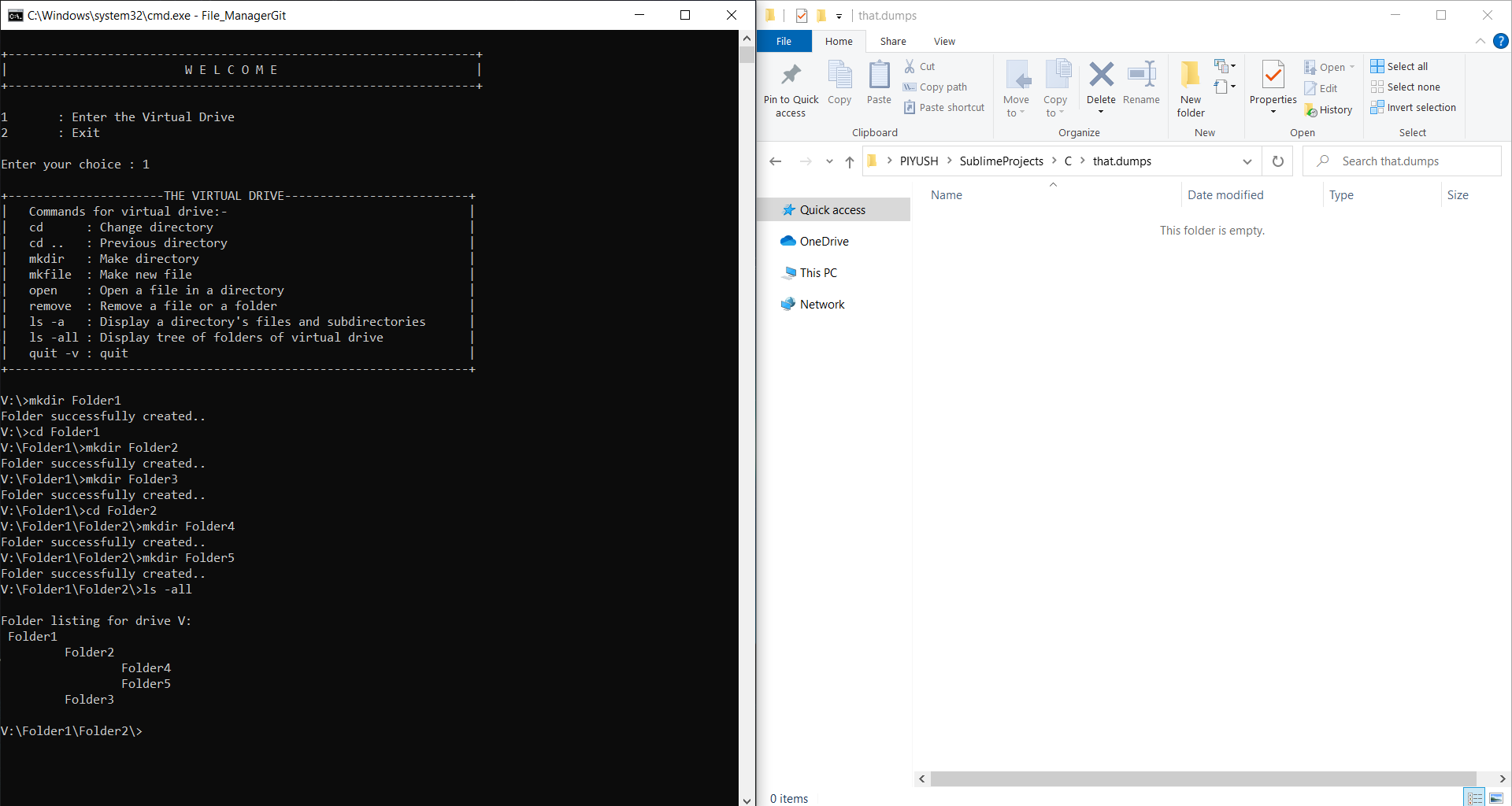
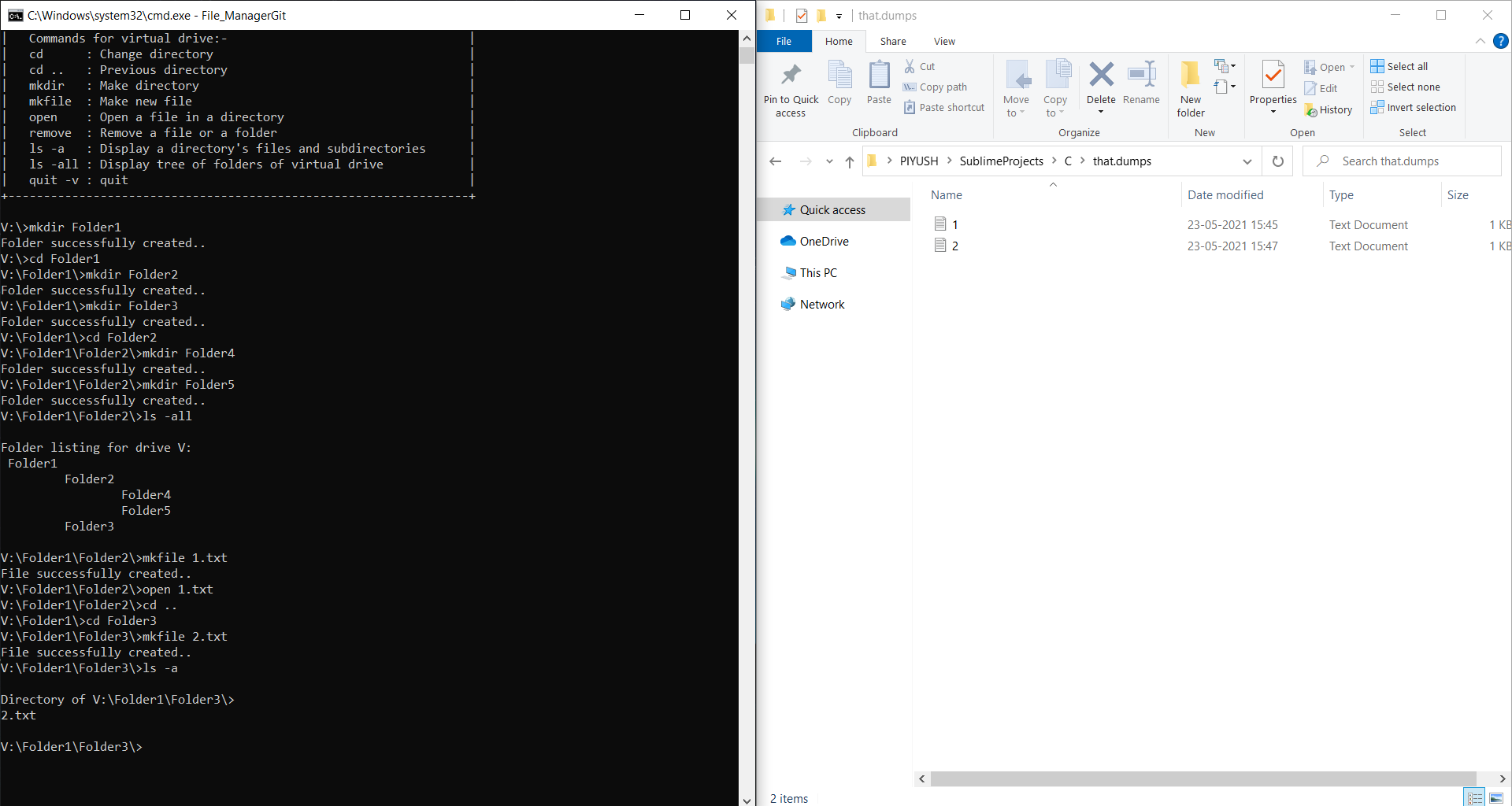
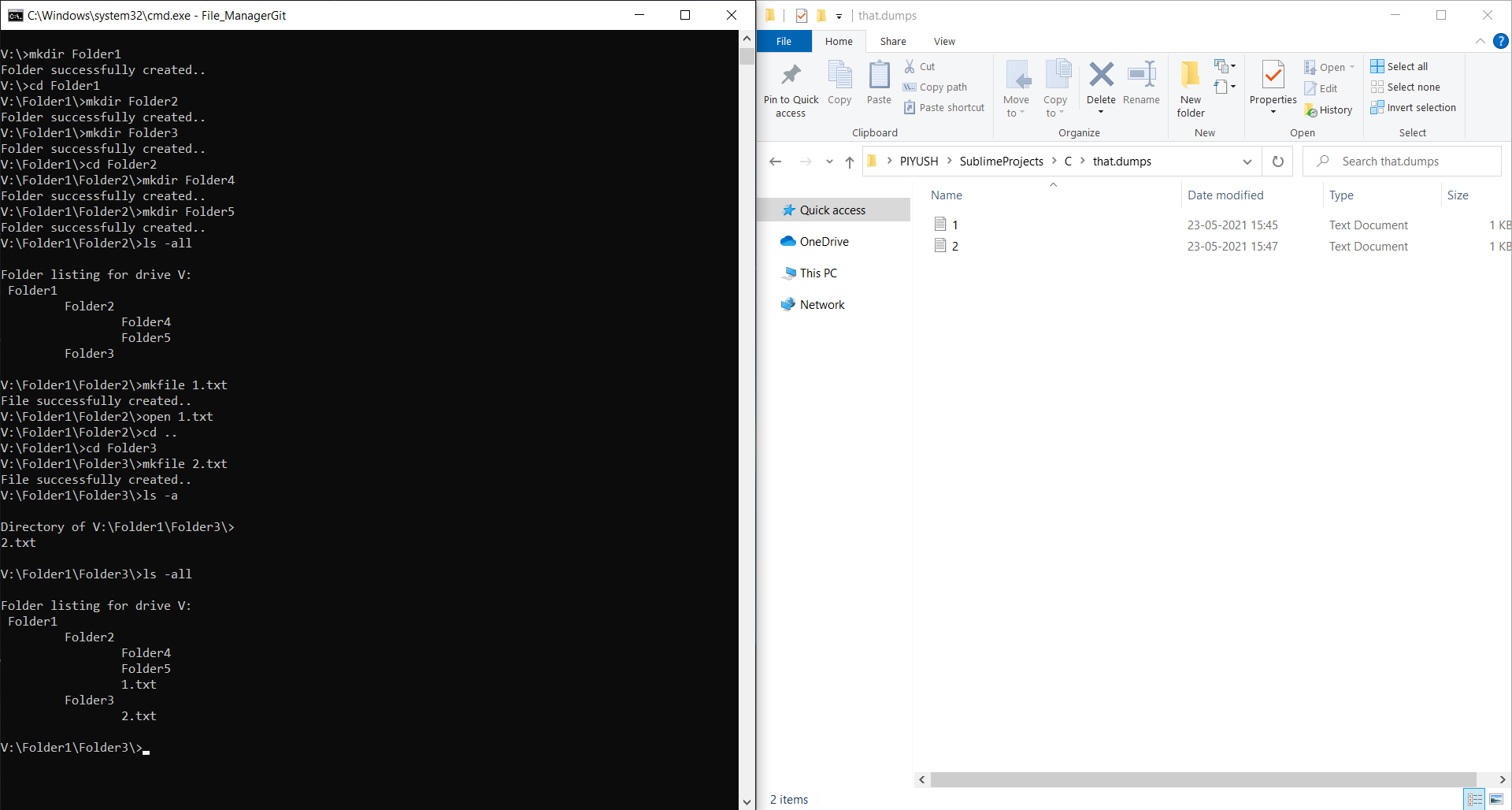
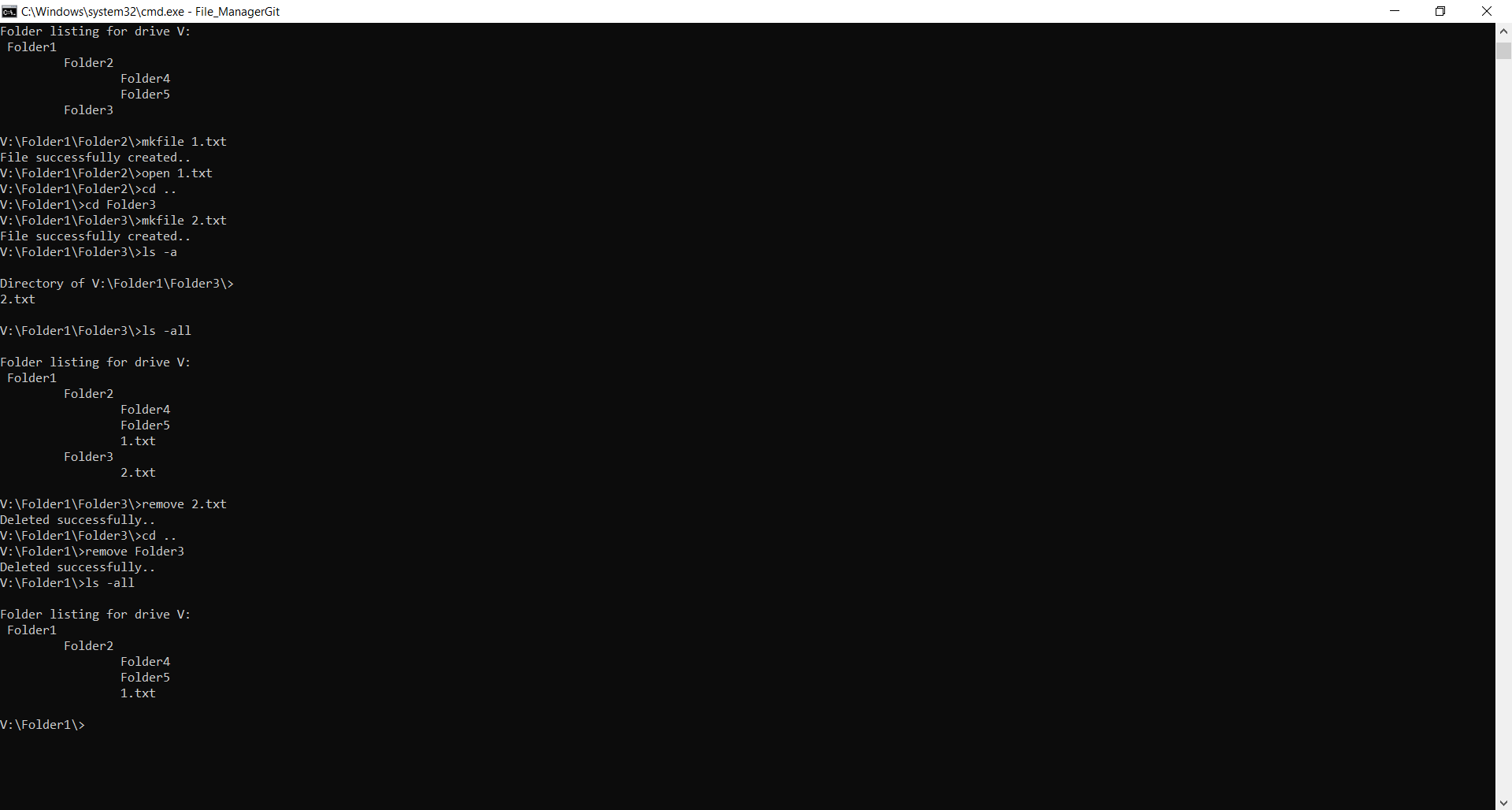
This project is an implementation of Generic trees (N-ary trees) to create and store the hierarchies of files and folders. It also provides traversal, deletion, listing items within a directory/folder and, opening and saving of files.
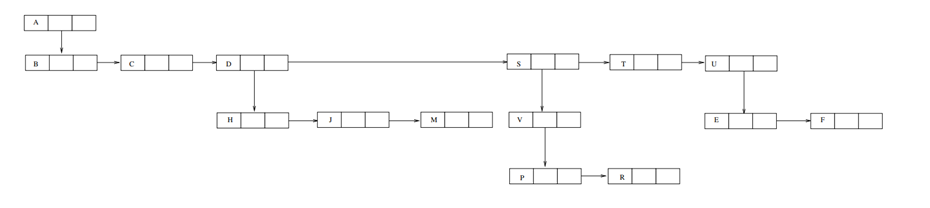
Generic tree is a tree in which each node can have many children or nodes. Each sub-node is a folder or a file as specified by the user under one root node. To provide the traversal of the nodes according to the user, command line arguments are used.
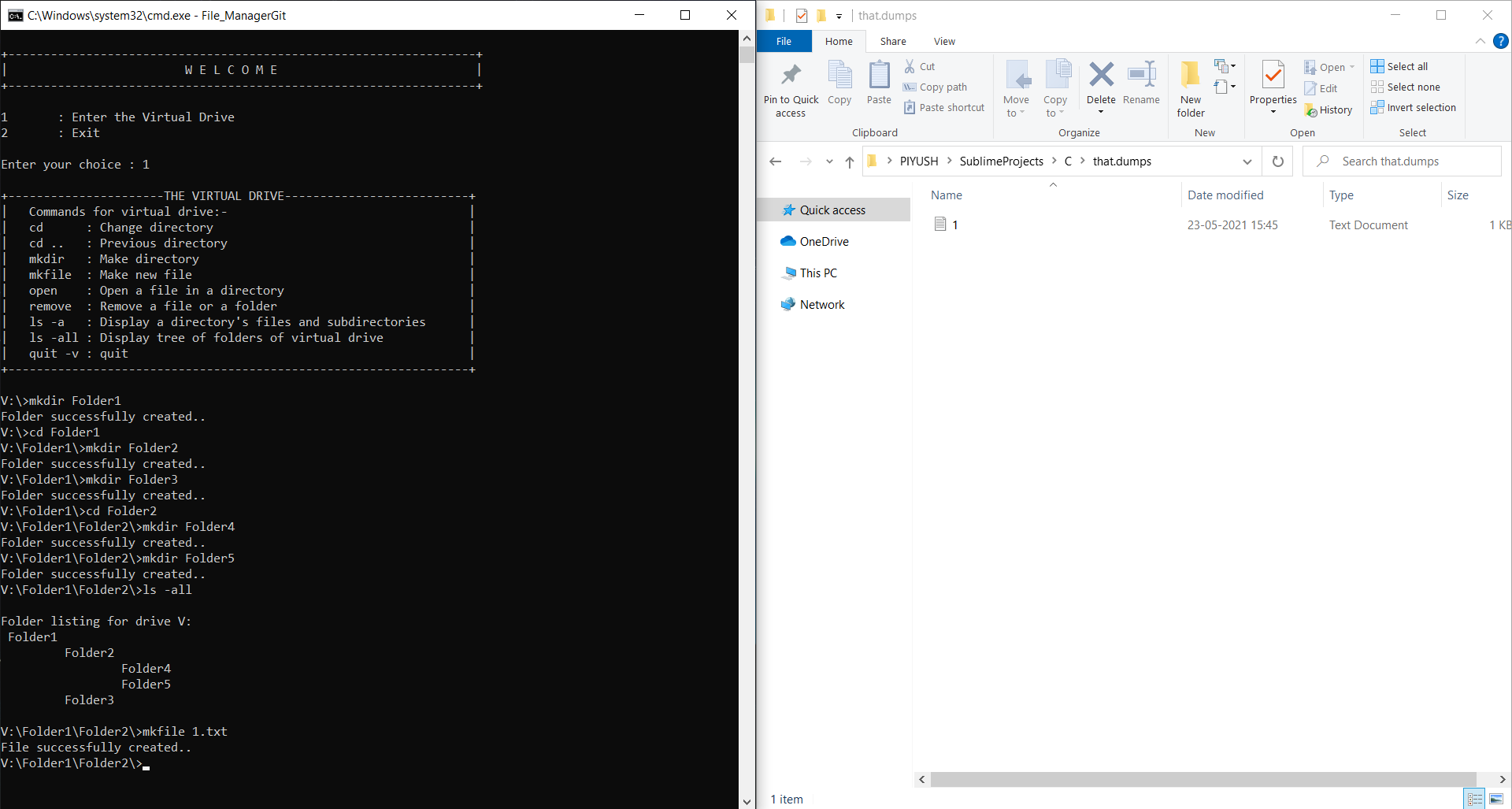
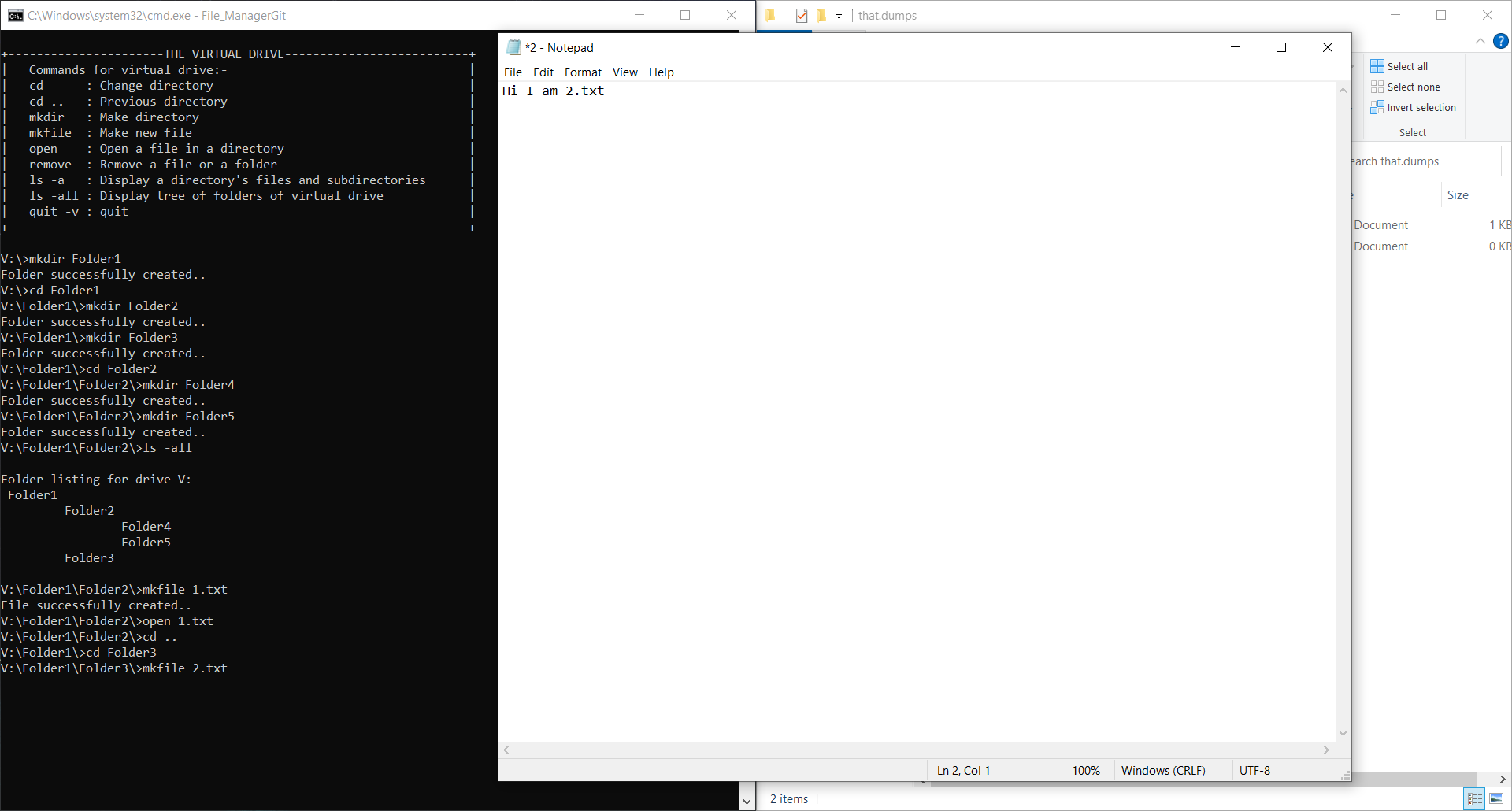
The nodes representing the folders are present only during the runtime. The hierarchy is presented as if it stored in a drive (virtual drive) but actually it is not stored in any drive. For the files, it gets stored in the memory in folder called that.dumps which is created (on the same folder where the FileManager.c file is saved in secondary memory of the user) during the runtime to store all the files created during the execution of the program irrespective of their presence in same or different directory/folder. All the files are dumped into that.dumps so it necessary to mention different filename for each file in other directories whereas same foldername can be repeated in other directories.
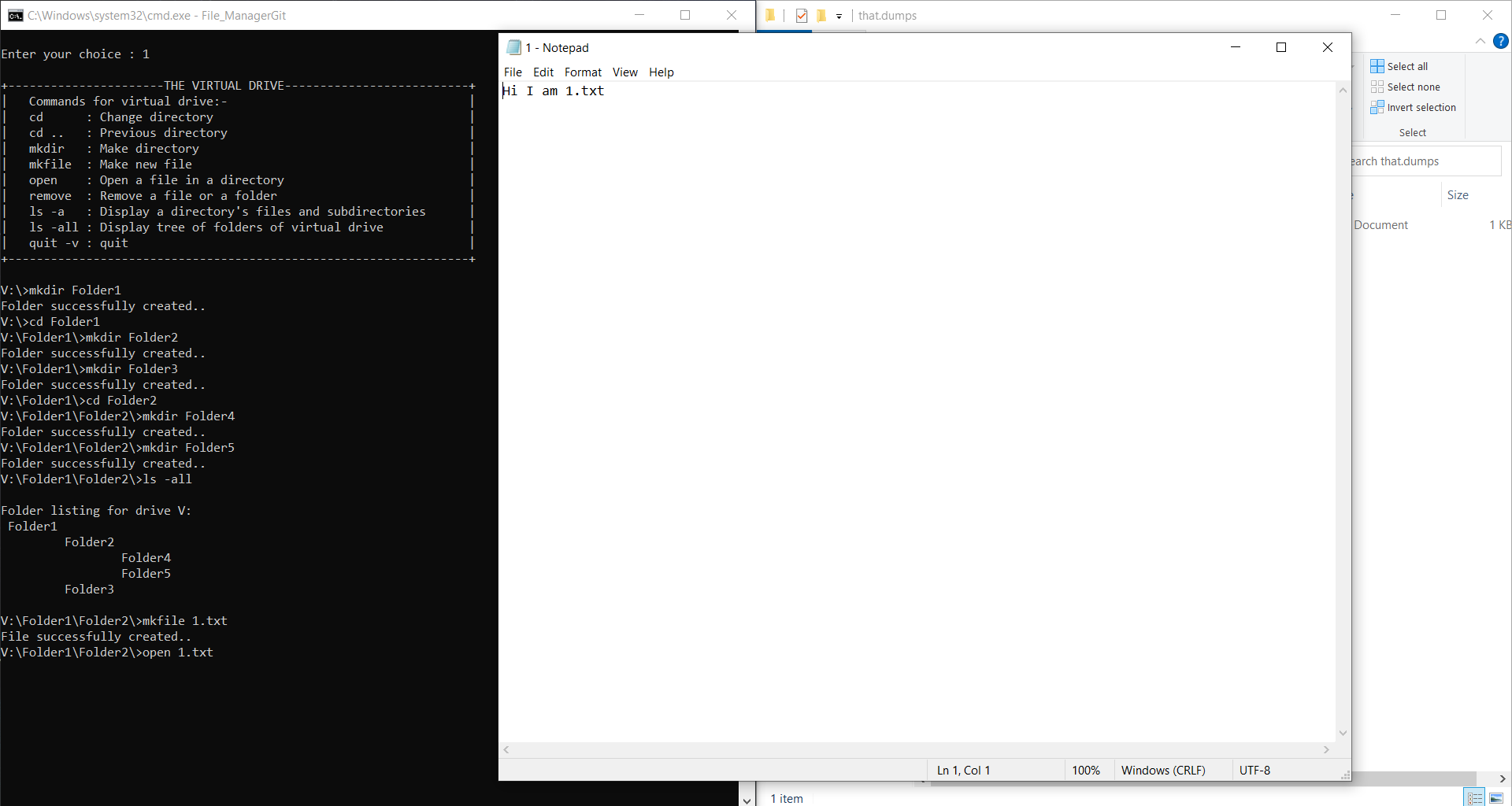
While making a file, an editor opens up to edit the file. Here I have used Notepad from Windows OS as an editor. Therefore, user can write text files and save it in the virtual directory. When the user comes out of the virtual drive, all files that were created in that.dumps during execution gets deleted to prepare that.dumps folder for a fresh start.
mkdir foldername
mkfile filename
cd foldername
cd ..
open filename
remove foldername
remove filename
ls -a
ls -all