
Claude Code, Codex CLI, and Gemini CLI as your Telegram assistant.
Uses only official CLIs. Nothing spoofed, nothing proxied.


Quick start · How chats work · Commands · Docs · Contributing
If you want to control Claude Code, Google's Gemini CLI, or OpenAI's Codex CLI via Telegram, build automations, or manage multiple agents easily — ductor is the right tool for you.
ductor runs on your machine and sends simple console commands as if you were typing them yourself, so you can use your active subscriptions (Claude Max, etc.) directly. No API proxying, no SDK patching, no spoofed headers. Just the official CLIs, executed as subprocesses, with all state kept in plain JSON and Markdown under ~/.ductor/.
pipx install ductor
ductor
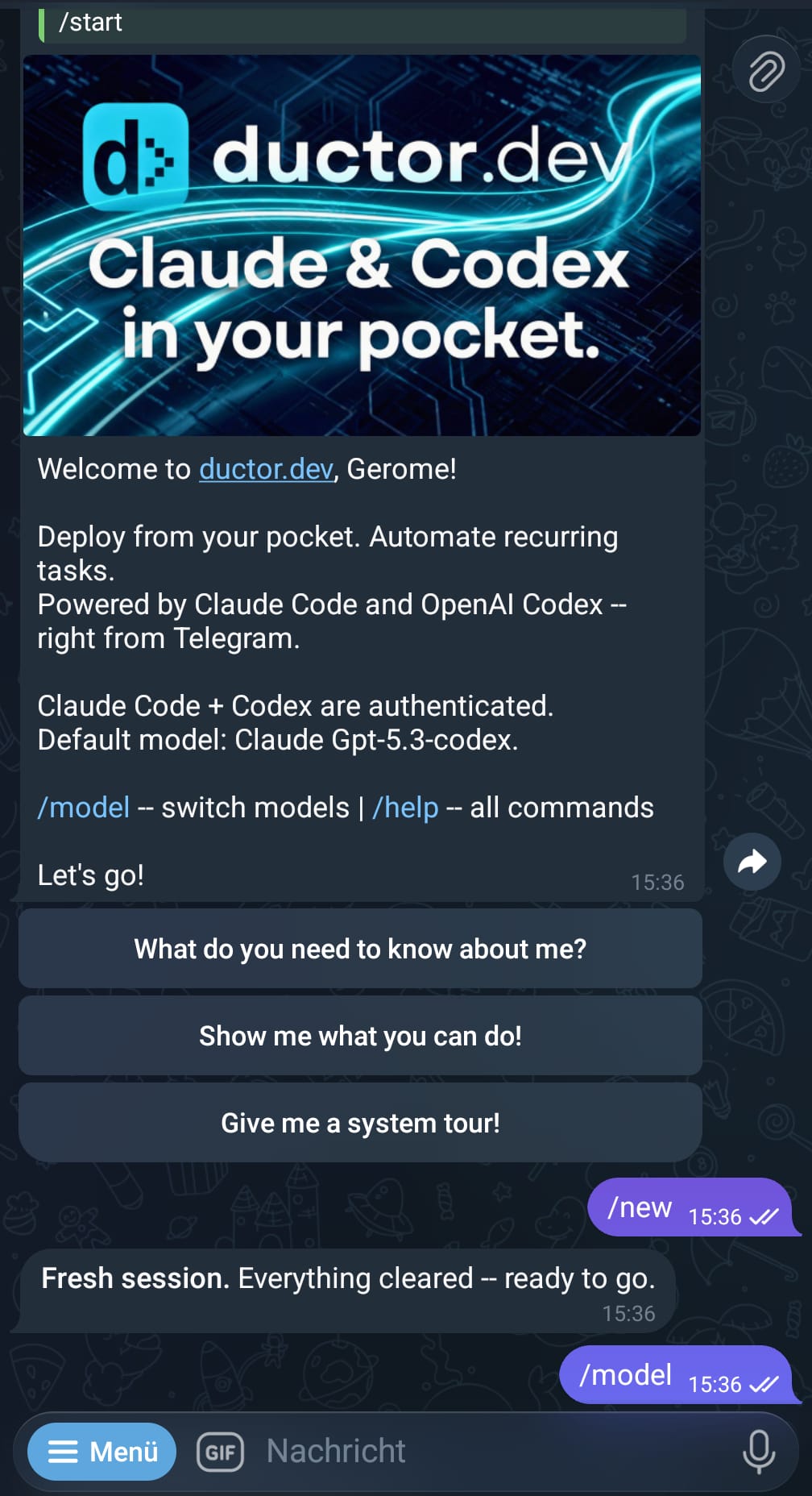
The onboarding wizard handles CLI checks, Telegram setup, timezone, optional Docker, and optional background service install.
Requirements: Python 3.11+, at least one CLI installed (claude, codex, or gemini), a Telegram Bot Token from @BotFather.
Detailed setup: docs/installation.md
ductor gives you multiple ways to interact with your coding agents. Each level builds on the previous one.
This is where everyone starts. You get a private 1:1 Telegram chat with your bot. Every message goes to the CLI you have active (claude, codex, or gemini), responses stream back in real time.
You:   "Explain the auth flow in this codebase"
Bot:   [streams response from Claude Code]

You:   /model
Bot:   [interactive model/provider picker]

You:   "Now refactor the parser"
Bot:   [streams response, same session context]
This single chat is all you need. Everything else below is optional.
Create a Telegram group, enable topics (forum mode), and add your bot. Now every topic becomes its own isolated chat with its own CLI context.
Group: "My Projects"
  ├── General           ← own context (isolated from your single chat)
  ├── Topic: Auth       ← own context
  ├── Topic: Frontend   ← own context
  ├── Topic: Database   ← own context
  └── Topic: Refactor   ← own context
That's 5 independent conversations from a single group. Your private single chat stays separate too — 6 total contexts, all running in parallel.
Each topic can use a different model. Run /model inside a topic to change just that topic's provider.
All chats share the same ~/.ductor/ workspace — same tools, same memory, same files. The only thing isolated is the conversation context.
Note: The Telegram Bot API has no method to list existing forum topics. ductor learns topic names from
forum_topic_createdandforum_topic_editedevents — so only topics created or renamed while the bot is in the group are known by name. Pre-existing topics show as "Topic #N" until they are edited. This is a Telegram limitation, not a ductor limitation.
Need to work on something unrelated without losing your current context? Start a named session. It runs inside the same chat but has its own CLI conversation.
You:   "Let's work on authentication"        ← main context builds up
Bot:   [responds about auth]

/session Fix the broken CSV export            ← starts session "firmowl"
Bot:   [works on CSV in separate context]

You:   "Back to auth — add rate limiting"     ← main context is still clean
Bot:   [remembers exactly where you left off]

@firmowl Also add error handling              ← follow-up to the session
Sessions work everywhere — in your single chat, in group topics, in sub-agent chats. Think of them as opening a second terminal window next to your current one.
Any chat can delegate long-running work to a background task. You keep chatting while the task runs autonomously. When it finishes, the result flows back into your conversation.
You:   "Research the top 5 competitors and write a summary"
Bot:   → delegates to background task, you keep chatting
Bot:   → task finishes, result appears in your chat

You:   "Delegate this: generate reports for all Q4 metrics"
Bot:   → explicitly delegated, runs in background
Bot:   → task has a question? It asks the agent → agent asks you → you answer → task continues
Each task gets its own memory file (TASKMEMORY.md) and can be resumed with follow-ups.
Sub-agents are completely separate bots — own Telegram chat, own workspace, own memory, own CLI auth, own config settings (heartbeat, timeouts, model defaults, etc.). Like having ductor installed twice on different machines.
ductor agents add codex-agent # creates a new bot (needs its own BotFather token)Your main chat (Claude): "Explain the auth flow"
codex-agent chat (Codex): "Refactor the parser module"
Sub-agents live under ~/.ductor/agents/<name>/ with their own workspace, tools, and memory — fully isolated from the main agent.
You can delegate tasks between agents:
Main chat:  "Ask codex-agent to write tests for the API"
  → Claude sends the task to Codex
  → Codex works in its own workspace
  → Result flows back to your main chat
| Single chat | Group topics | Named sessions | Background tasks | Sub-agents | |
|---|---|---|---|---|---|
| What it is | Your main 1:1 chat | One topic = one chat | Extra context in any chat | "Do this while I keep working" | Separate bot, own everything |
| Context | One per provider | One per topic per provider | Own context per session | Own context, result flows back | Fully isolated |
| Workspace | ~/.ductor/ |
Shared with main | Shared with parent chat | Shared with parent agent | Own under ~/.ductor/agents/ |
| Config | Main config | Shared with main | Shared with parent chat | Shared with parent agent | Own config (heartbeat, timeouts, model, ...) |
| Setup | Automatic | Create group + enable topics | /session <prompt> |
Automatic or "delegate this" | ductor agents add + BotFather |
~/.ductor/                          ← shared workspace (tools, memory, files)
  │
  ├── Single chat                   ← main agent, private 1:1
  │     ├── main context
  │     └── named sessions
  │
  ├── Group: "My Projects"          ← same agent, same workspace
  │     ├── General (own context)
  │     ├── Topic: Auth (own context, own model)
  │     ├── Topic: Frontend (own context)
  │     └── each topic can have named sessions too
  │
  └── agents/codex-agent/           ← sub-agent, fully isolated workspace
        ├── own single chat
        ├── own group support
        ├── own named sessions
        └── own background tasks
- Real-time streaming — live Telegram message edits as the CLI produces output
- Provider switching —
/modelto change provider/model,@modeldirectives for inline targeting - Persistent memory — plain Markdown files that survive across sessions
- Cron jobs — in-process scheduler with timezone support, per-job overrides, quiet hours
- Webhooks —
wake(inject into active chat) andcron_task(isolated task run) modes - Heartbeat — proactive checks in active sessions with cooldown
- Config hot-reload — most settings update without restart
- Docker sandbox — optional sidecar container with configurable host mounts
- Service manager — Linux (systemd), macOS (launchd), Windows (Task Scheduler)
- Cross-tool skill sync — shared skills across
~/.claude/,~/.codex/,~/.gemini/
ductor uses a dual-allowlist model. Every message must pass both checks.
| Chat type | Check |
|---|---|
| Private | user_id ∈ allowed_user_ids |
| Group | group_id ∈ allowed_group_ids AND user_id ∈ allowed_user_ids |
allowed_user_ids— Telegram user IDs that may talk to the bot. At least one required.allowed_group_ids— Telegram group IDs where the bot may operate. Default[]= no groups.group_mention_only— Whentrue, the bot only responds in groups when @mentioned or replied to.
All three are hot-reloadable — edit config.json and changes take effect within seconds.
Privacy Mode: Telegram bots have Privacy Mode enabled by default and only see
/commandsin groups. To let the bot see all messages, make it a group admin or disable Privacy Mode via BotFather (/setprivacy→ Disable). If changed after joining, remove and re-add the bot.
Group management: When the bot is added to a group not in allowed_group_ids, it warns and auto-leaves. Use /where to see tracked groups and their IDs.
| Command | Description |
|---|---|
/model |
Interactive model/provider selector |
/new |
Reset active provider session |
/stop |
Abort active run |
/stop_all |
Abort runs across all agents |
/status |
Session/provider/auth status |
/memory |
Show persistent memory |
/session <prompt> |
Start a named background session |
/sessions |
View/manage active sessions |
/tasks |
View/manage background tasks |
/cron |
Interactive cron management |
/showfiles |
Browse ~/.ductor/ |
/diagnose |
Runtime diagnostics |
/upgrade |
Check/apply updates |
/agents |
Multi-agent status |
/agent_commands |
Multi-agent command reference |
/where |
Show tracked chats/groups |
/leave <id> |
Manually leave a group |
/info |
Version + links |
ductor                  # Start bot (auto-onboarding if needed)
ductor stop             # Stop bot
ductor restart          # Restart bot
ductor upgrade          # Upgrade and restart
ductor status           # Runtime status

ductor service install  # Install as background service
ductor service logs     # View service logs

ductor docker enable    # Enable Docker sandbox
ductor docker rebuild   # Rebuild sandbox container
ductor docker mount /p  # Add host mount

ductor agents list      # List configured sub-agents
ductor agents add NAME  # Add a sub-agent
ductor agents remove NAME

ductor api enable # Enable WebSocket API (beta)~/.ductor/
config/config.json # Bot configuration
sessions.json # Chat session state
named_sessions.json # Named background sessions
tasks.json # Background task registry
cron_jobs.json # Scheduled tasks
webhooks.json # Webhook definitions
agents.json # Sub-agent registry (optional)
SHAREDMEMORY.md # Shared knowledge across all agents
CLAUDE.md / AGENTS.md / GEMINI.md # Rule files
logs/agent.log
workspace/
memory_system/MAINMEMORY.md # Persistent memory
cron_tasks/ skills/ tools/ # Scripts and tools
tasks/ # Per-task folders
telegram_files/ output_to_user/ # File I/O
agents/<name>/ # Sub-agent workspaces (isolated)
Full config reference: docs/config.md
| Doc | Content |
|---|---|
| System Overview | End-to-end runtime overview |
| Developer Quickstart | Quickest path for contributors |
| Architecture | Startup, routing, streaming, callbacks |
| Configuration | Config schema and merge behavior |
| Automation | Cron, webhooks, heartbeat setup |
| Module docs | Per-module deep dives |
Other projects manipulate SDKs or patch CLIs and risk violating provider terms of service. ductor simply runs the official CLI binaries as subprocesses — nothing more.
- Official CLIs only (
claude,codex,gemini) - Rule files are plain Markdown (
CLAUDE.md,AGENTS.md,GEMINI.md) - Memory is one Markdown file per agent
- All state is JSON — no database, no external services
ductor runs official provider CLIs and does not impersonate provider clients. Validate your own compliance requirements before unattended automation.
git clone https://github.com/PleasePrompto/ductor.git
cd ductor
python -m venv .venv && source .venv/bin/activate
pip install -e ".[dev]"
pytest && ruff format . && ruff check . && mypy ductor_bot
Zero warnings, zero errors.