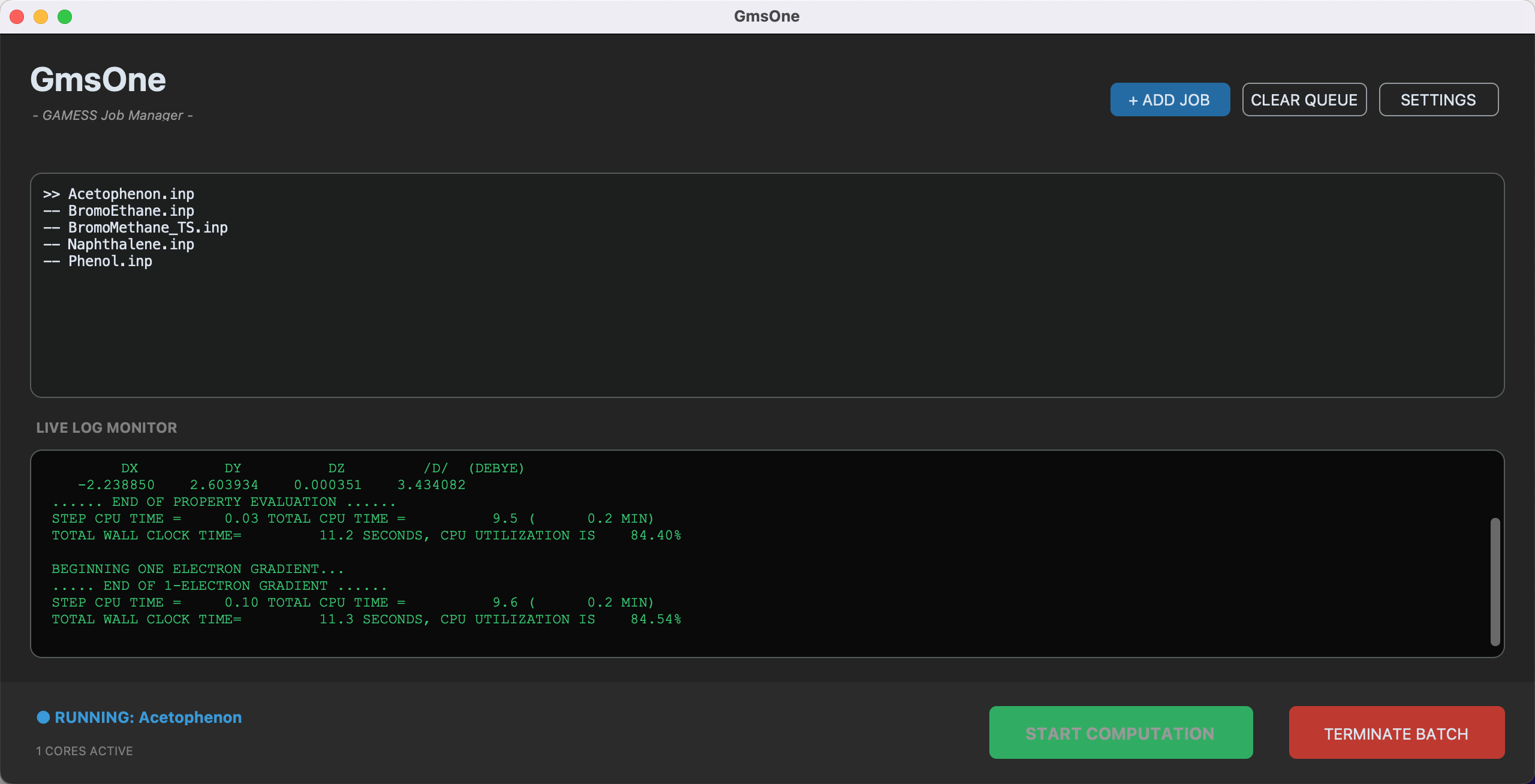
GmsOne is a GUI launcher for macOS designed to simplify job management for the computational chemistry software "GAMESS."
It allows users to add multiple jobs to a queue and run them sequentially without complex command-line operations.
For more details on GmsOne, please go to https://pc-chem-basics.blog.jp/archives/38065995.html
GmsOne requires the following environment to run from source:
- Python 3.8 or higher
- customtkinter library
Caution
This application is specifically optimized for GAMESS version 30Jun2020R1.
Older versions (e.g., 30Sep2018R3-Lion or earlier) are not supported due to differences in path handling within the rungms script, which may cause execution errors (e.g., path modifier errors).
-
Check your Python version Make sure you have Python 3.8+ installed:
python3 --version
-
Install the required package Install
customtkintervia pip:pip install customtkinter
-
Run the application
python3 GmsOne.py
To ensure stable execution, please follow these rules in the SETTINGS window:
- Use Absolute Paths (starting with
/Users/...). - Do not add a trailing slash
/at the end of directory paths.- Good:
/Users/name/gamess - Bad:
/Users/name/gamess/
- Good:
If you want to package GmsOne as a standalone macOS application using py2app, follow these steps.
This build configuration is optimized for Intel (x86_64) architecture.
Run the following commands in your terminal:
# Set environment variable to skip internal packaging if necessary
export PY2APP_SKIP_PACKAGING=1

# Build the .app for x86_64 architecture
python3.12 setup.py py2app --arch=x86_64