EN only now.
Tools and instructions for importing custom models into Redmatch 2. (RM2)
RM2MI is a version of GIMI and 3DMigoto that I have modified to be compatible with RM2.(only config, so.) Latest release is RM2MI v8.60, based on GIMI v8.60.
Feel free to use or modify any of the scripts on this repo as you wish, though please give credit if you use these programs in your projects. I am continuing to update this page with new features and fixes, so check back often.
- Textures and UV-maps are broken
- on Linux RM2MI is loading, but not working (I guess from vulcan, and as I tested it)
To create your own mod tutorials (we dont have a guides for rm2 yet, but guides for GIMI is working):
For a simple walkthrough of removing a portion of a character mesh using these tools, see Mona Walkthrough. For an intermediate walkthrough of creating custom weapons, see Custom Weapon Modding Walkthrough. For a more advanced example of importing a custom model, see Cybertron's great video walkthrough here and SinsOfSeven#3164 annotated transcript and troubleshooting guide here.
-
Download a 3dmigoto .zip from releases and extract it.
-
Extract all from .zip to RM2 root folder. If everything is correct so far, 3DMigoto should be injected into the game and you should see a green text overlay (only if using the "for development" version, the "for playing" version does not show the green text):
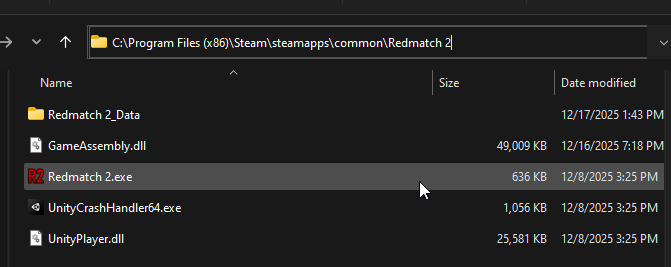
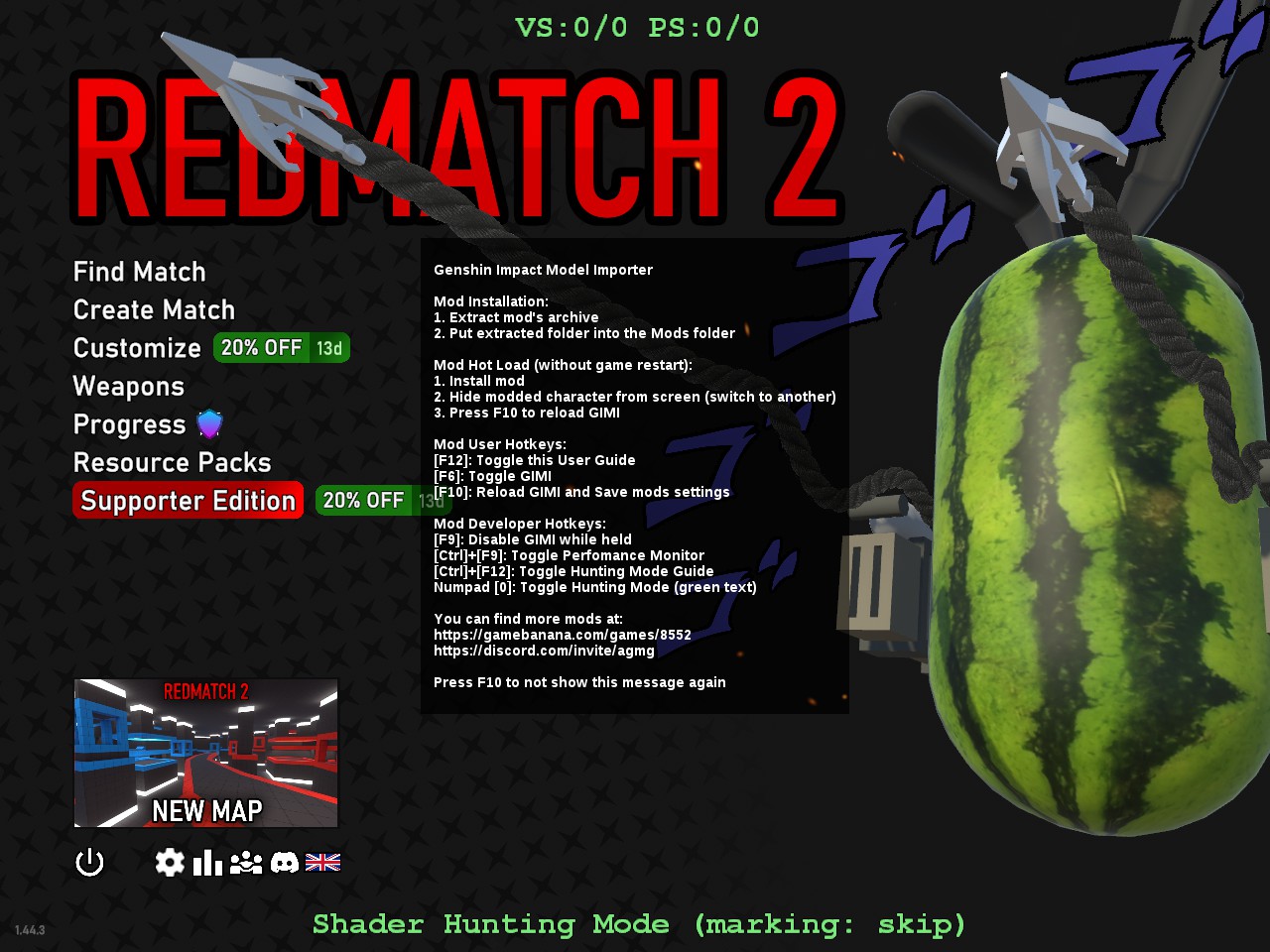
- Installation complete! You should now be able to load custom resources and override textures and shaders with 3DMigoto. To add mods, place them in the ModZ folder (one mod per thing at a time) and press F10 to load them in game:

In order to modify game models, you need to also setup your Blender plugins and environment. The 3DMigoto plugin works with Blender 2.80+
-
Download and install Blender
-
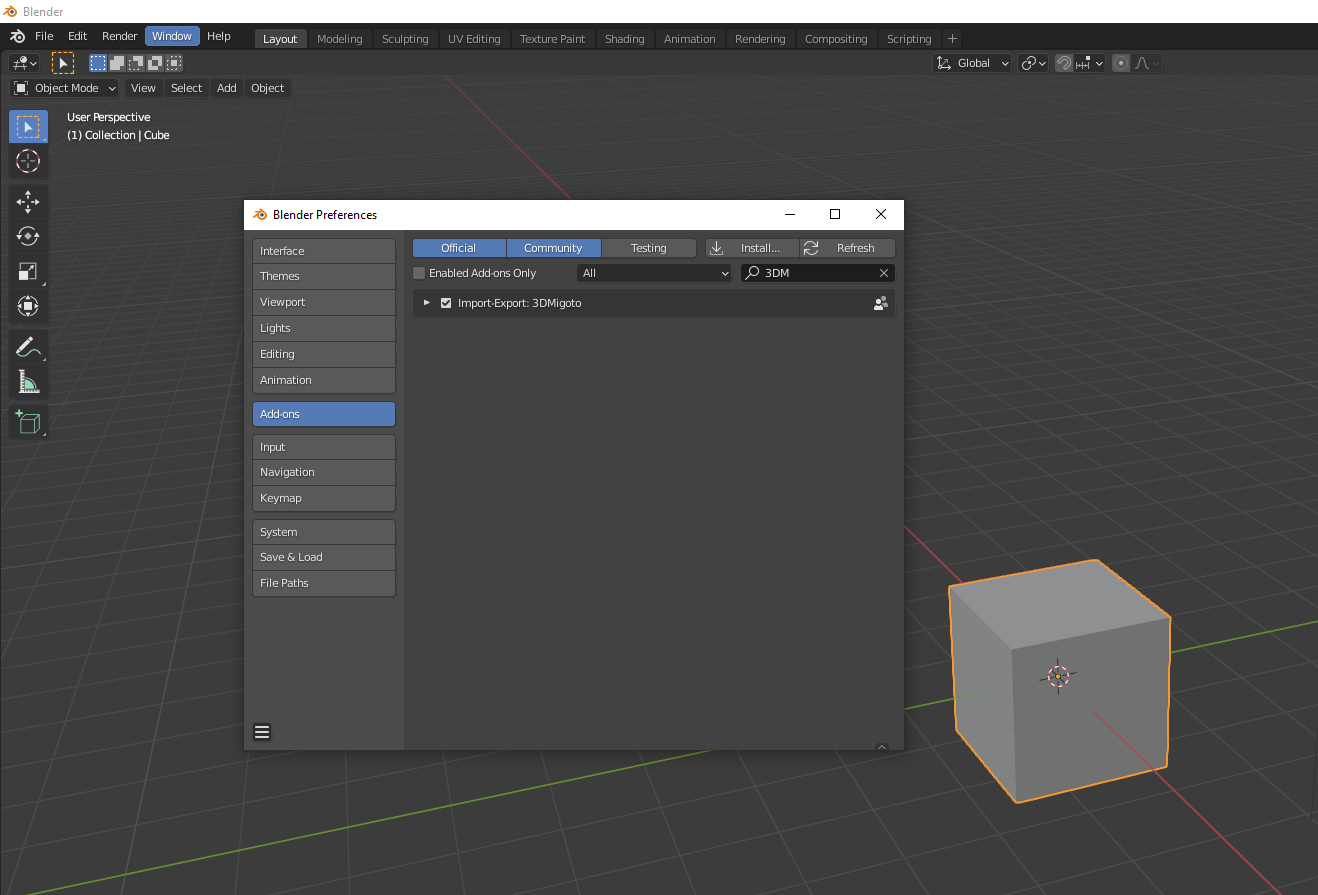
Download and install the modified 3DMigoto plugin (blender_3dmigoto_gimi.py) from releases. You can install an add-on in Blender by going to Edit -> Preferences -> Add-Ons -> Install, then selecting the .py file.
-
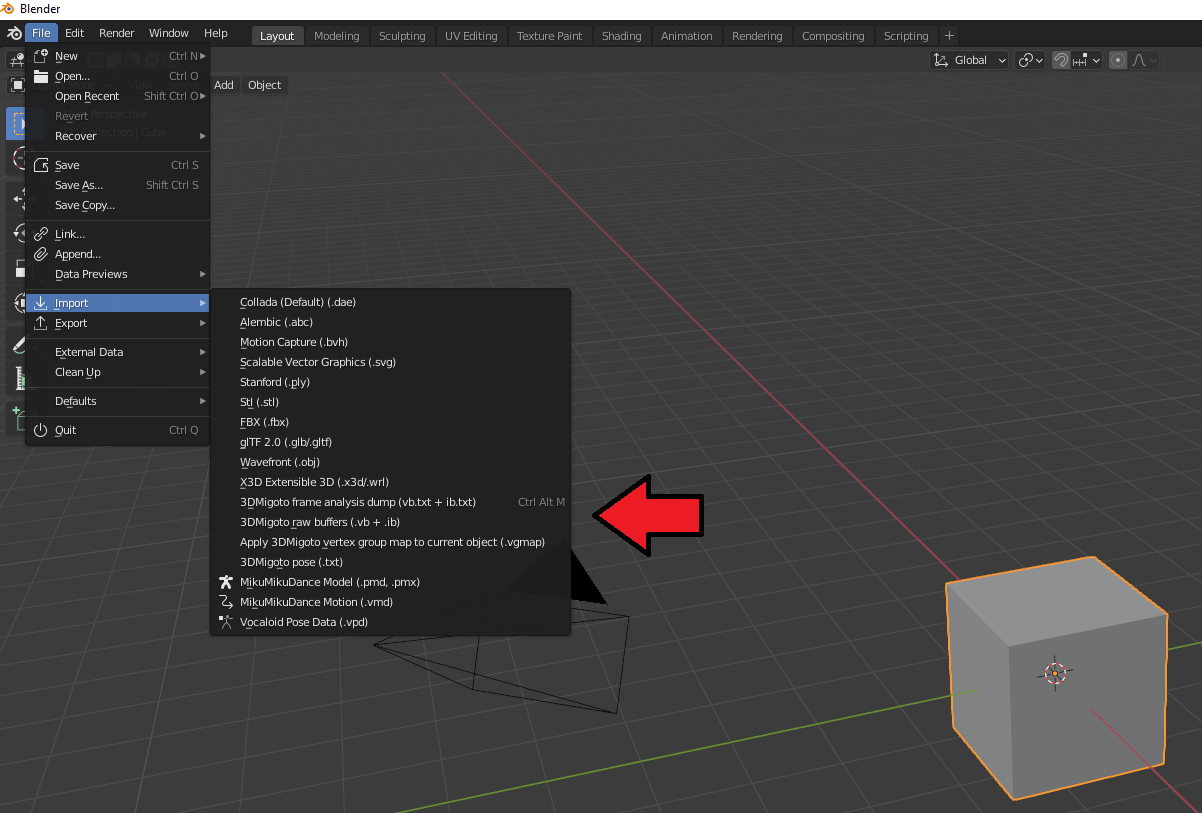
If done correctly, you should see 3dmigoto in the plugin list as well as new options in the import and export menus
Join to Discord if you need a help or anything other for rm2 (no hax, bruh.).
Huge thank you to SilentNightSound, leotorrez, lupomikti for GIMI; DarkStarSword, bo3b and Chiri for 3dmigoto; SpectrumQT, EricBanker12 for XXMI!