





JIM is a modern Identity Management system designed for organisations with complex identity synchronisation requirements. It is self-hosted, container-deployable, and works in both connected and air-gapped networks. Features include:
- Hub-and-spoke architecture using a central metaverse for identity correlation
- Bidirectional synchronisation of Users, Groups, and custom object types (e.g., Departments, Roles, Computers)
- Transform data using expressions with built-in functions for common identity operations
- Extensible with custom connectors (fully unit-testable)
- Modern Web Portal and REST API with OpenAPI documentation
- Single Sign-On (SSO) using OpenID Connect
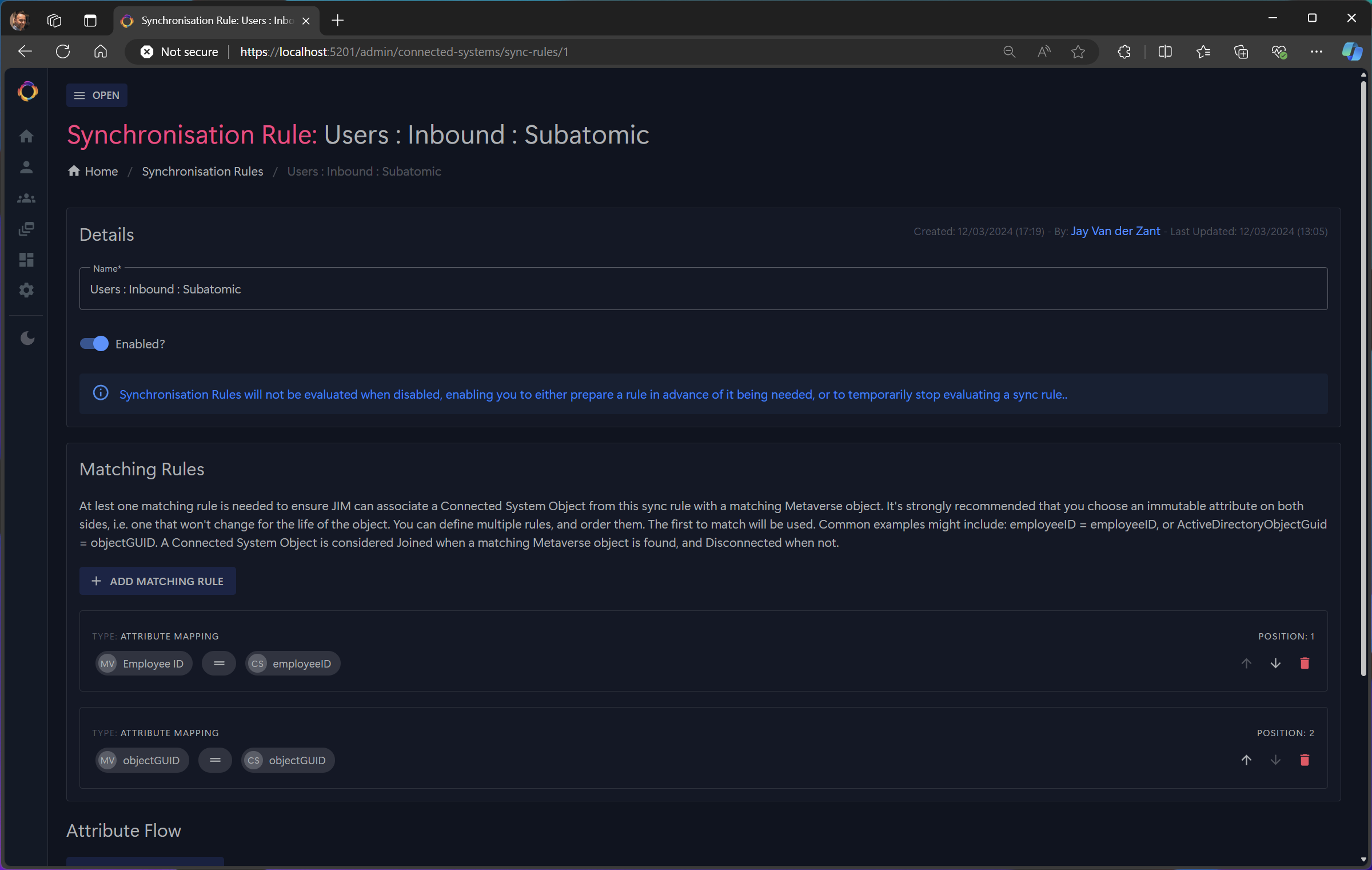
Enterprise identity synchronisation typically requires cloud connectivity, complex infrastructure, or expensive licensing. JIM takes a different approach — it deploys as a single Docker stack, runs entirely on-premises, and works in air-gapped networks with no external dependencies. Source-available code means you can inspect, audit, and verify everything JIM does with your identity data.
| Capability | JIM |
|---|---|
| Air-gapped deployment | ✅ |
| Cloud dependencies | None |
| Container-native | ✅ |
| Source available | ✅ |
| SSO with any OIDC provider | ✅ |
| Full REST API | ✅ |
| PowerShell automation | ✅ |
JIM supports common Identity Governance & Administration (IGA) scenarios:
- Joiner/Mover/Leaver (JML) Automation - Synchronise users from HR systems to directories, applications, and downstream systems
- Attribute Writeback - Keep HR systems current by writing IT-managed attributes back (e.g., email addresses, phone numbers)
- Domain Consolidation - Prepare for cloud migration, simplification, or organisational mergers
- Domain Migration - Support divestitures and system decommissioning
- Identity Correlation - Bring together user and entitlement data from disparate business applications
Why choose JIM?
- Modern Architecture - Container-native design with no legacy infrastructure requirements
- Secure by Default - SSO via OpenID Connect, no shared service accounts needed
- Air-Gapped Ready - Fully functional without internet connectivity for sensitive environments
- Source Available - Transparent, auditable code you can inspect and verify
- Actively Developed - Built by identity management practitioners with decades of real-world experience
JIM is a container-based distributed application implementing the metaverse pattern for centralised identity governance.

Components:
- JIM.Web - A website with integrated REST API, built using ASP.NET Blazor Server. The API is available at
/api/with Swagger documentation at/api/swagger. - JIM.Scheduler - A background service that triggers synchronisation runs using cron or interval-based schedules, with multi-step sequential and parallel execution
- JIM.Worker - A background service that processes import, sync, and export tasks with crash recovery and parallel execution support
- JIM.PowerShell - A cross-platform PowerShell module (Windows, macOS, Linux) for full configuration and automation of JIM, enabling Identity as Code (IDaC)
- A database - PostgreSQL

For detailed architecture diagrams (Component level), see the Architecture Diagrams.
- A container host, i.e. Docker
- An OpenID Connect (OIDC) identity provider, i.e. Entra ID, Keycloak, etc.
JIM runs in a Docker stack using containers and can be deployed to on-premises infrastructure or cloud container services. JIM is designed for air-gapped deployments - no internet connection is required.
Database Options:
- Bundled PostgreSQL - A PostgreSQL container is included for simple deployments. Start with
docker compose --profile with-db up -d - External PostgreSQL - Connect to your existing PostgreSQL server by configuring
JIM_DB_HOSTNAMEin.envand runningdocker compose up -d(without the profile)
Each release includes a downloadable bundle containing pre-built Docker images, compose files, the PowerShell module, and documentation. See Release Process for details on air-gapped deployment.
Available Now:
- LDAP (incl. Active Directory, AD-LDS & Samba AD)
- CSV/Text files
Planned:
- Microsoft SQL Server Database
- PostgreSQL Database
- MySQL Database
- Oracle Database
- PowerShell (Core)
- SCIM 2.0
- Entra ID / Microsoft Graph API
- Web Services (REST APIs)
Custom connectors can be developed for bespoke scenarios.
JIM uses OpenID Connect (OIDC) for Single Sign-On authentication. It is IdP-agnostic and works with any OIDC-compliant Identity Provider, including Entra ID, Google Cloud Identity, AWS Identity Center/Cognito, Okta, Auth0, Keycloak, AD FS, etc. PKCE is used for enhanced security.
For API access, JIM supports both JWT Bearer tokens and API keys for automation and CI/CD scenarios.
Prerequisites: Docker and an OpenID Connect identity provider (e.g., Entra ID, Keycloak)
-
Configure SSO — Follow the SSO Setup Guide for your identity provider. JIM requires authentication for all access.
-
Deploy JIM:
git clone https://github.com/TetronIO/JIM.git && cd JIM
cp .env.example .env
# Edit .env with your SSO settings (see SSO Setup Guide)
docker compose --profile with-db up -d
-
Access JIM at http://localhost:5200 — log in with your identity provider, then use the Example Data feature to populate JIM with sample users and groups for testing.
Air-gapped deployments: Each release includes a downloadable bundle with pre-built Docker images. See Release Process.
Prerequisites: Configure SSO using the SSO Setup Guide — JIM requires authentication even during development.
Option 1 — GitHub Codespaces (one click):

Everything is pre-configured — .NET 9.0, PostgreSQL, shell aliases, and VS Code extensions. Once the codespace is ready, open a terminal and run:
jim-db    # Start PostgreSQL
jim-web   # Start JIM (or press F5 to debug)
Option 2 — Local devcontainer:
Clone the repository and open it in VS Code with the Dev Containers extension. The devcontainer will set up the full development environment automatically.
For the full development guide, see the Developer Guide.
JIM has reached MVP completion (100%). The core identity lifecycle is fully functional:
- Import identities from source systems (LDAP, CSV)
- Sync to reconcile identities in the central metaverse
- Export changes to target systems with pending export management
- Schedule automated synchronisation using cron or interval-based triggers
For detailed feature checklists and post-MVP roadmap, see the MVP Definition.
JIM uses a Source-Available model where it is free to use in non-production scenarios, but requires a commercial license for use in production scenarios. Full details can be found here.
Please go to https://tetron.io/jim for more information.