Open source web app that saves you many days of work when building your own SaaS product. The boilerplate comes with many basic SaaS features (see Features below) so that you can focus on features that differentiate your product.
If you want to learn how to build this project from scratch, check out our book: https://builderbook.org/book
The open source project is located in the saas folder. If you purchased our book, codebases for each of the book's chapters are located in the book folder.
- Features
- Run locally
- Stage locally
- Deploy
- Built with
- Screenshots
- Showcase
- Contributing
- Team
- License
- Project structure
- Server-side rendering for fast initial load and SEO.
- User authentication with Google OAuth API and Passwordless, cookie, and session.
- Production-ready Express server with compression, parser, and helmet.
- Transactional emails (
AWS SES): welcome, team invitation, and payment. - Adding email addresses to newsletter lists (
Mailchimp): new users, paying users. - File upload, load, and deletion (
AWS S3) with pre-signed request for: Posts, Team Profile, and User Profile. - Websockets with socket.io v3.
- Team creation, Team Member invitation, and settings for Team and User.
- Opinionated architecture:
- keeping babel and webpack configurations under the hood,
- striving to minimize number of configurations,
withAuthHOC to pass user prop and control user access to pages,- HOC extensions
MyAppandMyDocument - server-side rendering with
Material-UI, - model-specific components in addition to common components.
- Universally-available environmental variables at runtime.
- Custom logger (configure what not to print in production).
- Useful components for any web app:
ActiveLink,Confirm,Notifier,MenuWithLinks, and more. - Analytics with
Google Analytics. - Production-ready, scalable architecture:
app- user-facing web app with Next/Express server, responsible for rendering pages (either client-side or server-side rendered).appsends requests via API methods toapiExpress server.api- server-only code, Express server, responsible for processing requests for internal and external API infrastructures.- we prepared both apps for easy deployment to
nowby vercel.
- Subscriptions with
Stripe:- subscribe/unsubscribe Team to plan,
- update card information,
- verified Stripe webhook for failed payment for subscription.
-
Before running, create a
.envfile inside theapifolder with the environmental variables listed below.
This file must have values for therequiredvariables.
To use all features and third-party integrations, also add theoptionalvariables.api/.env:# Used in api/server/server.ts MONGO_URL= SESSION_NAME= SESSION_SECRET= COOKIE_DOMAIN= # Used in api/server/google.ts GOOGLE_CLIENTID= GOOGLE_CLIENTSECRET= # Used in api/server/aws-s3.ts and api/server/aws-ses.ts AWS_REGION= AWS_ACCESSKEYID= AWS_SECRETACCESSKEY= # Used in api/server/models/Invitation.ts and api/server/models/User.ts EMAIL_SUPPORT_FROM_ADDRESS= # Used in api/server/mailchimp.ts MAILCHIMP_API_KEY= MAILCHIMP_REGION= MAILCHIMP_SAAS_ALL_LIST_ID= # All env variables above this line are needed for successful user signup # Used in api/server/stripe.ts STRIPE_TEST_SECRETKEY=sk_test_xxxxxx STRIPE_LIVE_SECRETKEY=sk_live_xxxxxx STRIPE_TEST_PLANID=plan_xxxxxx STRIPE_LIVE_PLANID=plan_xxxxxx STRIPE_LIVE_ENDPOINTSECRET=whsec_xxxxxx # Optionally determine the URL URL_APP=http://localhost:3000 URL_API=http://localhost:8000 PRODUCTION_URL_API= PRODUCTION_URL_APP= # in pages/_document.tsx and lib/withAuth.tsx GA_MEASUREMENT_ID=Important: The above environmental variables are available on the server only. You should add your
.envfile to.gitignoreinside theapifolder so that your secret keys are not stored on a remote Github repo.- To get
MONGO_URL, we recommend you runyarn stage:dbto spawn a database locally or a free MongoDB at MongoDB Atlas. - Specify your own name and secret keys for Express session: SESSION_NAME and SESSION_SECRET
- Get
GOOGLE_CLIENTIDandGOOGLE_CLIENTSECRETby following the official OAuth tutorial.
Important: For Google OAuth app, callback URL is: http://localhost:8000/oauth2callback
Important: You have to enable Google+ API in your Google Cloud Platform account.
- To get
-
Once
.envis created, you can run theapiapp. Navigate to theapifolder, runyarn installto add all packages, then run the command below:yarn dev
-
Navigate to the
appfolder, runyarnto add all packages, then runyarn devand navigate tohttp://localhost:3000:- A
.envfile in theappfolder is not required to run, but you can create one to override the default variables:
STRIPE_TEST_PUBLISHABLEKEY=pk_test_xxxxxxxxxxxxxxx STRIPE_LIVE_PUBLISHABLEKEY=pk_live_xxxxxxxxxxxxxxx BUCKET_FOR_POSTS= BUCKET_FOR_TEAM_AVATARS= BUCKET_FOR_TEAM_LOGOS= URL_APP=http://localhost:3000 URL_API=http://localhost:8000 PRODUCTION_URL_API= PRODUCTION_URL_APP= API_GATEWAY_ENDPOINT= GA_MEASUREMENT_ID=- To get
GA_MEASUREMENT_ID, set up Google Analytics and follow these instructions to find your tracking ID. - To get
STRIPE_TEST_PUBLISHABLEKEY, go to your Stripe dashboard, clickDevelopers, then clickAPI keys.
- A
-
For successful file uploading, make sure your buckets have proper CORS configuration. Go to your AWS account, find your bucket, go to
Permissions > CORS configuration, add:<?xml version="1.0" encoding="UTF-8"?> <CORSConfiguration xmlns="http://s3.amazonaws.com/doc/2006-03-01/"> <CORSRule> <AllowedOrigin>http://localhost:3000</AllowedOrigin> <AllowedOrigin>https://saas-app.async-await.com</AllowedOrigin> <AllowedMethod>POST</AllowedMethod> <AllowedMethod>GET</AllowedMethod> <AllowedMethod>PUT</AllowedMethod> <AllowedMethod>DELETE</AllowedMethod> <AllowedMethod>HEAD</AllowedMethod> <ExposeHeader>ETag</ExposeHeader> <ExposeHeader>x-amz-meta-custom-header</ExposeHeader> <AllowedHeader>*</AllowedHeader> </CORSRule> </CORSConfiguration> -
Make sure to update allowed origin with your actual values for
URL_APPandPRODUCTION_URL_APP. -
Once
.envis created, you can run theappapp. Navigate to theappfolder, runyarn installto add all packages, then run the command below:yarn dev
To deploy the two apps (api and app), you can follow these instructions to deploy each app individually to Heroku:
https://github.com/async-labs/builderbook/blob/master/README.md#deploy-to-heroku
You are welcome to deploy to any cloud provider. Eventually, we will publish a tutorial for AWS Elastic Beanstalk.
If you need help deploying your SaaS Boilerplate app, or variation of it, you can hire us. Email us for more details: team@async-await.com.
For more detail, check package.json files in both app and api folders and project's root.
To customize styles, check this guide.
Google or passwordless login:

Dropdown menu for settings:

Personal settings:

Team settings:

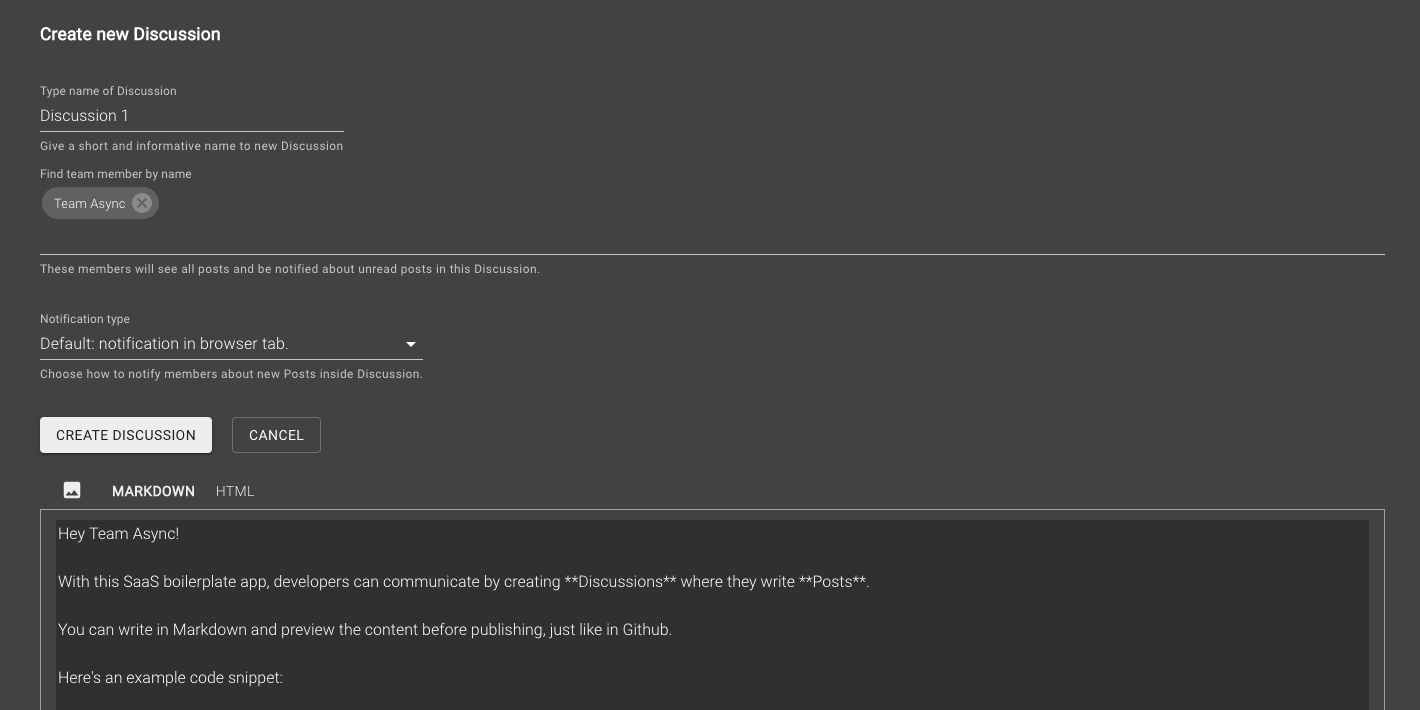
Creating a Discussion:
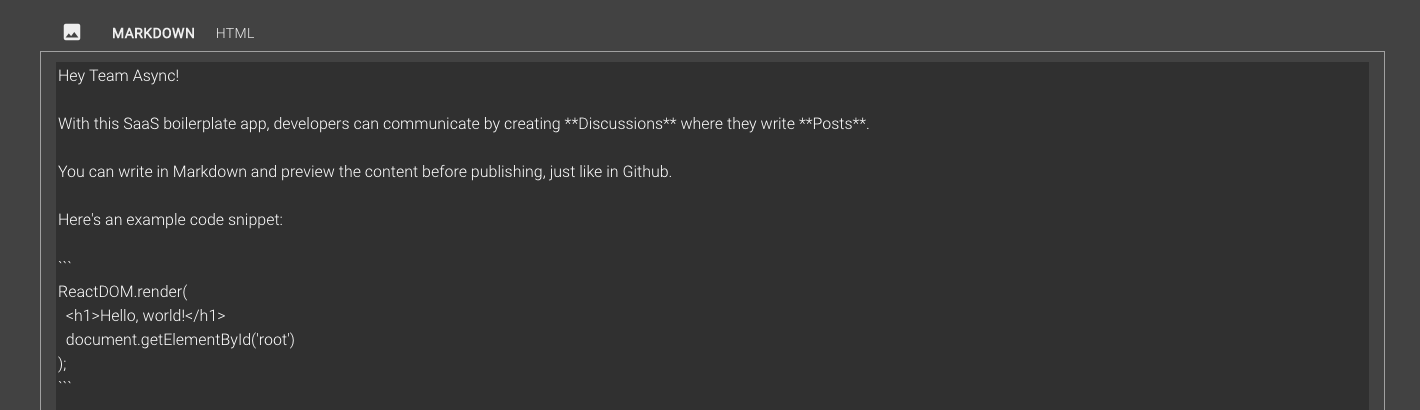
Writing a Post, Markdown vs. HTML view:

Discussion between team members:

Billing settings:

Purchasing a subscription:

Payment history:

Check out projects built with the code in this open source app. Feel free to add your own project by creating a pull request.
- Retaino by Earl Lee : Save, annotate, review, and share great web content. Receive smart email digests to retain key information.
- Builder Book: Open source web app to publish documentation or books. Built with React, Material-UI, Next, Express, Mongoose, MongoDB.
- Harbor: Open source web app that allows anyone with a Gmail account to automatically charge for advice sent via email.
- Async: asynchronous communication for small teams of software engineers.
Want to support this project? Sign up at async and/or buy our book, which teaches you how to build this project from scratch.
You can contact us at team@async-await.com.
All code in this repository is provided under the MIT License.
├── .elasticbeanstalk
│   └── config.yml
├── .github
│   └── FUNDING.yml
├── .vscode
│   ├── extensions.json
│   ├── launch.json
│   └── settings.json
├── api
│   ├── .elasticbeanstalk
│   │   └── config.yml
│   ├── server
│   │   ├── api
│   │   │   ├── index.ts
│   │   │   ├── public.ts
│   │   │   ├── team-leader.ts
│   │   │   └── team-member.ts
│   │   ├── models
│   │   │   ├── Discussion.ts
│   │   │   ├── EmailTemplate.ts
│   │   │   ├── Invitation.ts
│   │   │   ├── Post.ts
│   │   │   ├── Team.ts
│   │   │   └── User.ts
│   │   ├── utils
│   │   │   ├── slugify.ts
│   │   │   └── sum.ts
│   │   ├── aws-s3.ts
│   │   ├── aws-ses.ts
│   │   ├── google-auth.ts
│   │   ├── logger.ts
│   │   ├── mailchimp.ts
│   │   ├── passwordless-auth.ts
│   │   ├── passwordless-token-mongostore.ts
│   │   ├── server.ts
│   │   ├── sockets.ts
│   │   └── stripe.ts
│   ├── static
│   │   └── robots.txt
│   ├── test/server/utils
│   │   ├── slugify.test.ts
│   │   └── sum.test.ts
│   ├── .eslintignore
│   ├── .eslintrc.js
│   ├── .gitignore
│   ├── package.json
│   ├── tsconfig.json
│   ├── tsconfig.server.json
│   └── yarn.lock
├── app
│   ├── .elasticbeanstalk
│   │   └── config.yml
│   ├── components
│   │   ├── common
│   │   │   ├── Confirmer.tsx
│   │   │   ├── LoginButton.tsx
│   │   │   ├── MemberChooser.tsx
│   │   │   ├── MenuWithLinks.tsx
│   │   │   ├── MenuWithMenuItems.tsx
│   │   │   └── Notifier.tsx
│   │   ├── discussions
│   │   │   ├── CreateDiscussionForm.tsx
│   │   │   ├── DiscussionActionMenu.tsx
│   │   │   ├── DiscussionList.tsx
│   │   │   ├── DiscussionListItem.tsx
│   │   │   └── EditDiscussionForm.tsx
│   │   ├── layout
│   │   │   ├── index.tsx
│   │   ├── posts
│   │   │   ├── PostContent.tsx
│   │   │   ├── PostDetail.tsx
│   │   │   ├── PostEditor.tsx
│   │   │   └── PostForm.tsx
│   │   ├── teams
│   │   │   └── InviteMember.tsx
│   ├── lib
│   │   ├── api
│   │   │   ├── makeQueryString.ts
│   │   │   ├── public.ts
│   │   │   ├── sendRequestAndGetResponse.ts
│   │   │   ├── team-leader.ts
│   │   │   └── team-member.ts
│   │   ├── store
│   │   │   ├── discussion.ts
│   │   │   ├── index.ts
│   │   │   ├── invitation.ts
│   │   │   ├── post.ts
│   │   │   ├── team.ts
│   │   │   └── user.ts
│   │   ├── confirm.ts
│   │   ├── isMobile.ts
│   │   ├── notify.ts
│   │   ├── resizeImage.ts
│   │   ├── sharedStyles.ts
│   │   ├── theme.ts
│   │   └── withAuth.tsx
│   ├── pages
│   │   ├── _app.tsx
│   │   ├── _document.tsx
│   │   ├── billing.tsx
│   │   ├── create-team.tsx
│   │   ├── discussion.tsx
│   │   ├── invitation.tsx
│   │   ├── login-cached.tsx
│   │   ├── login.tsx
│   │   ├── team-settings.tsx
│   │   └── your-settings.tsx
│   ├── public
│   │   └── pepe.jpg
│   ├── server
│   │   ├── robots.txt
│   │   ├── routesWithCache.ts
│   │   ├── server.ts
│   │   └── setupSitemapAndRobots.ts
│   ├── .babelrc
│   ├── .eslintignore
│   ├── .eslintrc.js
│   ├── .gitignore
│   ├── next.env.d.ts
│   ├── next.config.js
│   ├── package.json
│   ├── tsconfig.json
│   ├── tsconfig.server.json
│   └── yarn.lock
├── book
├── lambda
│   ├── .estlintignore
│   ├── .eslintrc.js
│   ├── .gitignore
│   ├── api
│   ├── handler.ts
│   ├── package.json
│   ├── serverless.yml
│   ├── tsconfig.json
│   └── yarn.lock
├── .gitignore
├── LICENSE.md
├── README.md
├── package.json
├── yarn.lock