


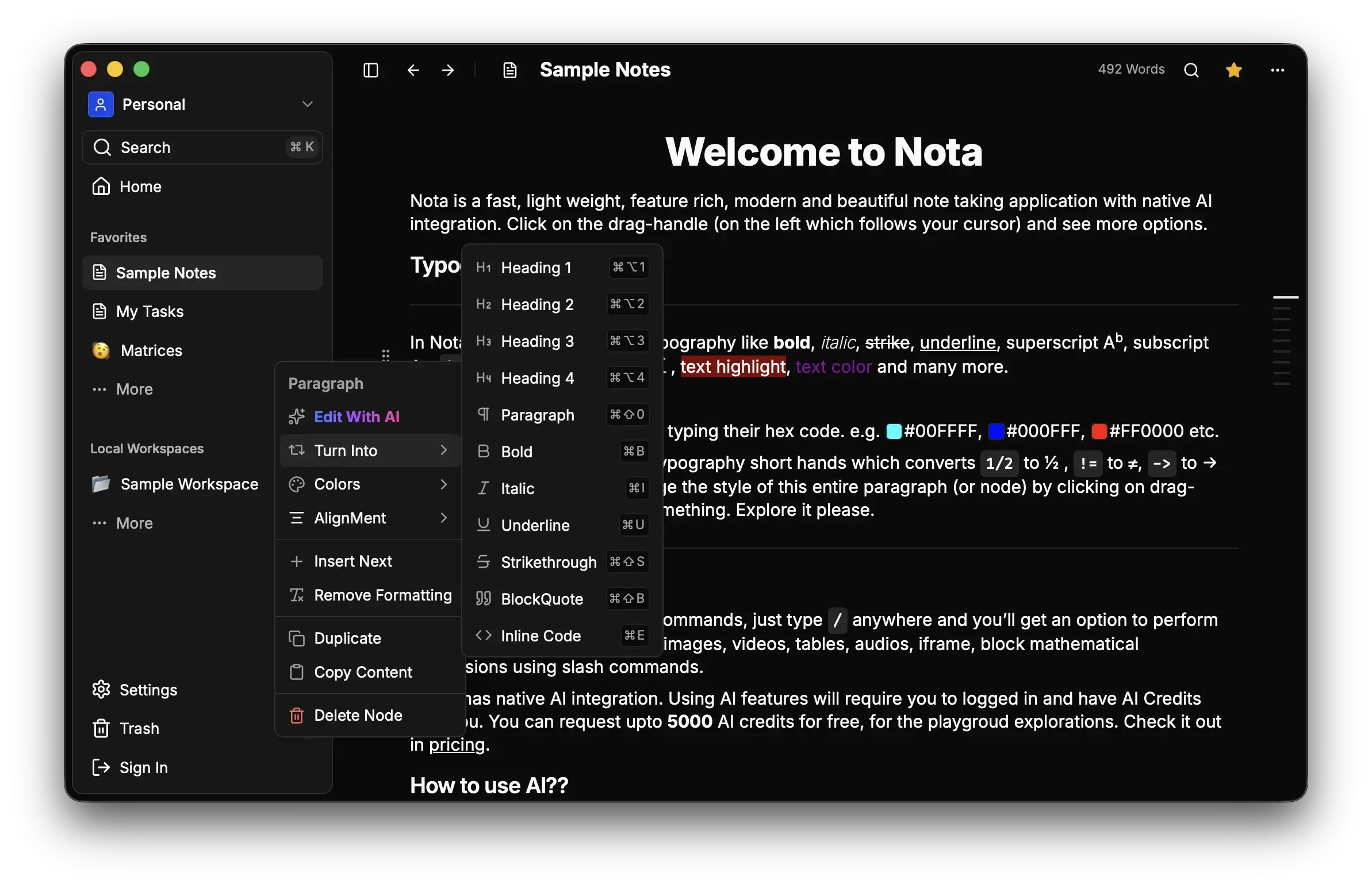
- 📝 Rich Text Editor: Powered by a custom editor ("Edra") with support for:
- Slash commands (
/) - Markdown shortcuts
- Media embeds (Images, Video, Audio)
- Mathematical equations (KaTeX)
- Tables & Task lists
- Slash commands (
- 🤖 AI Integration: Built-in AI assistant for text generation, summarization, and more.
- 🚀 Cross-Platform: Available as a lightweight Desktop app (macOS, Windows, Linux) and on the Web.
- 📂 Organization: Hierarchical Workspaces and Notes structure.
- 🔐 Secure: Custom authentication flow with session management.
- ⚡ Fast: Built with Rust (Tauri) and Bun for blazing fast performance.
- 🎨 Modern UI: Beautiful, responsive interface with Dark/Light mode support.
You can download the latest version of Nota from the Releases page.
Just open your terminal and run the following command to install Nota using Homebrew:
brew install --cask Tsuzat/tap/notaWarning
We do not have an Apple Developer ID, so the application is not signed with an Apple Developer ID. As a result, you may encounter a warning when trying to open it.
Note: This warning is a security feature to alert users that the app is not from a verified developer or application is damaged. In that case run the following command to remove the quarantine check from the app.
xattr -r -d com.apple.quarantine /Applications/Nota.app- Download the
.dmgfile. - Open the
.dmgand drag Nota to your Applications folder. - Open Nota from the Applications folder.
- If you see a warning saying "Nota" can't be opened because it is from an unidentified developer:
- Click OK.
- Go to System Settings > Privacy & Security.
- Scroll down to the Security section.
- You should see a message about "Nota" being blocked. Click Open Anyway.
- Enter your password if prompted.
Tip: You can also right-click (or Control-click) the app icon and select Open, then click Open in the dialog box to bypass the check.
Nota is built as a monorepo using Bun Workspaces.
- Frontend: Svelte 5, SvelteKit, TailwindCSS, Shadcn Svelte
- Desktop: Tauri v2 (Rust)
- Backend: Hono, Bun
- Database: PostgreSQL, Drizzle ORM, Redis
- Tooling: Biome
├── apps
│   ├── backend    # Hono API server + Drizzle ORM
│   ├── desktop    # Tauri + SvelteKit desktop app
│   └── web        # SvelteKit landing page & web app
├── packages
│   ├── client     # Shared API client & types
│ └── ui # Shared UI components & Editor-
Clone the repository
git clone https://github.com/Tsuzat/Nota.git cd Nota -
Install dependencies
bun install
-
Environment Setup Copy
.env.exampleto.envinapps/backend,apps/web, andapps/desktopand fill in the required values.
Backend
cd apps/backend
bun dev
Web App
cd apps/web
bun dev
Desktop App
cd apps/desktop
bun tauri devContributions are welcome! Please feel free to submit a Pull Request.
- Fork the Project
- Create your Feature Branch (
git checkout -b feature/AmazingFeature) - Commit your Changes (
git commit -m 'Add some AmazingFeature') - Push to the Branch (
git push origin feature/AmazingFeature) - Open a Pull Request
This project is licensed under the NNCL License - see the LICENSE file for details. Using this software means you agree to the terms and conditions of the license.

![@dependabot[bot]](https://avatars.githubusercontent.com/in/29110?s=64&v=4)