Plants is a landing page that offers its services for growing plants in the garden and caring for them.
📋 Task: Rolling Scopes School
🏞️ Layout in figma: Link
💻 Deploy: Link
➖ HTML
➖ SCSS (BEM)
➖ JavaScript (ES6)
➖ PerfectPixel
➖ Webpack 5
✅ Burger menu:
-
On screens narrower than 768px, the navigation bar is hidden and replaced by a burger icon.
-
Clicking the burger icon opens an adaptive menu, which closes smoothly when clicking the close icon, a navigation link, or outside the menu area.
-
Navigation links enable smooth scrolling to anchor sections.
✅ Service blur:
-
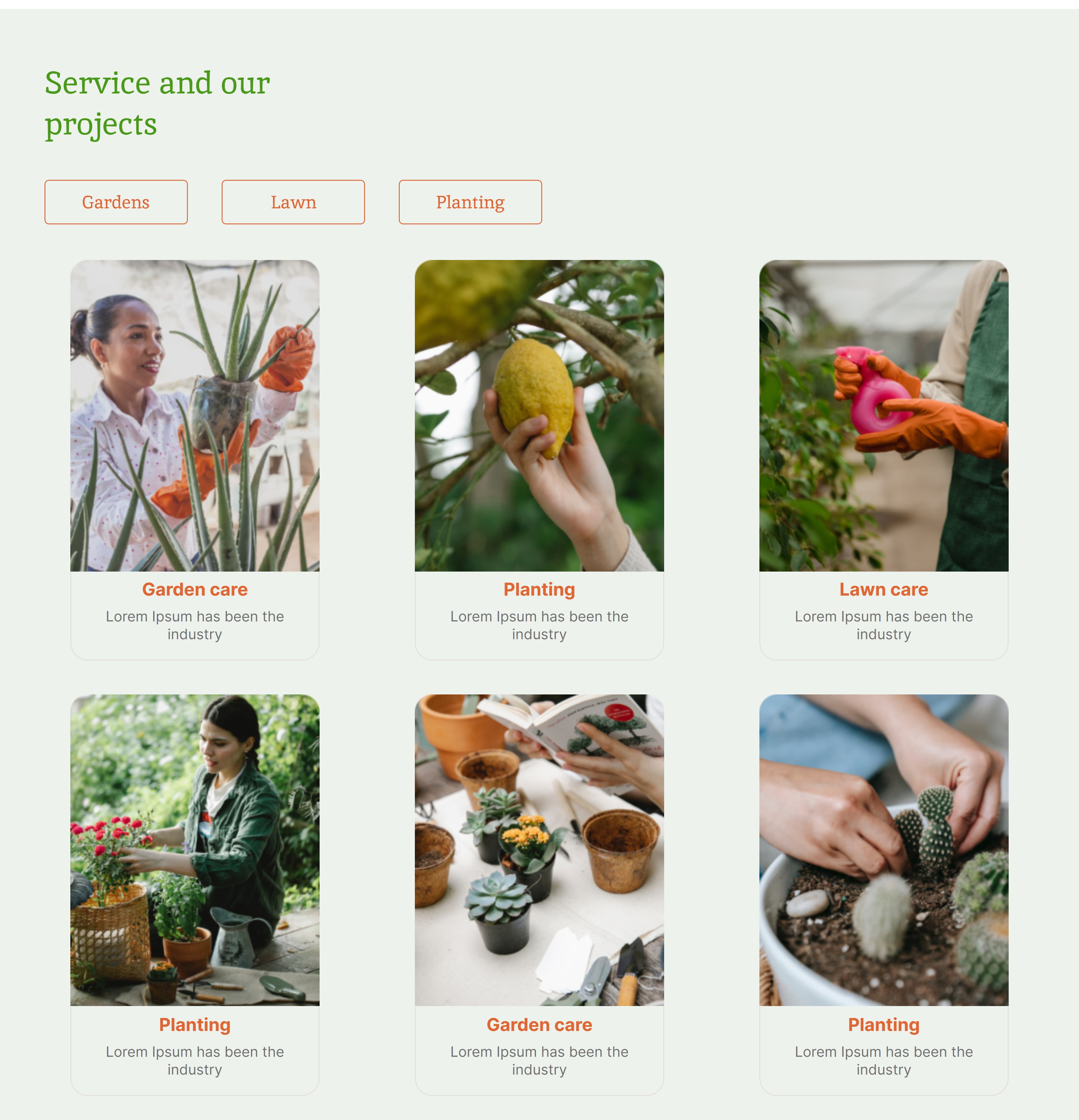
Buttons Gardens, Lawn, and Planting highlight the corresponding service cards.
-
When a service is selected, other cards are blurred to emphasize the active one.
-
The user can press two service buttons at the same time, then this button also takes the active style and the cards with the service name come out of the blur effect. In this case the user cannot press all three service buttons at the same time. When the active button is pressed again, it is deactivated (becomes inactive) and the positions bound to it return to the initial state (enter the blur state if there is still an active button or stop being in blur if it was the only button pressed).
-
When two buttons are active - the third button becomes inactive.
✅ Prices accordion:
-
Three dropdown lists implemented in the Prices section.
-
Clicking on the dropdown button, a description of the price rates appears according to the layout. An order button is implemented inside, which leads to the contacts section, when you click on it accordion still remains open.
-
The user can independently close the content by clicking on the button, but cannot open all service tariffs at the same time, when opening a new tariff, the previous one is automatically closed.
✅ Contacts select:
-
A dropdown menu allows users to select a city.
-
The corresponding office address and phone number appear dynamically.
-
Clicking the Call us button triggers a phone call to the number of the selected city.
✅ Adaptive:
-
All UI components adapt seamlessly to various screen sizes.
-
The layout is fully responsive and works correctly on both desktop and mobile devices.
To start working on the project on your local machine, please, make sure that you install Git and Node.js LTS.
- Clone repository.
- Open the project locally.
- Switch to the dev-page branch.
- Run
npm installornpm i- to install all packages needed. - Run
npm run start- to starts a local dev-server (The tab will open automatically in the browser). - Run
npm run dev- build the project for development. - Run
npm run prod- build the project for production.