


A comprehensive VS Code extension that streamlines Sui Move development with an intuitive sidebar interface, automated CLI management, and cross-platform compatibility.
- One-Click Package Creation: Create new Sui Move packages instantly
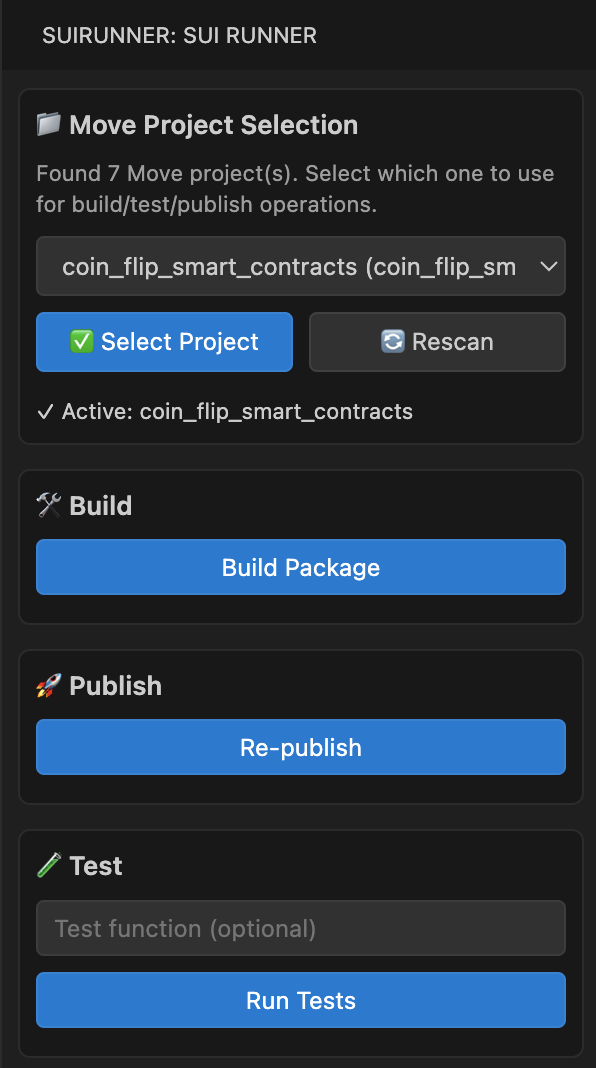
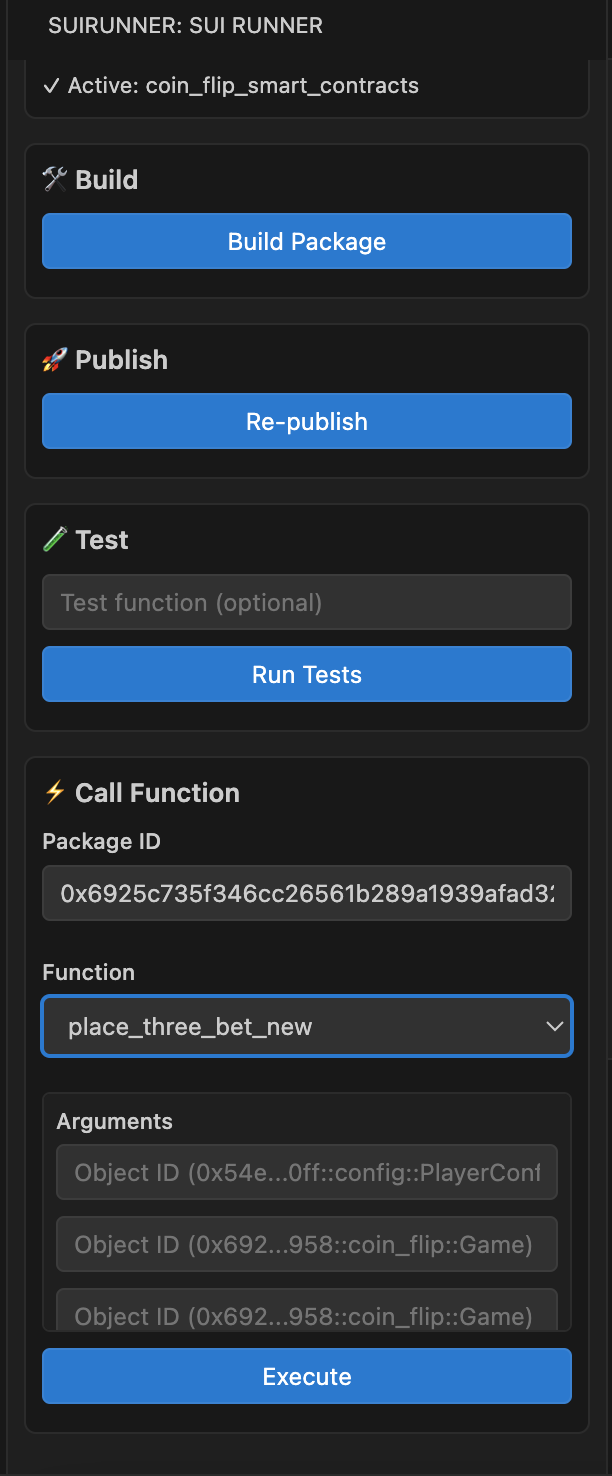
- Smart Build System: Build packages with live output and error reporting
- Seamless Publishing: Publish packages to any Sui network
- Package Upgrades: Upgrade existing packages with version tracking
- Integrated Testing: Run Move tests directly in VS Code
- Function Calls: Execute public functions with flexible argument inputs
- Live Output: Real-time command execution and output display
- Multi-Environment Support: Switch between Testnet, Devnet, Mainnet, and custom networks
- Environment Creation: Automatically create new environments with RPC configuration
- Network Status: Visual indicators for current network and connection status
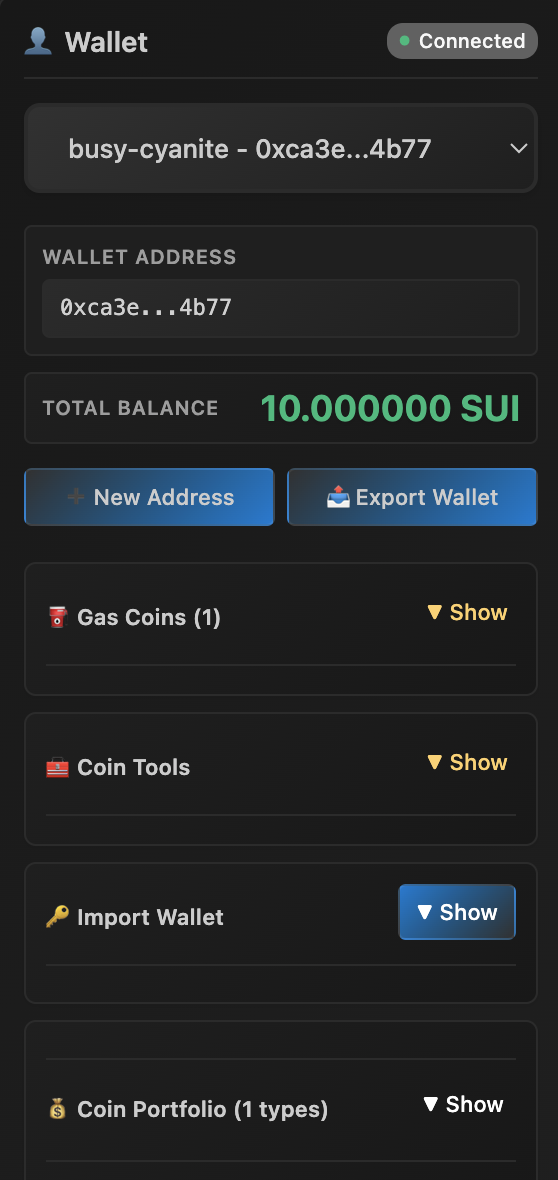
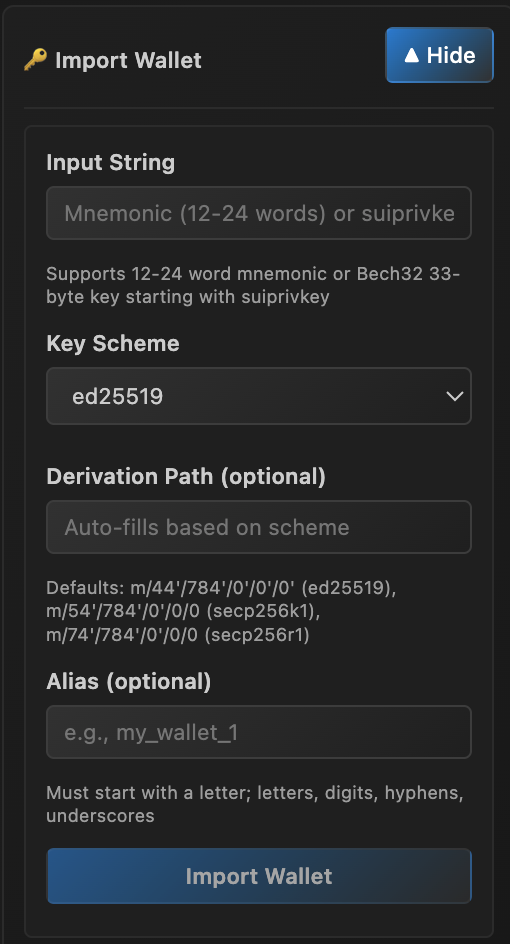
- Wallet Management: Create, import, and switch between Sui wallets
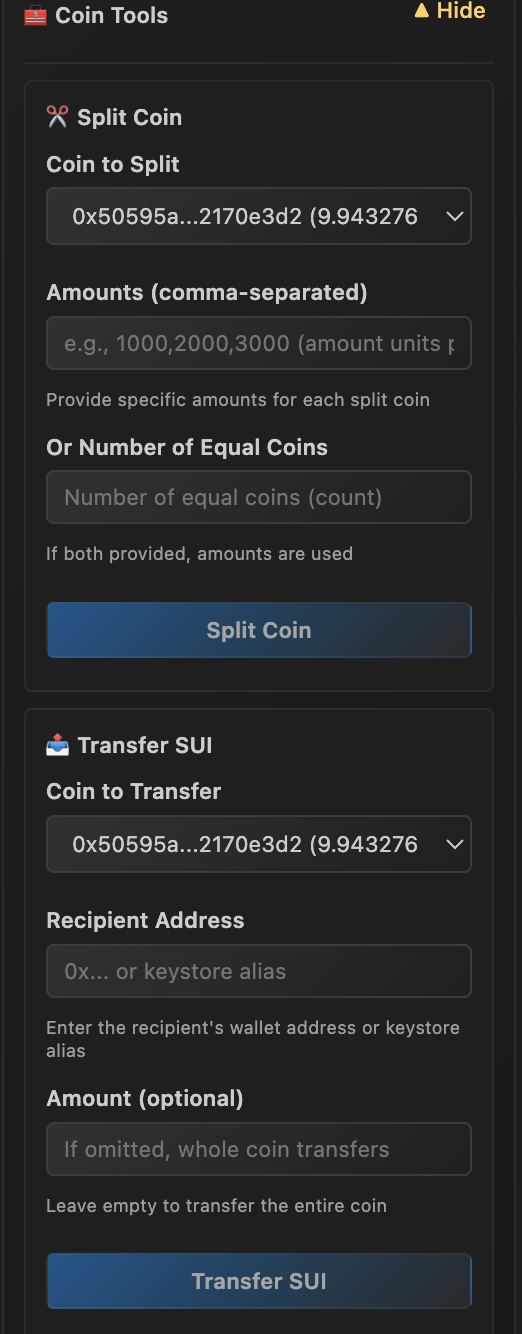
- Balance Tracking: Real-time balance display for all wallet addresses
- Gas Management: View and manage gas coins for transactions
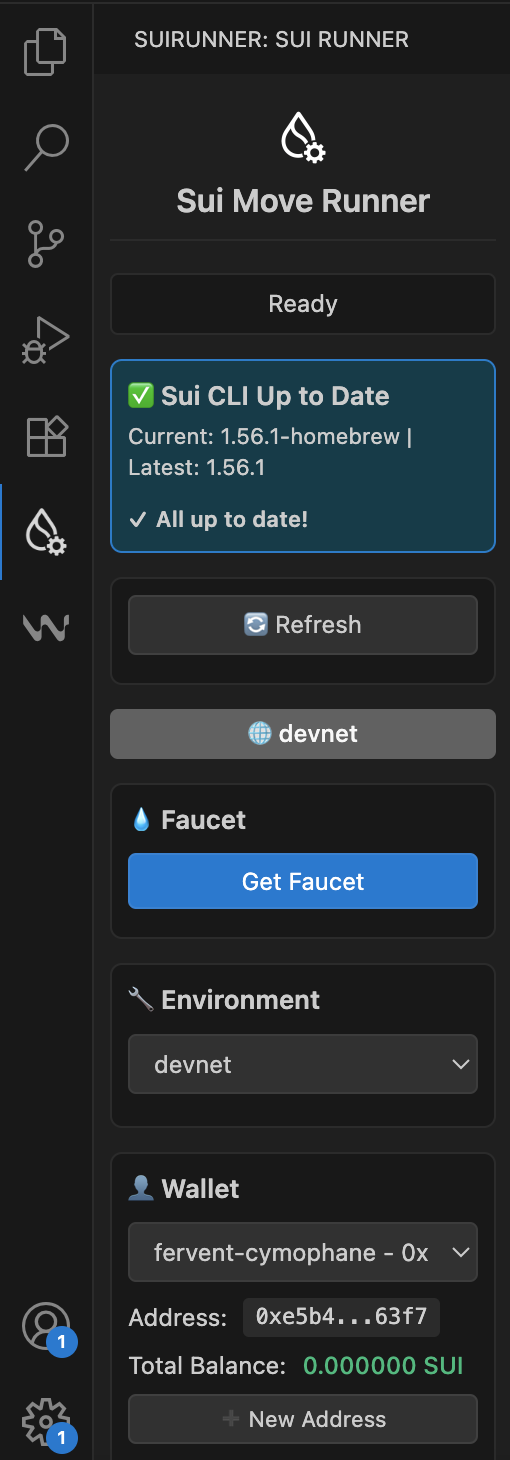
- Version Detection: Automatic detection of Sui CLI version
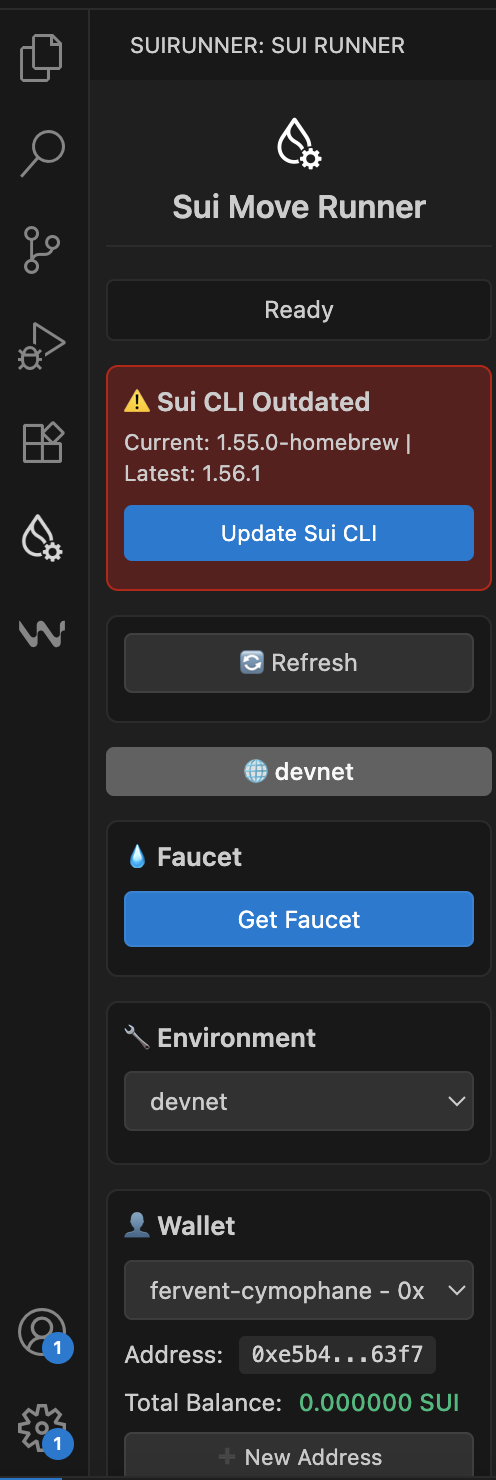
- Update Notifications: Smart notifications when Sui CLI updates are available
- Platform-Specific Updates: Automated updates using the appropriate package manager:
- macOS: Homebrew (
brew upgrade sui) - Windows: Chocolatey (
choco upgrade sui) - Linux: Cargo (
cargo install sui)
- macOS: Homebrew (
- Dark Theme Support: Optimized for VS Code's dark theme
- Responsive Design: Clean, intuitive interface that adapts to your workflow
- Cross-Platform: Full compatibility with Windows, macOS, and Linux
- Error Handling: Comprehensive error reporting and recovery
- VS Code: Version 1.80.0 or higher
- Sui CLI: Installed and available in your system PATH
- Node.js: Version 16 or higher (for development)
- Network Access: Required for RPC endpoints and package operations
The extension can help you update Sui CLI, but initial installation requires:
macOS (Homebrew):
brew install suiWindows (Chocolatey):
choco install suiLinux (Cargo):
cargo install --locked --git https://github.com/MystenLabs/sui.git --branch testnet sui --features tracing- Open VS Code
- Go to Extensions (Ctrl+Shift+X / Cmd+Shift+X)
- Search for "Sui Move Runner"
- Click Install
- Download the latest
.vsixfile from releases - Open VS Code
- Go to Extensions → More Actions → Install from VSIX
- Select the downloaded file
code --install-extension sui-move-runner.vsix- Open a Sui Move Project: Open a folder containing a
Move.tomlfile - Access the Sidebar: Look for the "Sui Move Runner" icon in the Activity Bar
- Set Up Environment: The extension will guide you through environment setup
- Start Building: Use the sidebar to build, test, and publish your Move packages
- Switch Environments: Use the dropdown to select your target network
- Create Custom Environments: Add new RPC endpoints for custom networks
- Environment Status: Monitor connection status and network health
- Create Package: Click "Create Move Package" to start a new project
- Build Package: Use "Build" to compile your Move code
- Test Package: Run "Test" to execute your test suite
- Publish Package: Deploy your package to the selected network
- Create Address: Generate new Sui addresses
- View Balances: Check SUI balances for all addresses
- Gas Management: Monitor and manage gas coins
- Automatic Detection: The extension automatically detects your Sui CLI version
- Update Notifications: Get notified when updates are available
- One-Click Updates: Update Sui CLI directly from the extension
The extension works out of the box with default settings. No additional configuration is required.
The extension automatically detects and uses your existing Sui client configuration. For custom environments, you can:
- Use the environment switcher to add new networks
- Provide custom RPC endpoints when prompted
- The extension will handle the rest automatically
Extension Not Loading:
- Ensure VS Code version is 1.80.0 or higher
- Check that Sui CLI is installed and in PATH
- Restart VS Code after installation
Commands Not Working:
- Check that Sui CLI is properly installed
- Ensure network connectivity for RPC operations
Build/Test Failures:
- Check Move.toml configuration
- Verify Sui CLI version compatibility
- Review error messages in the output panel
Windows Compatibility:
- Ensure Chocolatey is installed for Sui CLI updates
- Use Command Prompt or PowerShell for terminal operations
- Check Windows Defender settings for command execution
- Check the Issues page
- Review the Sui Documentation
- Join the Sui Discord community
We welcome contributions! Here's how you can help:
- Clone the repository
- Install dependencies:
npm install - Open in VS Code
- Press F5 to run the extension in a new window
- Fork the repository
- Create a feature branch
- Make your changes
- Add tests if applicable
- Submit a pull request
- Use the GitHub Issues tracker
- Provide detailed reproduction steps
- Include system information and logs
- Sui Documentation: Official Sui blockchain documentation
- Move Language: Move programming language reference
- VS Code Extension API: VS Code extension development guide
- Sui GitHub: Sui blockchain source code
This project is licensed under the MIT License - see the LICENSE file for details.
- Sui Team: For the amazing blockchain platform
- VS Code Team: For the excellent extension API
- Community: For feedback and contributions
Made with ❤️ for the Sui ecosystem