author: Cameron Zuziak
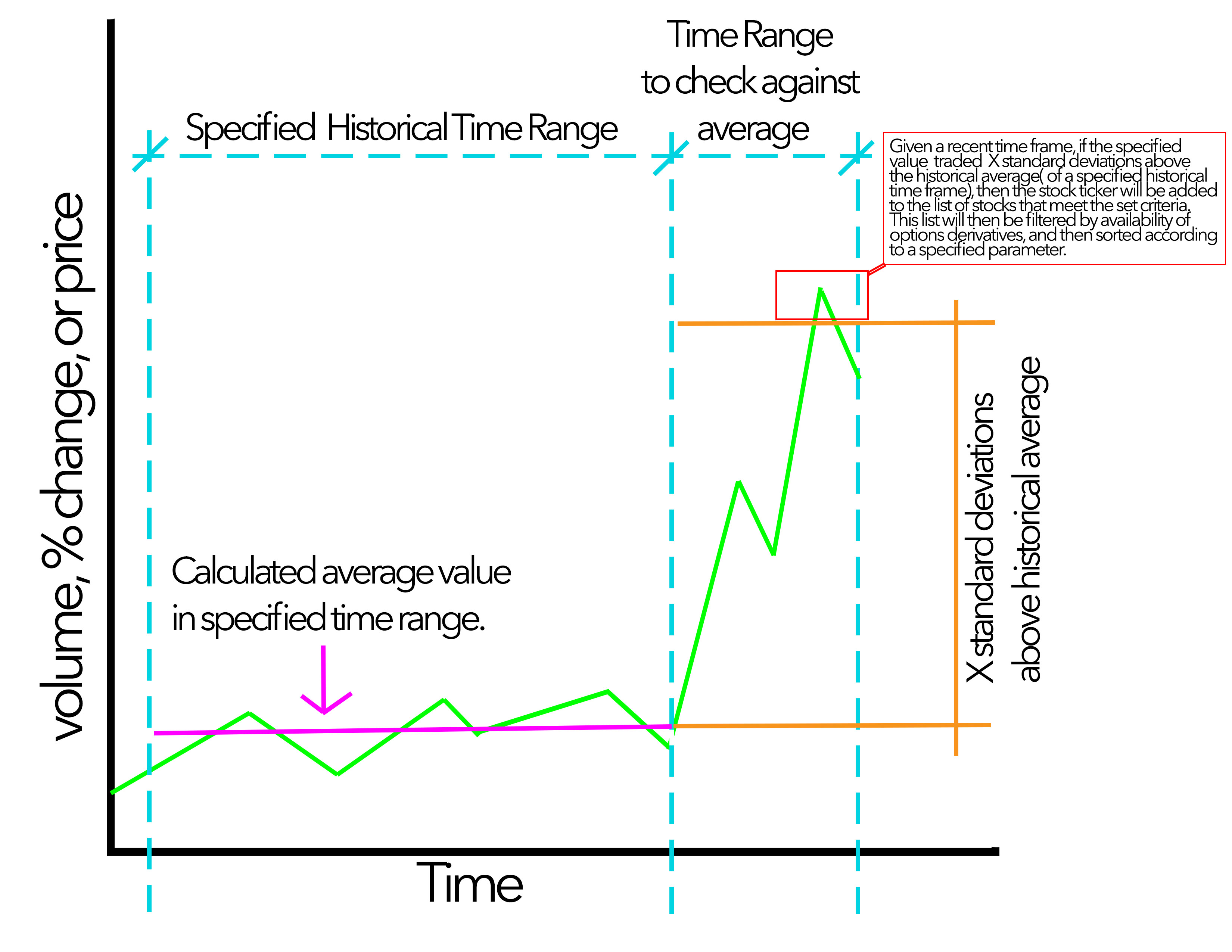
ABOUT: This project uses yfinance to access stock market data, and numpy to process data. It allows for you to pick a metric, set historically monthly range, a standard deviation limit, as well as a recent historical range. The application will then sift through stock data, and return all stocks whose specified metric was X standard deviations above the historical average of the specified monthly range. See graphic.jpg for additional information.
INSTRUCTIONS FOR MacOS:
-
open up your terminal and cd into this folder
-
create new venv using:
python3 -m venv venv
-
activate the virtual environment by running the following command:
source venv/bin/activate
-
install requirements by running:
pip3 install -r requirements.txt
-
run the command: python3 scanner.py
-
enter desired parameters in the GUI and click run. Valid stocks will be outputted into the terminal. Stocks will also be printed, in order, to stocks/validstockpics.txt.