__ ______ __ ___ __ / |/ /| | / / | | /| / / / /|_/ / | |/ / | |/ |/ / /_/ /_/o |___/ie revie|__/|__/ |
Catalogue your own movie review inside your terminal. 


pipx install mvw
|
  ▁▁     ╭─────────────────────────────────────╮
 ▁▁▁│    │ These are some demos when using MVW │
┌┘└ ░▌   ╰─────────────────────────────────────╯
╚═══╝    F: Psst.. his name is MOAI (nice to meet u)
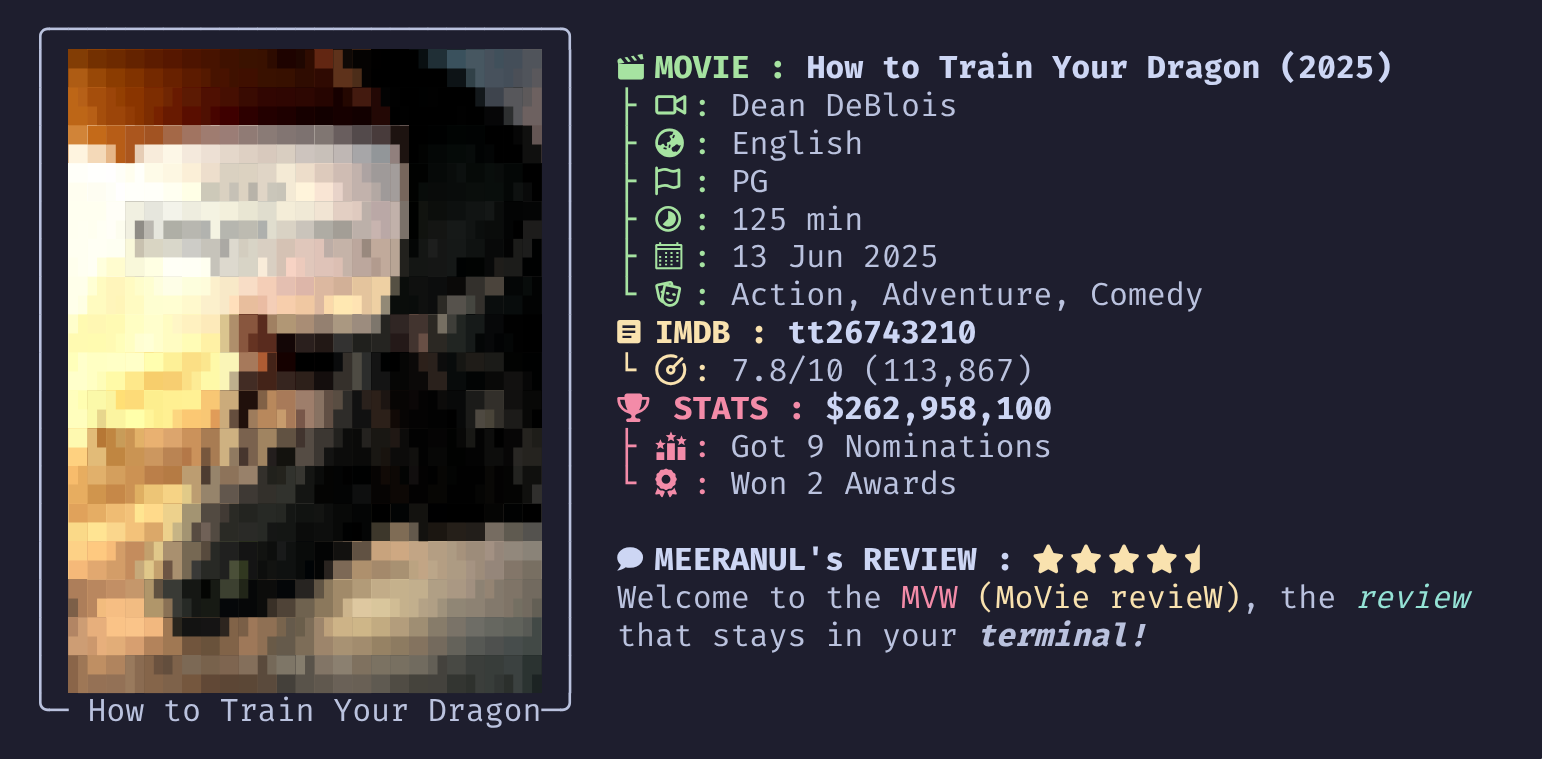
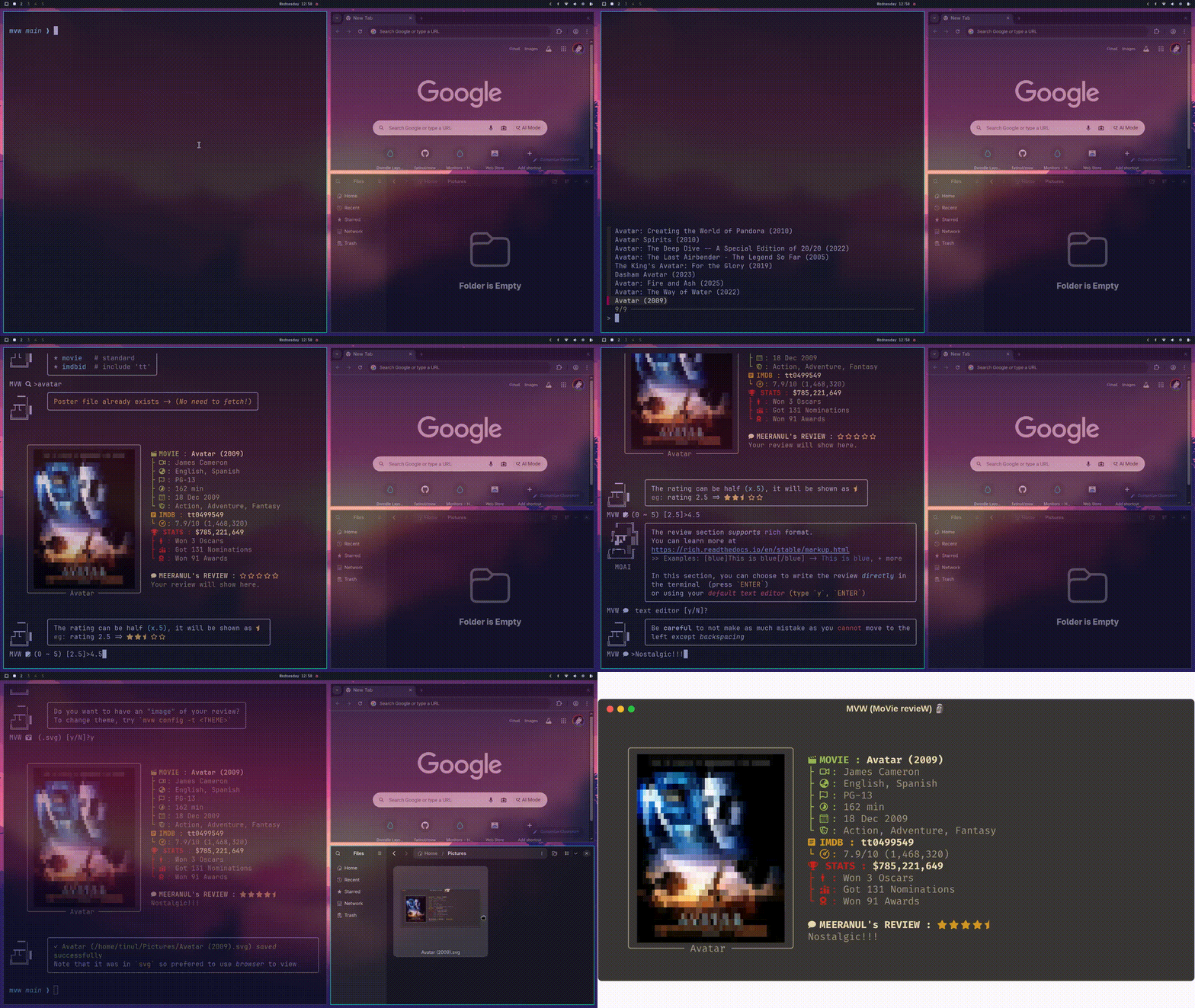
Default usage where you will get to experience the full experience of MVW. You will get to search, rate, review and also save your review. Every reviews will be saved in your local machine!
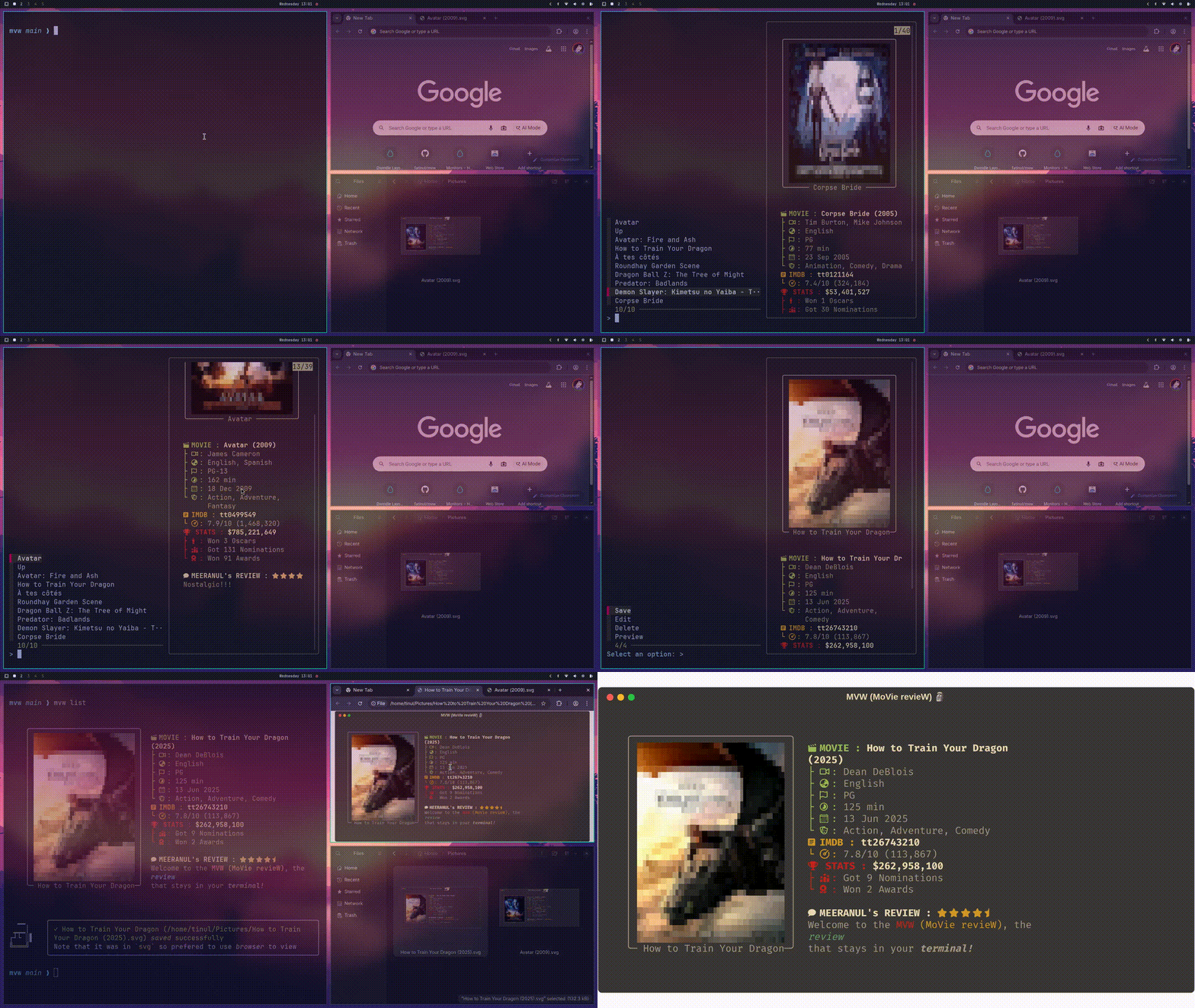
You will get to see every past reviews that you had done in a simple interface supported by iterfzf) which uses the "Fuzzy Search"
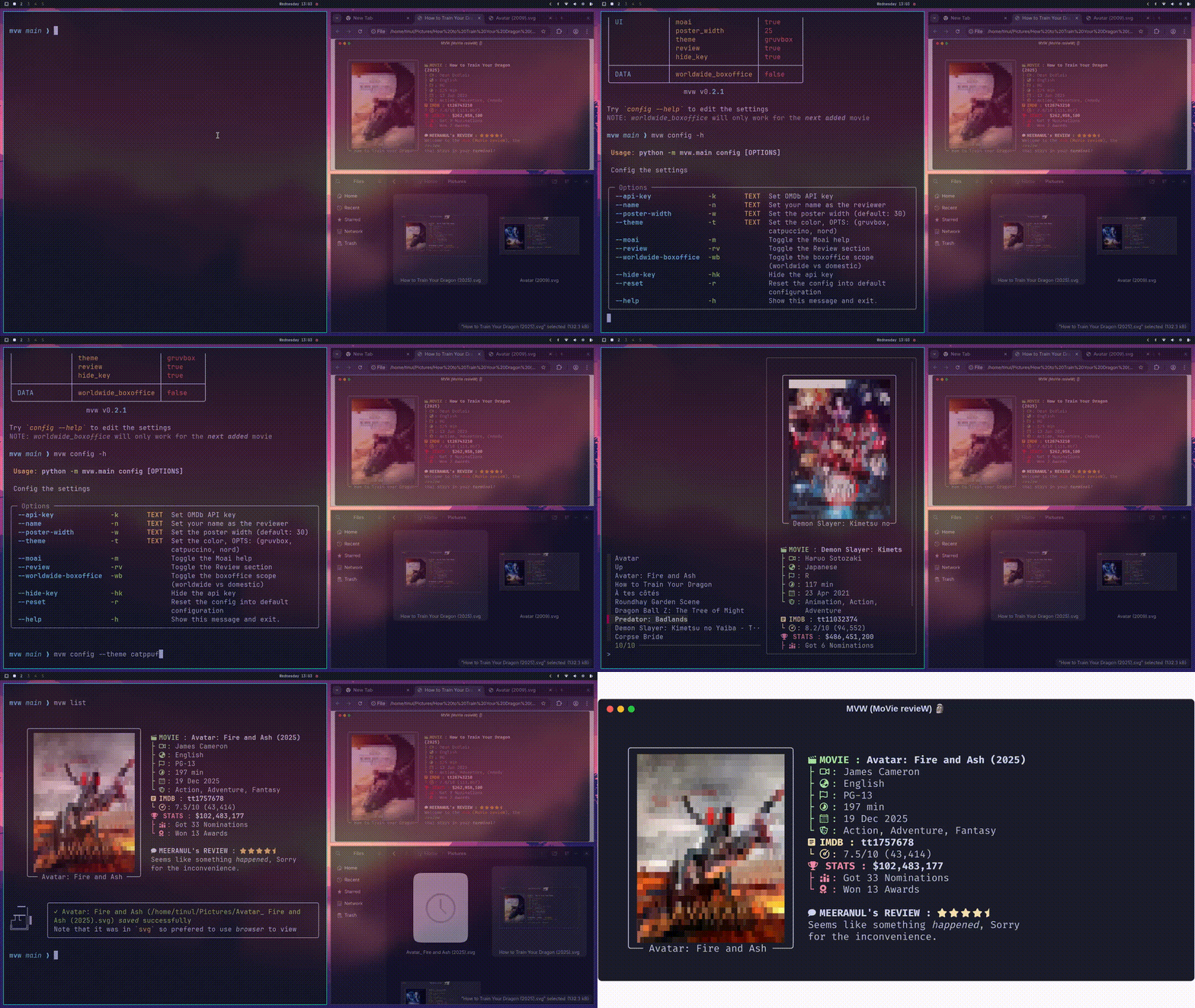
Everything that you can see in the config list can be configurable. From the poster_width, theme, your name, and even worldwide-boxoffice feature
NOTE: Most modern browser supports nerdfont icons in
svg, you just need to choose nerdfont as default in the settings. You can seesvgbelow if it is supported.
-
Gruvbox (The Default Theme)
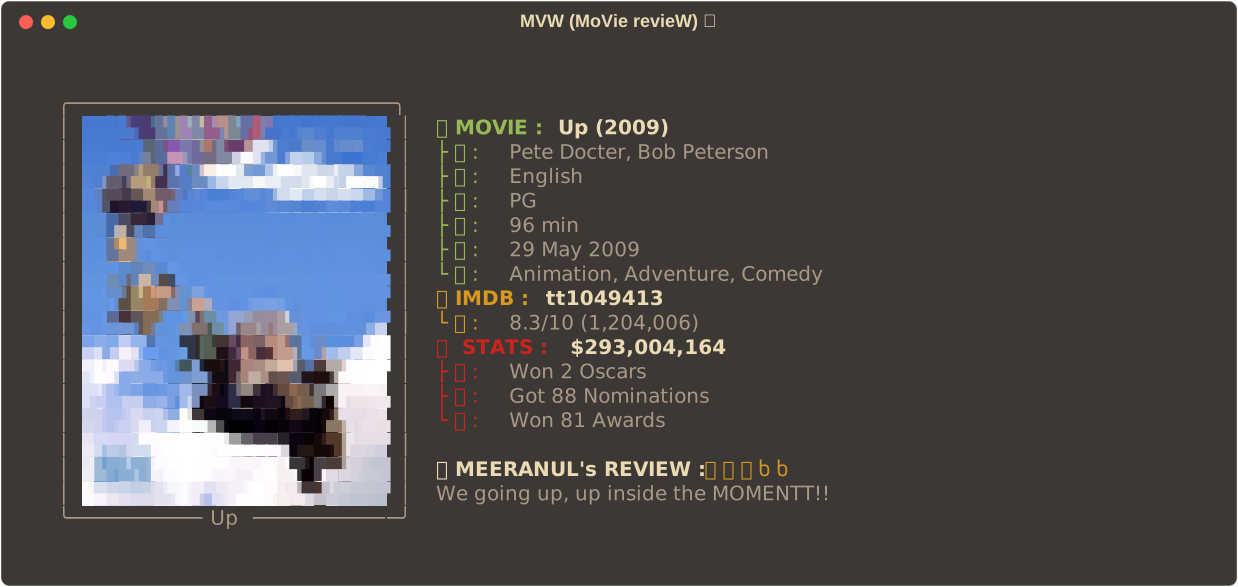
-
Catppuccin
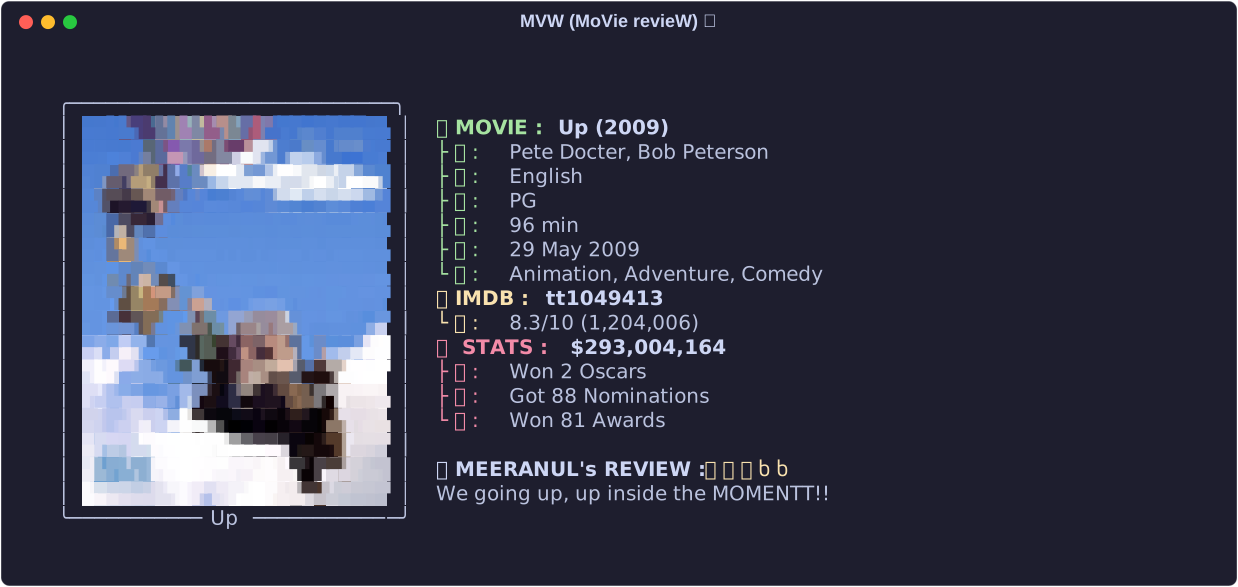
-
Nord
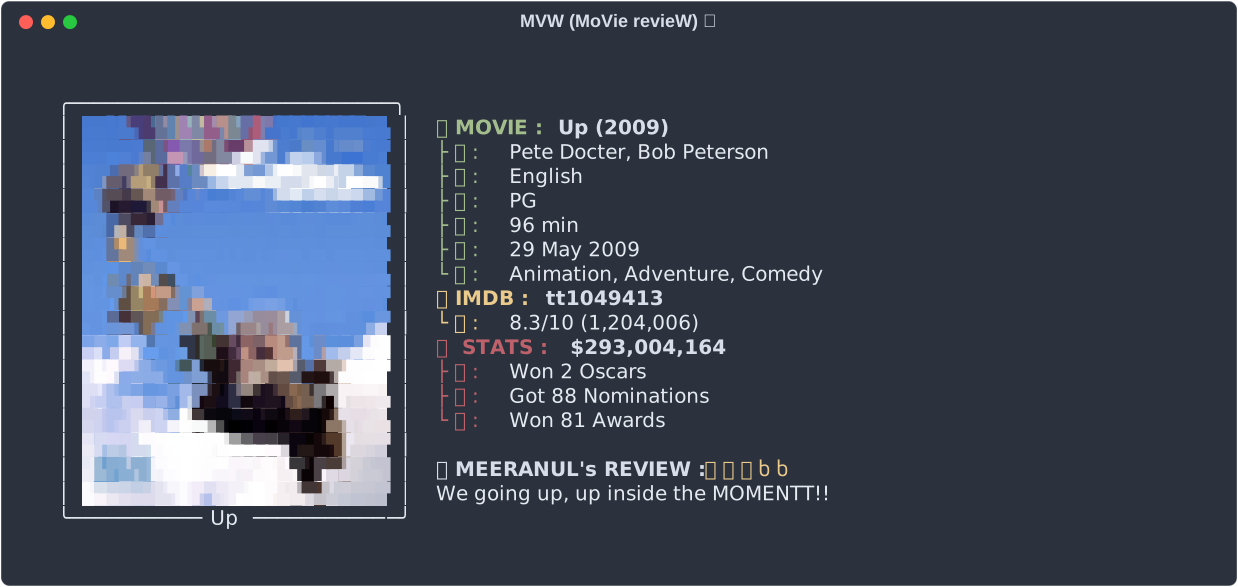
| Features | Notes |
|---|---|
| Auto fetch movie data | Uses OMDb API behind the hood to fetch movie data fast |
| Search movies | Just give the movie title or imdbid to fetch the movie (no more EXACT) |
| Menu | List every accessible feature when selected after mvw list |
| Change poster | Change the default poster after fetch |
| Pixelated poster | Unique way to view the poster (fully intentional) |
| Transparent support | Transparent background from png or webp are supported |
| Configurable poster size | Can change the poster width |
| Review history | All review are saved in a database |
| Autocomplete | Provided by the Typer library |
| Themes | Gruvbox, Catppuccin, Nord |
| Save Review | The review can be saved in svg format with the theme |
| Worldwide Boxoffice | Use webscrap tech to find the global box office |
| Half-star Rating | Support 0.5 star rating |
| Review Editor | Use default editor to edit review |
| Caching Poster | No need to download the poster everytime fetching |
| Easy update | When searching same movie, will use past review |
| Reset Config | Default to the factory setting with single command |
| Moai help | Fun gimmick to help you in the process (can be hide dont worry) |
  ▁▁     ╭─────────────────────────╮
 ▁▁▁│    │ Why am I at the bottom? │
┌┘└ ░▌   ╰─────────────────────────╯
╚═══╝    F: Cause heroes appear last.. right..
I have a deep interest in TUI/CLI and also movie in general. I also have a vault in Obsidian where I catalogue movies that I watch but you know how it goes.. (Legend says that it was still there waiting for me :D) At first, as someone like me whose personality (TUI + Movie) will obviously create a movie player that does everything (find, torrent, play, and done) which has already been done so many times. So instead I just want to make something different and that's where I (finally) remember about my Obsidian movie catalogue. Then the code begins..
And also, I just want to learn new things :)
Can check my personal blog for more info -> here
| Method | Command |
|---|---|
| pipx (recommended) | pipx install mvw |
| uv | uv tool install mvw |
| pip | pip install mvw |
NOTE: This CLI require a nerdfont to have the icon fully showed --> This repo seems legit way to install nerdfont but its up to you how to install, google it, you got this! --> Also, If you are on Windows, don't forget to set nerdfont as default font in the settings.
mvw# Configure
mvw config -h
# All configure settings
mvw config --api-key "OMDB API key" # Required
mvw config --name "Name" # Optional
mvw config --poster-width 30
mvw config --theme "gruvbox"
mvw config --moai # Toggle
mvw config --review # Toggle
mvw config --worldwide-boxoffice # Toggle
mvw config --hide-key # Toggle
mvw config --reset # Toggle
mvw config --render # choose between pixel (default), blocks, ascii
mvw config --render ascii --charset # choose between minimal (default), dots, blocks
# List all reviewed movies
mvw list
# Change the poster
mvw poster --id "ttxxxxxx" "poster_path"
mvd poster --title "Inception" "poster_path"
# Preview the reviewed movies
mvw preview --id "ttxxxxxx"
mvd preview --title "Inception"
# Delete the reviewed movies
mvw delete --id "ttxxxxxx"
mvd delete --title "Inception"The --charset flag is only available for --render ascii. A custom minimal charset was created to better fit the constrained size of the poster. You can also choose dots ("•") and blocks (unicode blocks). This latter option is already similar to what you would get with --render pixel or with --render blocks. It will give you a lower resolution.
Settings are automatically configured using mvw config
  ▁▁     ╭─────────────────╮
 ▁▁▁│    │ Why am I here?  │
┌┘└ ░▌   ╰─────────────────╯
╚═══╝     F: Just for fun i guess
During the early build of the project, I could not figure out a way to pipe a kitty image into the iterfzf preview section. It took a long time to process so I try another method which is using rich_pixel library which supports rich and also works on every OS. As of now, thats what I could think of to solve it. TLDR: you can think it as the intended style
Short answer: It's easier for me to implement and it's very fast!
Long answer: During the early build, I tried to use an API from TMDb, however I found that the registering process are quite intimidating. Then, I found OMDb (which is almost the same as TMDb but easier API key registration). Later down the road, I also tried a no-API-key path Cinemagoer. However, I couldn't (as of now) make it work yet. Naybe in the future, another non-API option will arise?!
It is just a console.print that I decided to add a face. I choose Moai because, the emoji 🗿 is just too perfect and one of my friends has used it during the phonk era (a lot). The emoji name is also MOAI so I thought why not just MO(AI) it. Same to LLM in Ollama, just too good to not use.
mvw is built with Typer + iterfzf and inspired by:
- fastfetch - Visual system information Display.
GPL-3.0