Tweeter is a simple, single-page Twitter clone.
This repository is the starter code for the project: Students will fork and clone this repository, then build upon it to practice their HTML, CSS, JS, jQuery and AJAX front-end skills, and their Node, Express and MongoDB back-end skills.
- Fork this repository, then clone your fork of this repository.
- Install dependencies using the
npm installcommand. - Start the web server using the
npm run localcommand. The app will be served at http://localhost:8080/. - Go to http://localhost:8080/ in your browser.
- Express
- Node 5.10.x or above
- body-parser 1.15.2 or above
- md5 2.1.0 or above
This simple Twitter clone accepts input to the tweet form and will send a AJAX POST request to the server. An AJAX GET request gets the new tweet and updated the Tweeter feed. The full feed is updated when the page is refreshed.
To compose a tweet, click on "Write a new tweet" on the top right to expose the new tweet form. The form will check for tweets that are too long or empty. Once a valid tweet is sent, the server will generate a random name and avatar for you.
Clicking on the "Write a new tweet" button again will close the new tweet form.
The app uses CSS grids and will dynamically resize when the window size changes. The layout will shift once the window is below 768px to accomodate small screens.
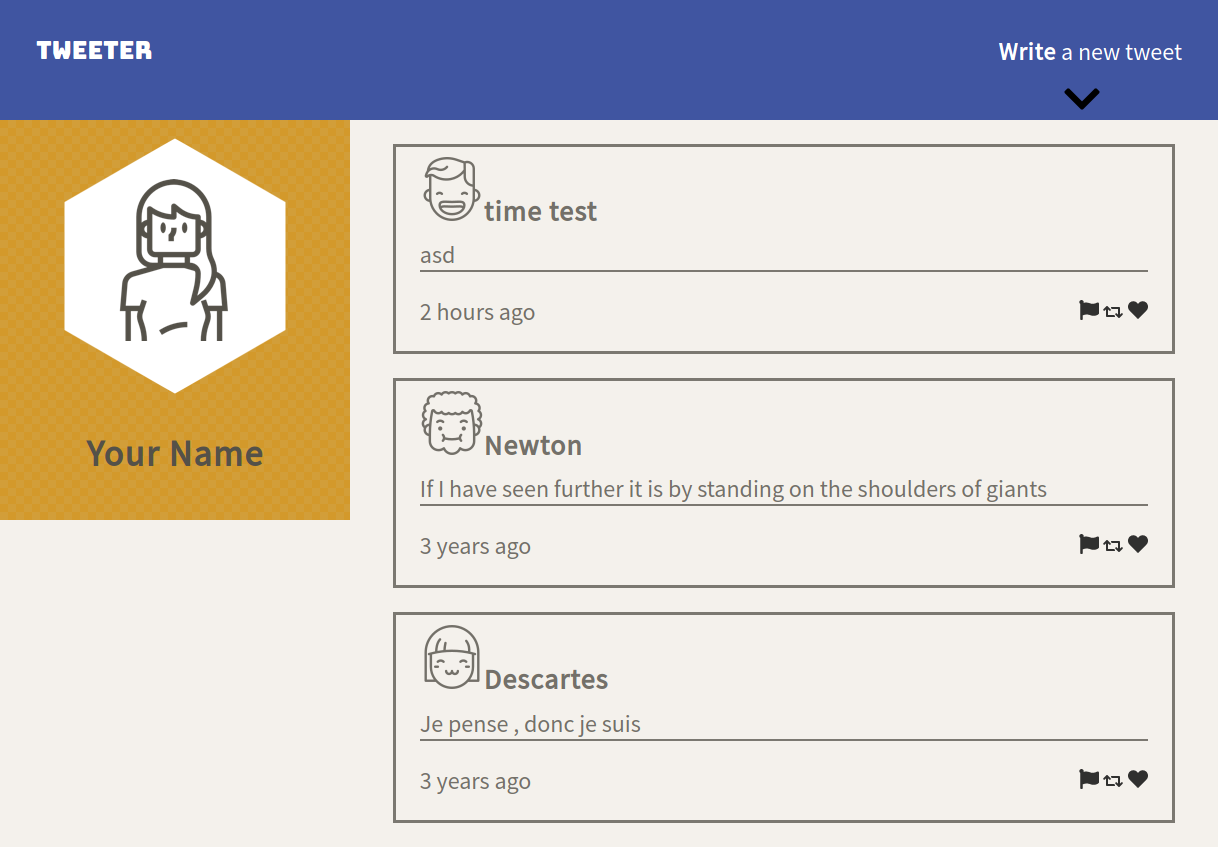
This is the landing page for the Tweeter app. The tweets from the database are loaded on the side.
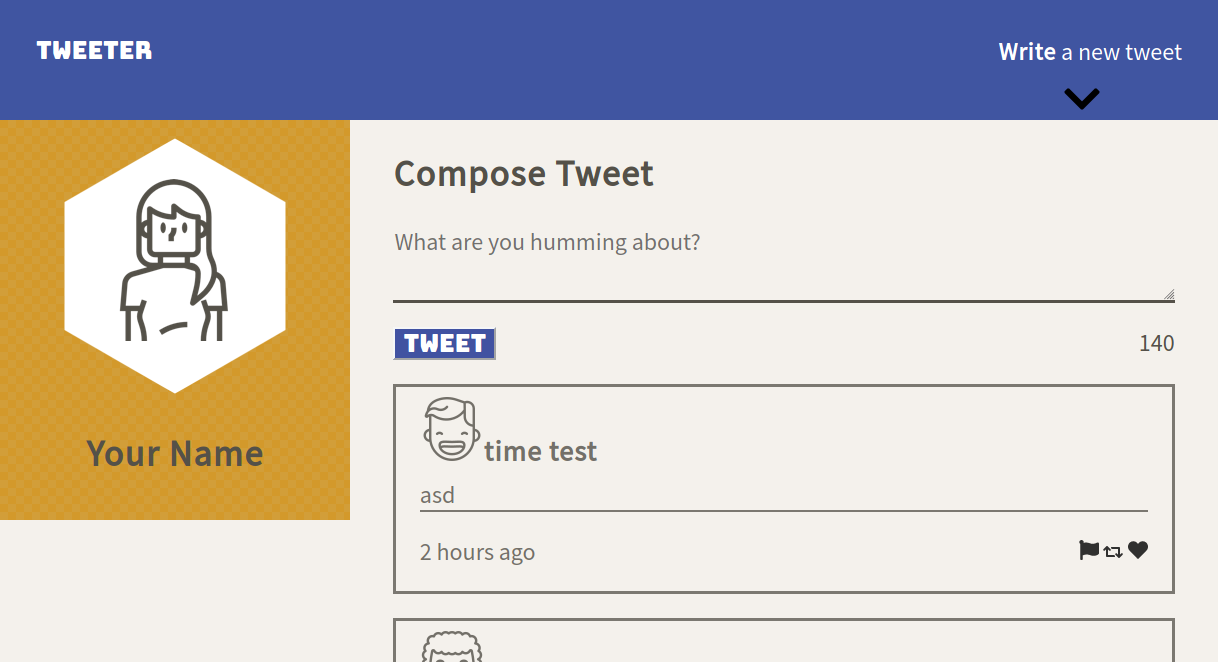
Clicking on the top right button will bring out the Compose Tweet form.
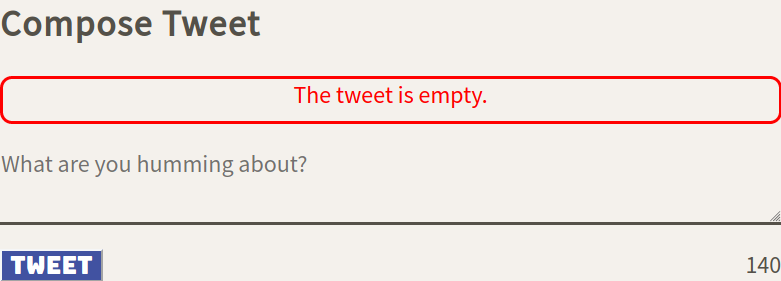
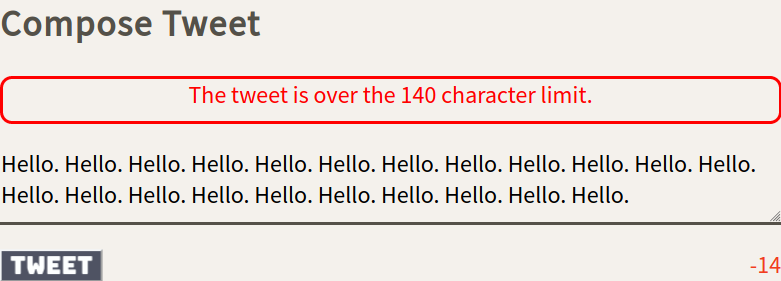
If a user tries to submit an empty tweet or a tweet that is too long, then a error message will notify the user of the problem. The character counter on the bottom right will let the user know how many characters they have remaining. The tweet button will also be greyed out when the tweet is too long.
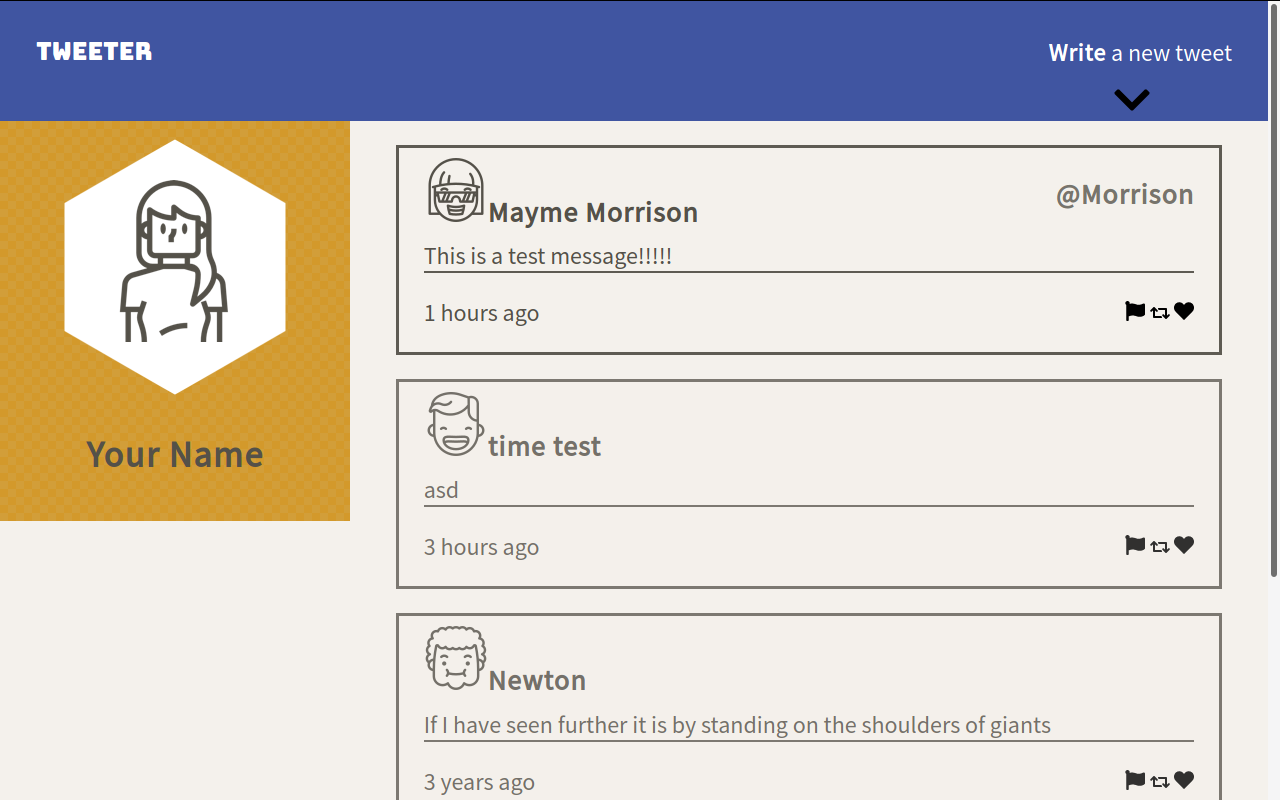
After a valid tweet is submitted, the new tweet will be displayed in the feed. Hovering over the tweet will show the user's handle.
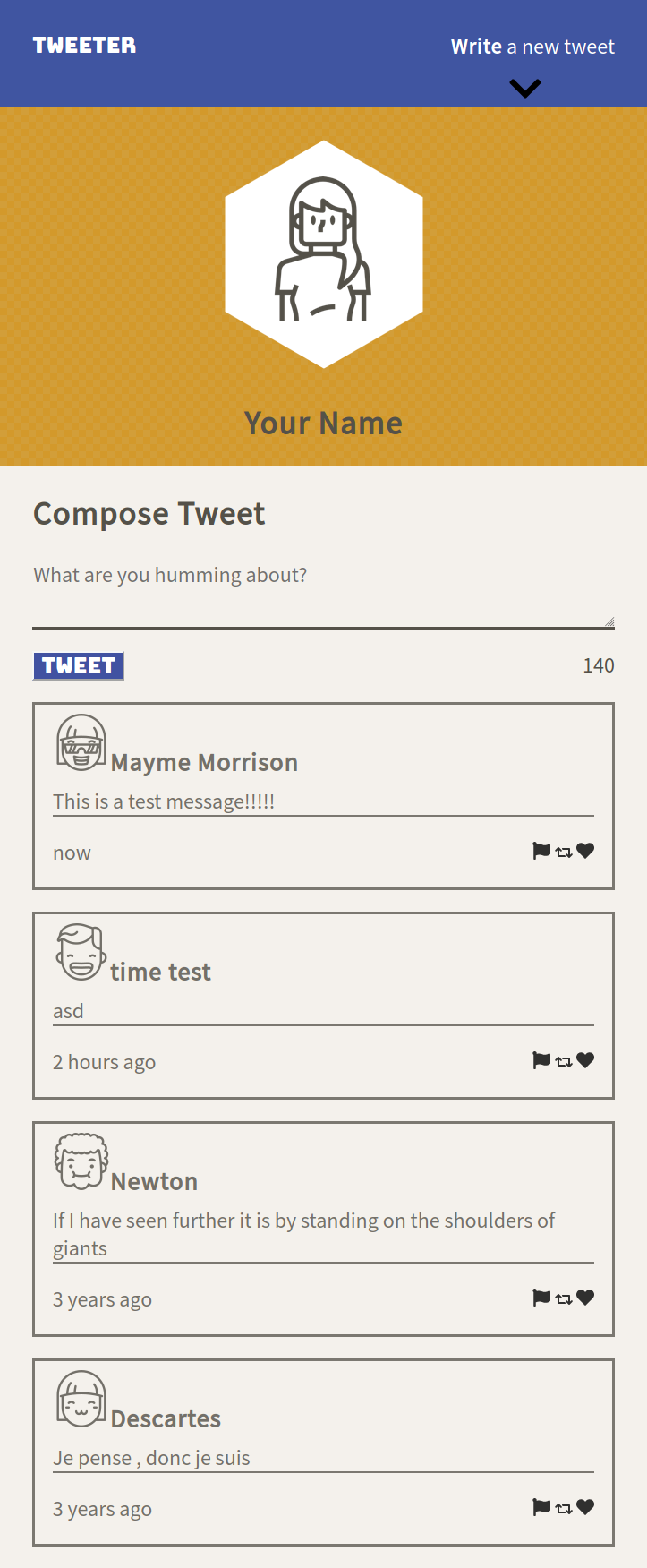
Once the width of the window reaches the threshold. The layout will shift to a more mobile friendly layout and take up the whole width.
- The message showing how long ago the tweet was made is not accurate in edge cases.
- Solution: switch to a proper time library that can handle these problems. This was not done for this project because I was told to try writing a time function on my own.
- Slight glitch on the first load of the app. The go to top button has a slight glitch on the first time a user scrolls down.
- display was set to flex to center the text, so I couldn't use display:none. I switched to visibility:hidden instead to hide the icon on first load, but the scrollDown() function will hide then unhide it.
- General visual polish. Currently is looks very standard and plain.
- Add timer to automatically get new tweets periodically instead of requiring the user to refresh the page. This is not needed unless there is more than one user on the server as the user submitted tweets are always displayed.
- Allow filtering by user if clicking on the user's name or handle.
- Allow log in or changing name/avatar (requires update to server code)