A GNOME Shell 40+ Extension




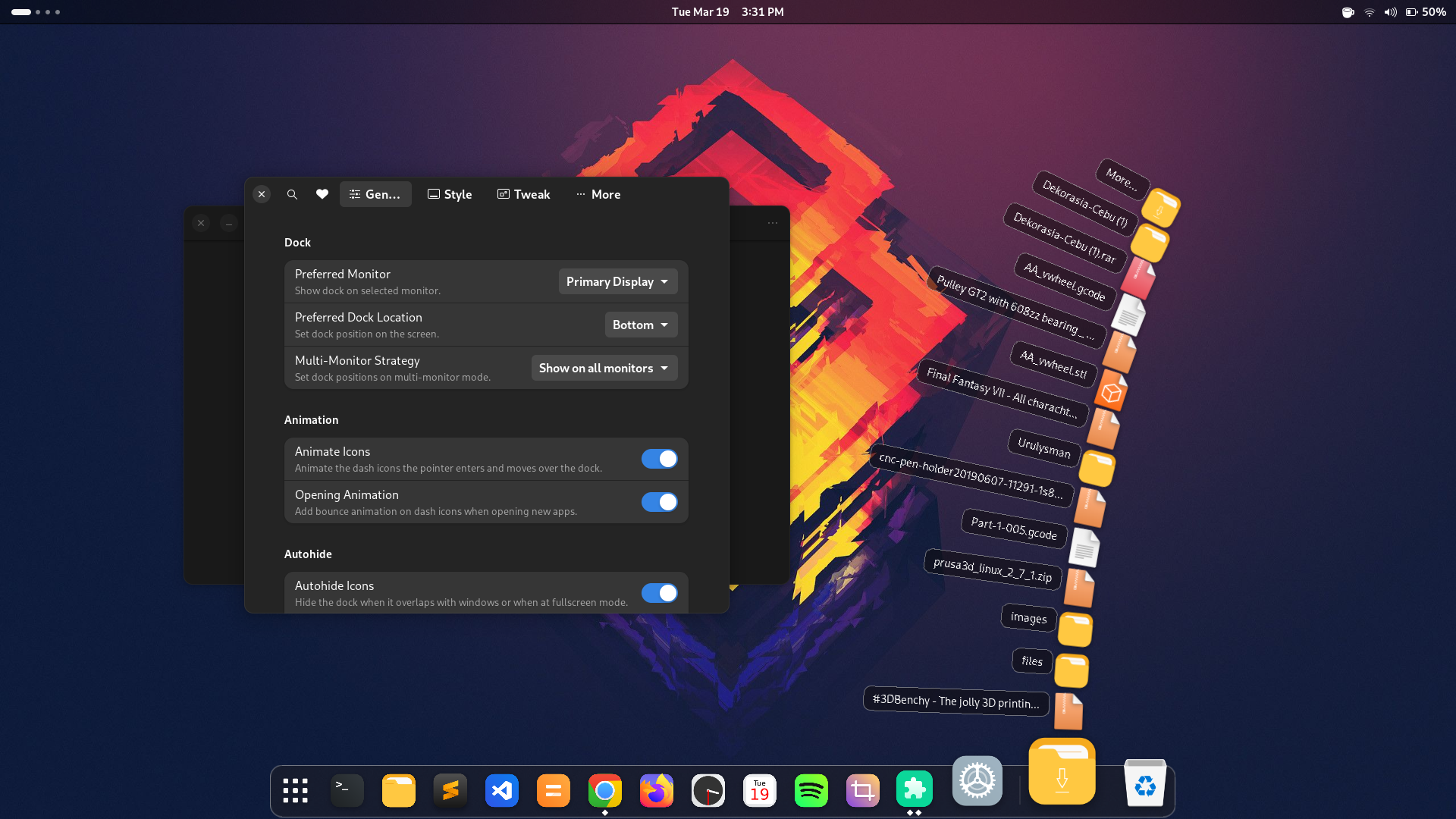
- Supports Gnome 42, 43, 44, 45, 46, 47, 48, 49
- Initial support for Gnome 50
- Prior versions are largely unsupported
- Multi-monitor support (new!)
- Dash docked at the desktop
- Animated dock icons
- Resize icons
- Autohide/intellihide
- Dock positions: bottom, top, left, right
- Scrollwheel to cycle windows
- Click to maximize/minimize windows
- Style top panel
- Panel mode
- Show/Hide Apps icon
- Analog clock
- Dynamic calendar
- Dynamic trash icon
- Mounted devices
- Downloads icon with fan animation (new!)
- Icon color effects(Tint, Monochrome)
- Custom icons
- Compiz Magic Lamp Animation
- Blur my Shell
Requirements:
- GNOME Shell (version 42+)
Manual Installation:
- Clone this repo
$ git clone https://github.com/icedman/dash2dock-lite.git- Use the
Makefileto build and install
$ cd dash2dock-lite
$ make
Using the AUR (Arch User Repository): This requires an Arch-based distribution to work:
$ git clone https://aur.archlinux.org/gnome-shell-extension-dash2dock-lite.git
$ makepkg -si
From Gnome Extensions Repository
Visit https://extensions.gnome.org/extension/4994/dash2dock-lite/
Export your settings under Style > Themes Button > "Export"...
This will be saved to /tmp/theme.json. Edit this json file and save under ~/.config/d2da/themes or at {extension_path}/dash2dock-animated/themes so that it becomes available at the extension settings app.
Create a folder under sh~/.config/d2da/icons and place here your SVG icons. Then create a file under sh~/.config/d2da/icons.json and create a mapping file with the following format:
{
  "icons": {
     "view-app-grid-symbolic": "icons/show-apps-icon.svg",
     "user-trash": "icons/my-own-trash.svg",
     "user-trash-full": "icons/my-own-trash-full.svg"
  }
}
You may also use icon names from your favorite icon theme. And use the following format:
{
  "icons": {
     "view-app-grid-symbolic": "show-apps-icon",
     "user-trash": "trash",
     "user-trash-full": "trash-full"
  }
}
The icons show-apps-icon, trash, trash-full must be available on your icons theme folder.
Alternatively, you may override icons via app id:
{
   "apps": {
      "spotify_spotify": "icons/spotify.svg"
   }
}
Check the log to see the icon names currently being used by Dash2Dock Animated. Search for log text such assets
Icon created "user-trash"Create a file config.json under the folder ~/.config/d2da/
{
  "file-explorer": "nemo",
  "icon-size": "24"
}- Disable then enable extension to load config
- file-explorer overrides the default "nautilus"
- icon-size overrides the icon scale from the preferences panel
Create a file style.css under the folder ~/.config/d2da/
For now, you will have to do some little digging with LookingGlass to know the names and style classes.
Blurred background feature requires imagemagick to be install in the system. This generates the blurred image based of the desktop wallpaper.
Build and install Dash2Dock Animated for prior versions (before Gnome 45)
make g44
When reporting bugs. Please indicate the following:
- Linux Flavor/Distribution and version
- Gnome version (45.xx)
- Dash2Dock Animated release number
Check for any exceptions in the logs by running the following at the terminal:
journalctl /usr/bin/gnome-shell -f -o catTo check incompatibilities with other extensions, try running Dash2Dock Animated with other extensions disabled.
To check for lag or inefficiency. Run the following in the terminal and observer gnome-shell CPU usage.
top -d 0.5On my old Dell XPS13 i5-6200U. CPU usage is about 50% with icons quality high, frame rate high, shadows on.
Please be specific on the errors encountered. Add screenshots whenever possible.
- Fedora 43 (Gnome 49)
- Arch Linux (Gnome 49)
- Fedora 37 Live (Gnome 42)
- Ubuntu 23 (Gnome 45)
Distributed under the GPL 3.0 License. See LICENSE for more information.

