
AFTER COMPLETION PLEASE ZIP THE APPLICATION UP AND EMAIL THE TEST TO brian.ellis@bondexchange.com
Brian Ellis - brian.ellis@bondexchange.com
- This system is meant to work with node 10.x. Higher versions have had complications in installing the package
- SSH Key cloning may have an issue with pushing a branch from past experiences. Cloning via HTTPS seems to have no issue and may be a result of the key permissions in relation to Github's ssh system.
- Developer needs to retrieve the data from an API
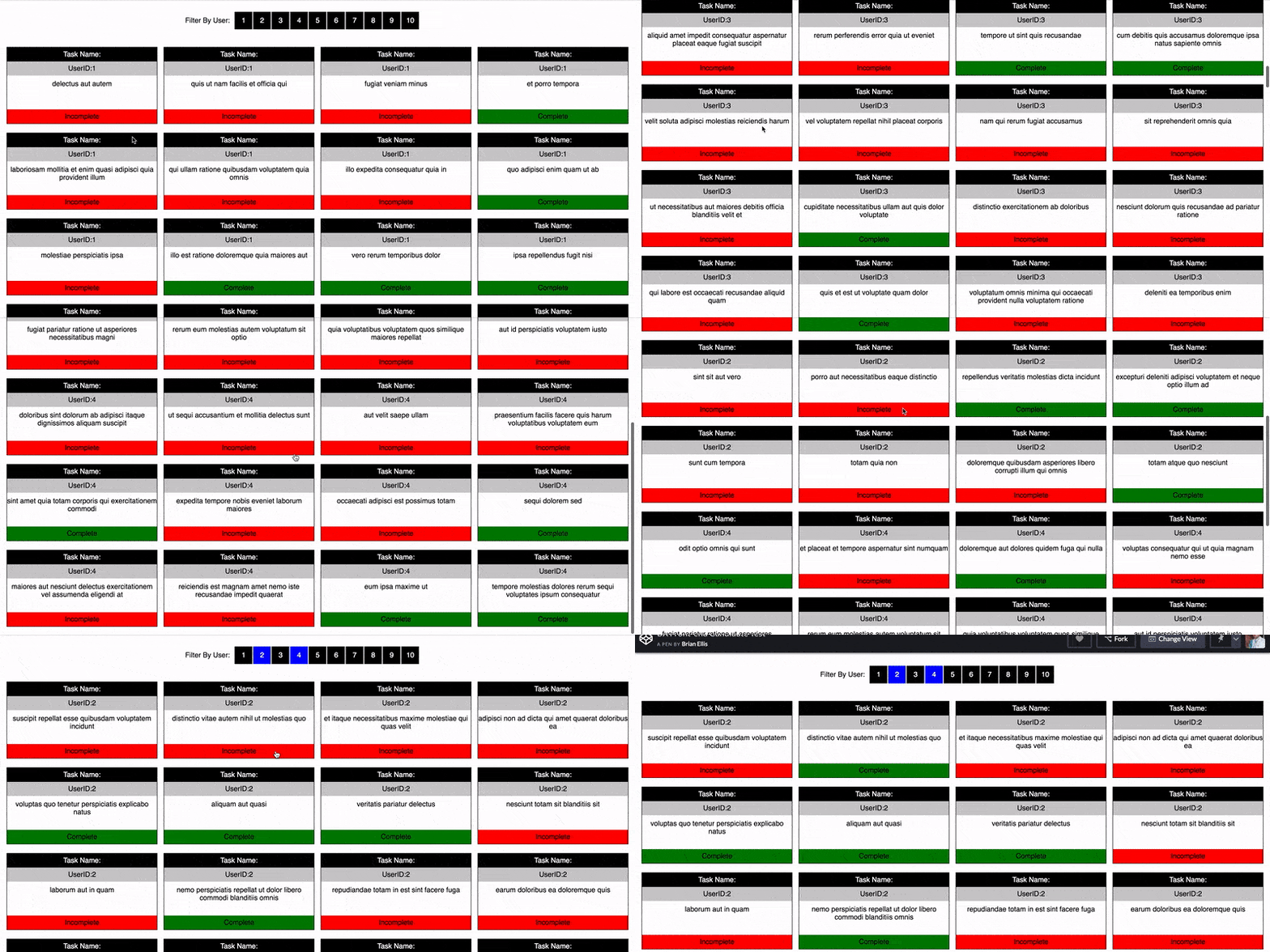
- Dev needs to build out the page from the data
- Page should allow the data to be filtered by number correctly
- Page should allow incomplete/complete to be clicked and changed
- The UX colors and style do not need to match exactly except for: 4 column rows and usage of top filter bar
- Proper branching - for the project namespace comes off master as
candidate/{name} - Proper commits in the system where applicable. One commit and push is way too few commits.
- Persisting the state of the app filter and complete/incomplete items in the client even on refresh
- The "Task Name" is missing from the heading of each item. Create readable unique title for each heading based on how the data comes in. Does not need to be a property value of the payload but should have a recognizable relationship to which object item is being referenced.
- Turning the UX pretty
- Making the UX responsive
- Usage of comments to code where it makes sense for readability
https://jsonplaceholder.typicode.com/todos
May use jQuery but no other framework library
The pattern of JS used is not entirely restricted in formation of the object class but it should conform to a recognized structural pattern. Recognized structural pattern examples may be seen below but are not limited to the 3 examples only:
const _data = [];

const UserStore = {
  add: item => _data.push(item),
  get: id => _data.find(d => d.id === id)
}

Object.freeze(UserStore);
export default UserStore;var Singleton = (function () {
var instance;
function createInstance() {
var object = new Object("I am the instance");
return object;
}
return {
getInstance: function () {
if (!instance) {
instance = createInstance();
}
return instance;
}
};
})();
function run() {
var instance1 = Singleton.getInstance();
var instance2 = Singleton.getInstance();
alert("Same instance? " + (instance1 === instance2));
}let _self;
const myClass = {
appData: {},
init: ()=> {
_self = this;
_self.test();
},
test: ()=> {
console.log("I'm getting good at this!");
_self.test2();
},
test2: ()=> {
console.log("and _self if still working!!!");
}
};
myClass.init();Other than prefixing libraries to conform to browser compatibility in the system no other libraries can be used. This includes any form of skeleton, bootstrap, foundation, etc.
Note: if you've previously installed Gulp globally, run npm rm --global gulp to remove it. Details here.
Make sure these are installed first.
- Node.js
- Gulp Command Line Utility
npm install --global gulp-cli
- In bash/terminal/command line,
cdinto your project directory. - Run
npm installto install required files and dependencies. - When it's done installing, run one of the task runners to get going:
gulpmanually compiles files.gulp watchautomatically compiles files and applies changes using BrowserSync when you make changes to your source files.
Try it out. After installing, run gulp to compile some test files into the dist directory. Or, run gulp watch and make some changes to see them recompile automatically.
Add your source files to the appropriate src subdirectories. Gulp will process and and compile them into dist.
- JavaScript files in the
src/jsdirectory will be compiled todist/js. Files in subdirectories under thejsfolder will be concatenated. For example, files injs/detectswill compile intodetects.js. - Files in the
dist/sassdirectory will be compiled tosrc/css. - SVG files placed in the
src/svgdirectory will be optimized with SVGO and compiled intodist/svg. - Files and folders placed in the
copydirectory will be copied as-in into thedistdirectory.