This project was created for my Bachelor Thesis about "Writing with Generated Text on Mobile Devices - An Explorative Study".
The project implements two differents prototypes for writing with generated text and a study for evaluating them.
It is realised as a web application. The backend is written in Python and uses the Flask-Library. The text-generation which is located in the backend uses the pretrained GPT-2 Model from Huggingface. The frontend is written in JavaScript with the React-Library.
The project also contains some Docker-Files. I used them for launching the application on the server for the user study.
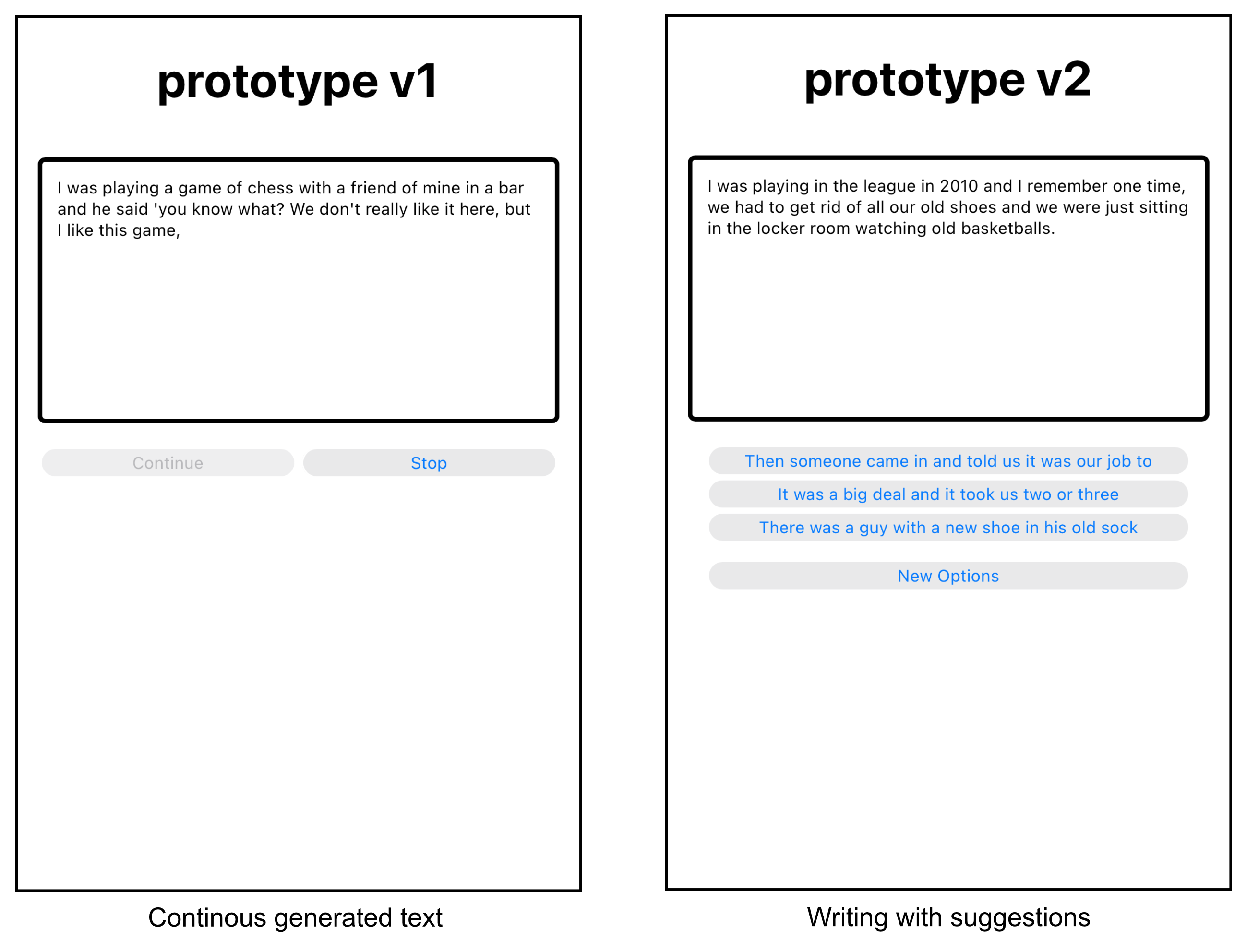
The writing process with both techniques starts by typing the first sentence of the text you want to write.
Here you have to press the continue button, after writting your sentence. Then the text appears word per word over time. By clicking into the textfield the text stops and you can correct it. When you then hit continue again, the generation of text contiues.
Here there are three suggestions from which you can select one to continue your text. They are always appearing automaticly after a short time of not editing the text. When you choose one of these options, the suggestions gets added to the text and new suggestions are offerd. There is also a button for generating three new options, when none of the offered suggestions is fitting. You also have always the ability to click into the textfield and edit some text by yourself.
You can start the study after entering a user-id. The id is used to identify which stored data is from which user.
The goal of the study is to write six short textes. There are two diffierent tasks descriping a scenario for writing a text. Each task has to be completed with three different methods, the two prototypes and a normal text field as a reference.
Some data from the tasks get logged in the backend part and after each task there are some short questions.
When you are finished with all six tasks, there comes a link to a survey on an external webside. The current link is unavailable, because the survey is closed already.
The link to the final survey can be changed in the file backend/pyfiles/constants.py.
Start two seperate terminals.
In the first one go to the backend (cd backend) and run python app.py.
In the second one got to the frontend (cd frontend) and run npm start.
It is now available on http://localhost:3000/markert-generation-frontend.
First run docker-compose build to build the project.
Then run docker-compose up to run the project.