


Connect your Eldom devices to Home Assistant and operate them via Eldom's Cloud APIs with pyeldom.


Release 5.0.1 contains a breaking change in the config flow. It requires you to re-add your account. This is safe for your existing automations and no negative impact is expected.
Currently, there's primarely support for devices that are managed by the My Eldom app (or the myeldom.com website).
Devices that are managed via the Eldom app (or the iot.myeldom.com website) are in experimental support from release 5.0.1. Some of the devices under experimentation are flat boilers and convector heaters.
This integration allows you to control Eldom devices via Home Assistant.
Note that there's only one way to control your Eldom devices - via their Cloud APIs. There's no support for local network control.
- Operational mode selection
Electric(corresponds to "Heating")Eco(corresponds to "Smart")High Demand(corresponds to "Study")Off
- Set target temperature
- Display current temperature
- Enable
Powerful modeswitch (only works whileEcomode is enabled) - Display sensors
- Heater is currently on/off
- Day energy consumption
- Night energy consumption
- Saved energy
- Operational mode selection
Electric(corresponds to "Heating")Eco(corresponds to "Smart")High Demand(corresponds to "Study")Off
- Set target temperature
- Display current temperature
- Enable
Powerful modeswitch (only works whileEcomode is enabled) - Display sensors
- Heater is currently on/off
- Day energy consumption
- Night energy consumption
- Saved energy
- Operational mode selection
HeatOff
- Set target temperature
- Display current temperature


- Install HACS if it's not already installed. Look at this video.
- Open HACS.
- Select
Integrations, then select the 3-dots in the upper-right corner, then selectCustom Repositories. - Put the reposity URL in the
Repositoryfield, then selectIntegrationin theCategorydropdown list and clickAdd. - Now, you can search for
Eldomin HACS and install the integration. - After the installation, you need to restart Home Assistant.
- Now, you can proceed with Usage.
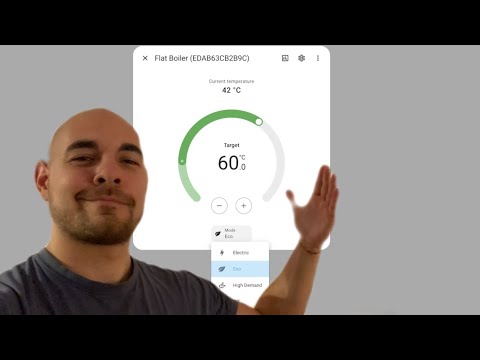
I've made a video tutorial on YouTube on how to do all this:
- Download or clone the integration to your local machine.
- Navigate to the
custom_componentsdirectory in your Home Assistant installation directory. - Copy the folder
custom_components/eldomfrom the downloaded integration to the Home Assistantcustom_componentsdirectory. - Restart Home Assistant.
- After installation, go to
Settings > Devices & services > Add integrationand search forEldom. - Provide an Eldom account
emailandpasswordand clickSubmit.
If you find the default card boring, you can try out this custom one.

YAML
features:
  - type: target-temperature
  - type: water-heater-operation-modes
    operation_modes:
      - "off"
      - eco
      - electric
      - high_demand
type: tile
entity: water_heater.flat_boiler_edab63cb2b9c
color: primary
name: Flat Boiler
hide_state: false
show_entity_picture: false
vertical: true
state_content:
  - state
- last-changedFor additional questions, you can head over to our Discord channel.
