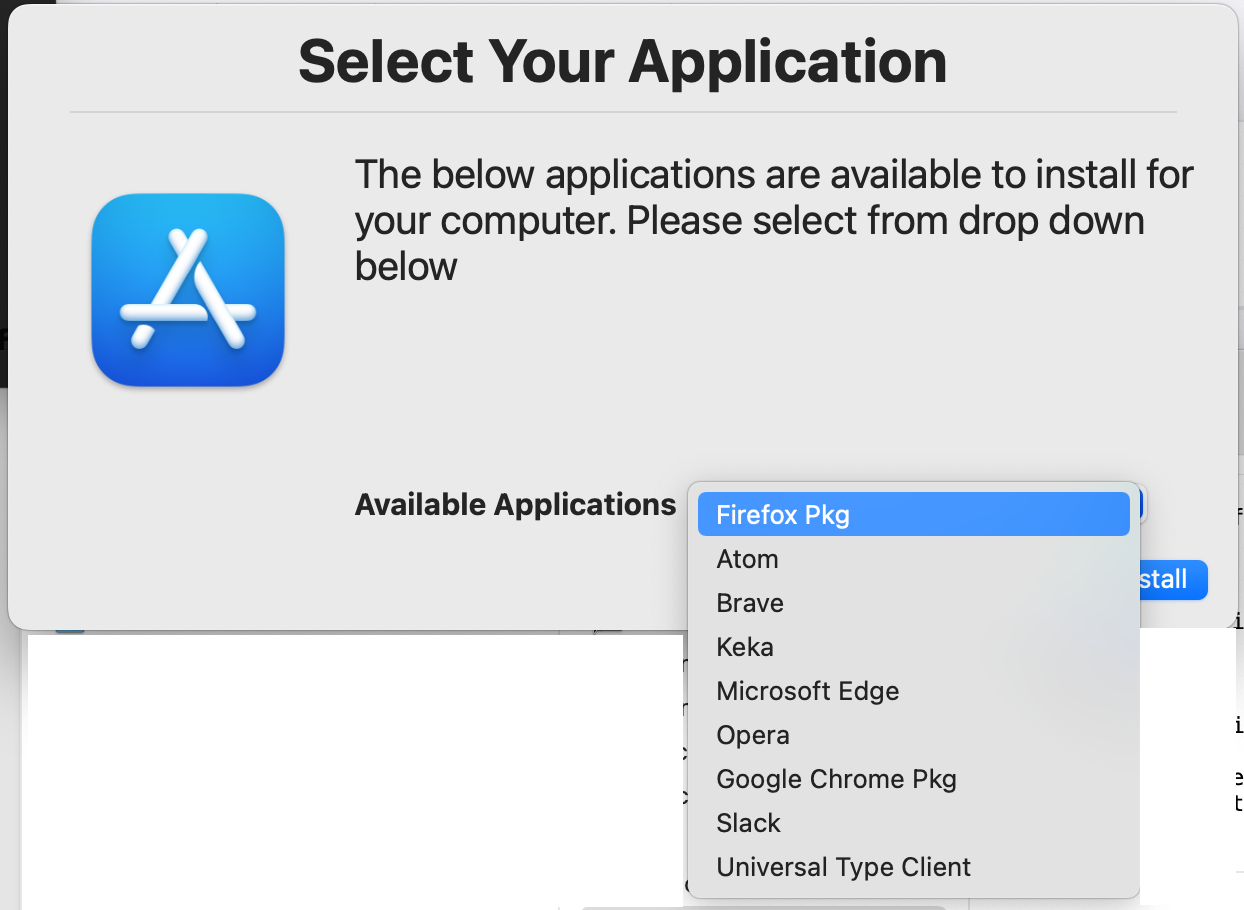
Swift Install Script configuration
The configuration of the Swift-Install script is simply adding the applications after the "selectvalues=" string separated by comma with no spaces. If the application label in Installomater ends in "pkg" add that to the end as well so it matches it to the correct label in the Installomater script ex. "Firefox Pkg.
Script Snippet
#Variables
dialogApp="/usr/local/bin/dialog"
title="Select Your Application"
message="The below applications are available to install for your computer. Please select from drop down below"
icon="/System/Applications/App Store.app/Contents/Resources/AppIcon.icns"
selecttitle="Available Applications"
selectvalues="Firefox Pkg,Atom,Brave,Keka,Microsoft Edge,Opera,Google Chrome Pkg,Slack, Universal Type Client"
How it appears in the script with your preferred text editor

When the swiftDialog window appears and you click on the dropdown it will appear like this: