A minecraft mod that enables native HDR on Windows/Linux with Iris shaders. Currently, in early development.
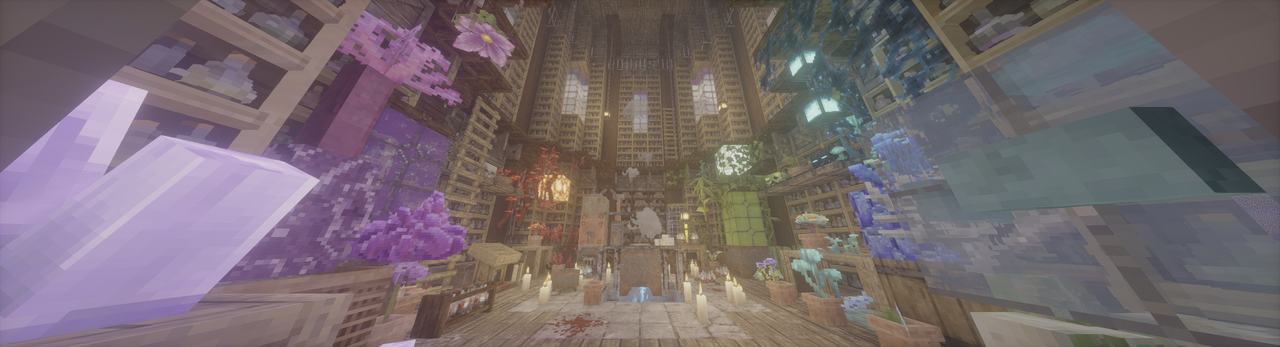
- Native HDR, both for Windows scRGB and HDR10/PQ.
- UI color correction by a BEFORE_BLIT pass.
- Ingame config using Cloth Config API.
- Ingame HDR screenshot.
- See XgarhontX's temporary patches for HDR output and tonemapping on select shaderpacks with support for this mod: Google Sheets
- See some pics here: Wiki
- Adjust HDR Brightness values (Paper White, UI, Peak) with config menu. (Default keybind: F9)
- Take a HDR screenshot ingame. (Default keybind: F10)
- Supported platforms:
- Windows: Nvidia/AMD GPU. Intel GPU is not supported and HDR is automatically turned off.
- Linux Wayland: AMD/Intel GPU generally run flawlessly. People using Nvidia GPU may encounter some problems/crashes, see the troubleshooting for a potential workaround.
- macOS: Currently not supported, but mac testers are welcome if you have enough time and energy.
- Android/iOS: Not supported. If Mobile launcher developers are interested in the project, my glfw fork can be a starting point for HDR support in the future.
- Troubleshooting:
- ReShade is currently not compatible, failing to load and breaking sky.
- Mods also messing with GLFW may be incompatible. (e.g. Ixeris)
- If your game is too bright/dark, try to adjust the custom brightness values yourself.
- If you're on Windows, don't forget to install the latest Visual C++ Redistributable.
- If your game crashes on NeoForge, disable
earlyWindowControlin<game folder>/config/fml.toml - Clean temp file if your game doesn't start or some features are broken (path can be found in log, %TEMP%/glfw on Windows and /tmp/glfw on Linux).
- For Linux Nvidia users, if your game can't start, or you feel too much banding ingame, here's a potential workaround (using Zink, so performance degradation is expected):
- Use these environment variables:
export __GLX_VENDOR_LIBRARY_NAME=mesa export __EGL_VENDOR_LIBRARY_FILENAMES=/run/opengl-driver/share/glvnd/egl_vendor.d/50_mesa.json export MESA_LOADER_DRIVER_OVERRIDE=zink export GALLIUM_DRIVER=zink - ONLY WORKS ON Mesa >= 26.0.0. Lower versions crash your game due to the lack of This PR, So you should probably compile by yourself.
- Use these environment variables:
HDR_MOD_INSTALLEDHDR_ENABLED- Deprecated:
CURRENT_PRIMARIES: One ofPRIMARIES_SRGB,PRIMARIES_PAL_M,PRIMARIES_PAL,PRIMARIES_NTSC,PRIMARIES_GENERIC_FILM,PRIMARIES_BT2020,PRIMARIES_CIE1931_XYZ,PRIMARIES_DCI_P3,PRIMARIES_DISPLAY_P3,PRIMARIES_ADOBE_RGB; - Deprecated:
CURRENT_TRANSFER_FUNCTION: One ofTRANSFER_FUNCTION_BT1886,TRANSFER_FUNCTION_GAMMA22,TRANSFER_FUNCTION_GAMMA28,TRANSFER_FUNCTION_ST240,TRANSFER_FUNCTION_EXT_LINEAR,TRANSFER_FUNCTION_LOG_100,TRANSFER_FUNCTION_LOG_316,TRANSFER_FUNCTION_XVYCC,TRANSFER_FUNCTION_SRGB,TRANSFER_FUNCTION_EXT_SRGB,TRANSFER_FUNCTION_ST2084_PQ,TRANSFER_FUNCTION_ST428,TRANSFER_FUNCTION_HLG.
float HdrGameMinimumBrightness;float HdrGamePeakBrightness;float HdrGamePaperWhiteBrightness;float HdrUIBrightness;
Use these uniforms inside #if HDR_MOD_INSTALLED block.
the output of the shader(aka. what is written to main render target in final pass) should have scRGB-nl encoding(Rec.709 primaries, sRGB (for negative numbers use −f(−x)) transfer function), and you should not use RGBA8F for scene color.
- Xaero Map may cause black screen on startup, but recover to normal before you see title screen.
- Tom94, for glfw fork with color management;
- IMS212, for Iris shaders and original glfw patch idea;
- XgarhontX and some other fellows, for working on RenoDX Minecraft HDR and shader patches, and helping me to make color transform correct.
The main HDR Mod repo is licensed under MIT. Bundled GLFW from Tom94's/mine fork is licensed under the zlib/libpng license.

