TrackOverview
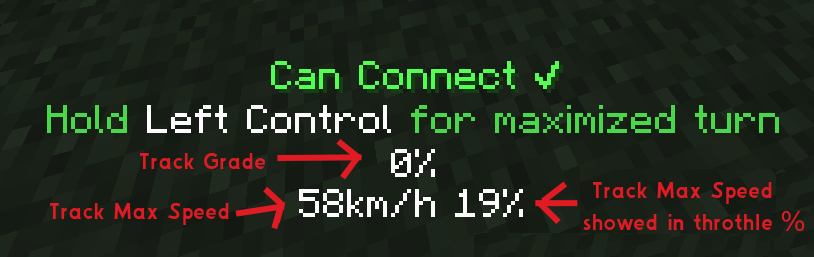
Whenever placing a new curve or a slope while creating a new track, Create Realism will show and overlay on the bottom with the following information:
The top % value on the top shows the track grade of a placed slope, track grades tell you how steep the slope is. The usual values for IRL tracks are 0-5%. So to keep the track realistic, you should aim for around that value.
The bottom left value shows the more or less realistic max speed of a placed curve. The bigger the curve, the faster the track, this value is purely for informational purposes and has no effect on trains whatsoever (although with Create:Tramways installed you can place speed signs that change the trains' speed for you).
The bottom right value is a helper value that shows the track max speed in throttle %. This is the value you would want to input into Tramways Signs and Schedules to get the speed on the left