⚠️ ARCHIVED REPOSITORYThis repository has been archived and is no longer actively maintained. The NKM game has been completely rewritten with a modern architecture.
Please visit the new repositories:
- 🖥️ Backend (Server): nkm-game/nkm-server - New backend written in Scala with Akka
- 🌐 Frontend (Web Interface): nkm-game/nkm-front - Web interface built with React and TypeScript for debugging and administration
- 🎮 Frontend (Unity Game Client): nkm-game/nkm-unity-front - The new Unity game client. (Note: This repository may be private.)
This repository contains the original Unity-based implementation of NKM, a multiplayer turn-based strategy game on a hex board. This was the author's first bigger project and served as a learning experience through multiple rewrites.
The game has been completely rewritten with a modern architecture:
| Component | Technology | Repository |
|---|---|---|
| Backend | Scala + Akka | nkm-game/nkm-server |
| Admin Frontend | React + TypeScript | nkm-game/nkm-front |
| Game Client | Unity | nkm-game/nkm-unity-front |
| Database | MariaDB | (Part of server setup) |
| Infrastructure | Docker + WebSockets | (Used across repositories) |
The original game was built as a single Unity project, which mixed game logic with the user interface. This monolithic approach made it difficult to manage, and attempts at creating stable multiplayer were buggy.
The project was rewritten into a modern, client-server architecture with these key improvements:
- Dedicated Backend: Game logic now lives in a separate server application
- New Unity Game Client: Rewritten to communicate with the backend server
- Web-Based Dev Tools: React interface for debugging and game management
- Docker Setup: Containerized deployment for easier development
- Reliable Multiplayer: WebSocket-based real-time communication
This repository contains the original Unity-based implementation of NKM - a multiplayer turn-based strategy game on a hex board, made with C# and Unity.
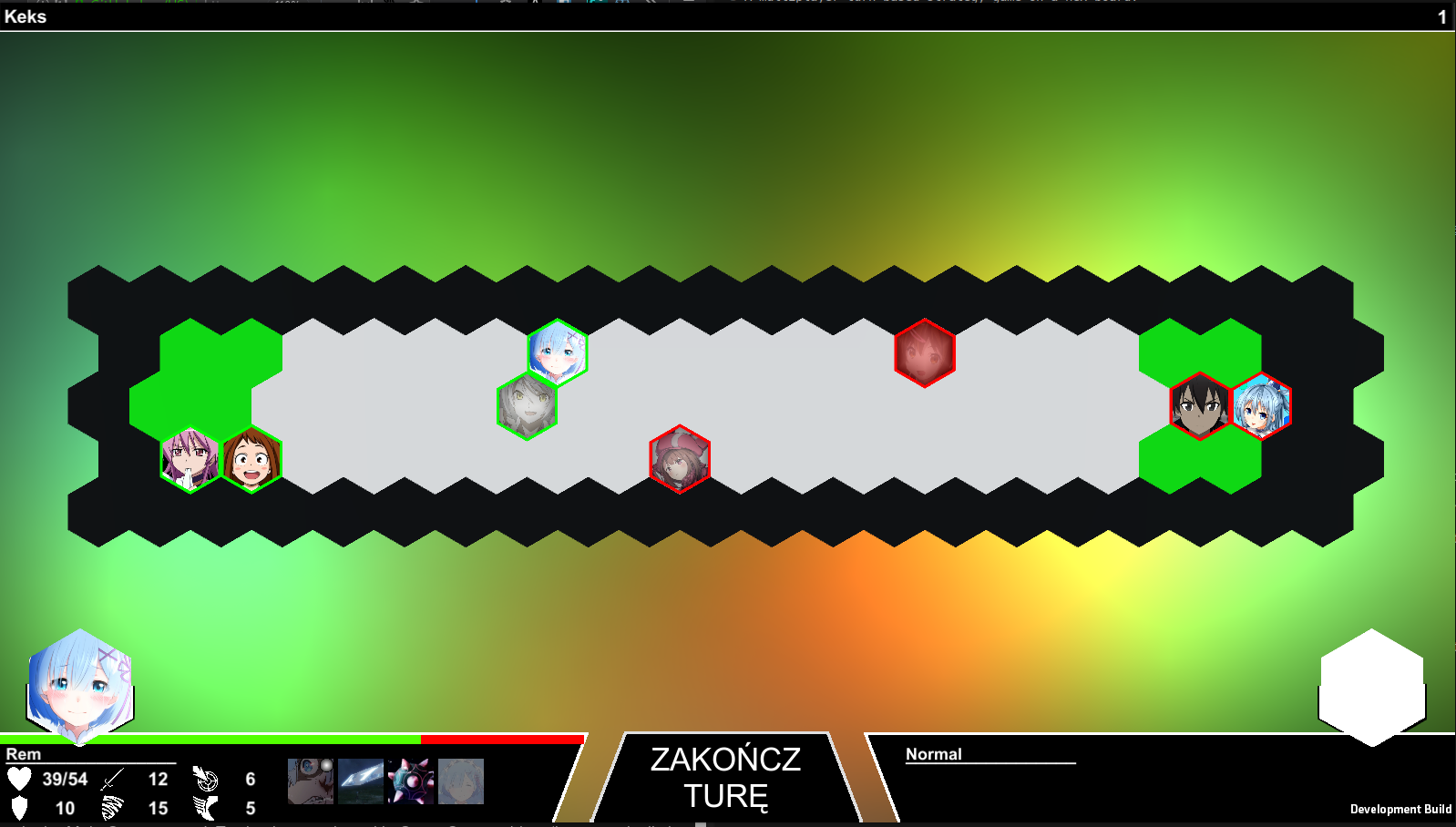
Currently the only supported language in game is Polish.
This was the author's first bigger project and served as a valuable learning experience through multiple rewrites. As you can see in the commit history, every time a new feature was added, new architectural problems would arise - which ultimately led to the complete rewrite with modern technologies.
- Game Rules: docs/GameRules.md
- Developer Introduction: docs/Introduction.md
Assets/Scripts/- All source codeAssets/Scripts/Unity/- Frontend/UI codeAssets/Scripts/NKMCore/- Game logic (backend)Assets/Scripts/NKMCore/Templates/- Core classes (Ability.cs, Character.cs, etc.)Assets/Scripts/NKMCore/Abilities/- Character abilities implementation
⚠️ Historical Reference Only: This section describes how to run the original Unity project. For the current game, use the new repositories linked at the top.
- Unity Editor (2020-2021 versions recommended)
- Git with Git LFS installed (git-lfs.github.com)
-
Clone and setup:
git clone https://github.com/tojatos/NKM.git
cd NKM
git submodule sync --recursive && git submodule update --init --recursive
-
Open in Unity:
- Open Unity Hub → Add/Open → Select the
NKMfolder - Wait for Unity to import the project
- Open Unity Hub → Add/Open → Select the
-
Build and Run:
- Build:
Ctrl+Bor use theDevelopmenttoolbar option - Important: In
Main Gamescene, ensureGame Starterobject hasIsTestingunchecked
- Build:
Note: This repository is archived and no longer accepts contributions.
For contributions to the active project, please visit the relevant repository:
- nkm-game/nkm-server for backend contributions
- nkm-game/nkm-front for web frontend contributions
- nkm-game/nkm-unity-front for game client contributions