This Project installs and configures Active directory based user authentication for CycleCloud based HPC Clusters.
It is recommended that user access be managed through a directory service such as LDAP, Active Directory, or NIS for enterprise production clusters.
This project will configure the home directory and passwordless ssh configuration for AD users, right after they login.
Table of contents
- Pre-Requisites
- Configuring the Project
- Configuring AD Login in CycleCloud Portal
- Testing the user login
- CycleCloud must be installed and running (CycleCloud 8.0 or later).
- Windows Active Directory must be configured and running.
- Active Directory should be reachable to all the nodes in the cluster and required ports should be opened for authentication.
- Supported OS versions : CentOS 7 / RHEL7 / Alma Linux 8 / Ubuntu 18.04
- Default user home directory for CycleCloud HPC nodes in
/shared/home. This project configure home dirs in the cyclecloud default user home location. - SELinux in Permissive mode
- Open a terminal session in CycleCloud server with the CycleCloud CLI enabled.
- Clone the cyclecloud-adauth repo
$ git clone https://github.com/vinil-v/cyclecloud-adauth.git- Swtich to
cyclecloud-adauthproject directory and upload the project to cyclecloud locker.
$ cd cyclecloud-adauth/
$ cyclecloud project upload <locker name>- Import the required template (Slurm/ OpenPBS or Gridenigne).
cyclecloud import_template -f templates/slurm_with_ad.txtThe following parameters required for successful configuration.
1. FQDN of AD server ( eg: adserver.hpc.local)
2. IP address of AD server
3. Administrator account ( User account should have rights to add the nodes to domain)
4. Administrator password
Create new cluster from the imported template(Slurm with AD in this case) and in the Active Directory section, add the above mentioned parameter.
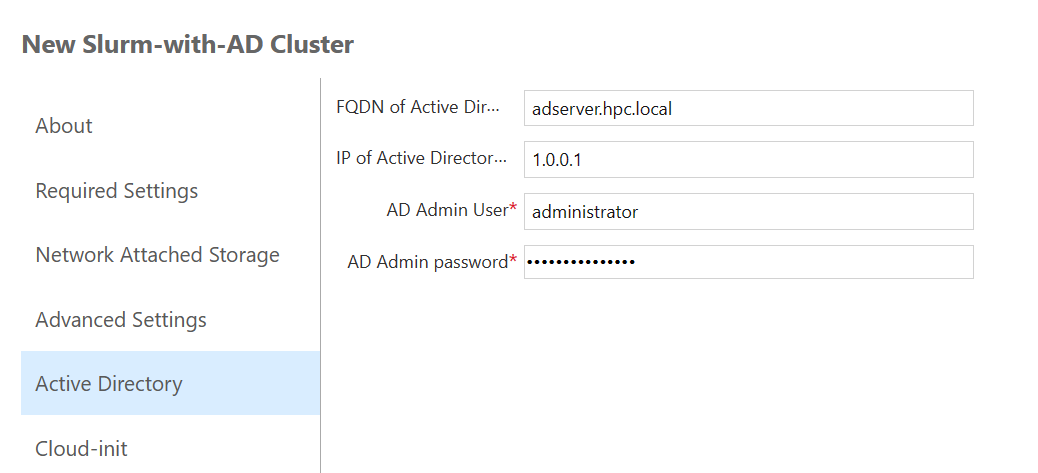
Start the cluster. Make sure that the Active directory is running and reachable to all the nodes.
Trying to login with AD user user1.
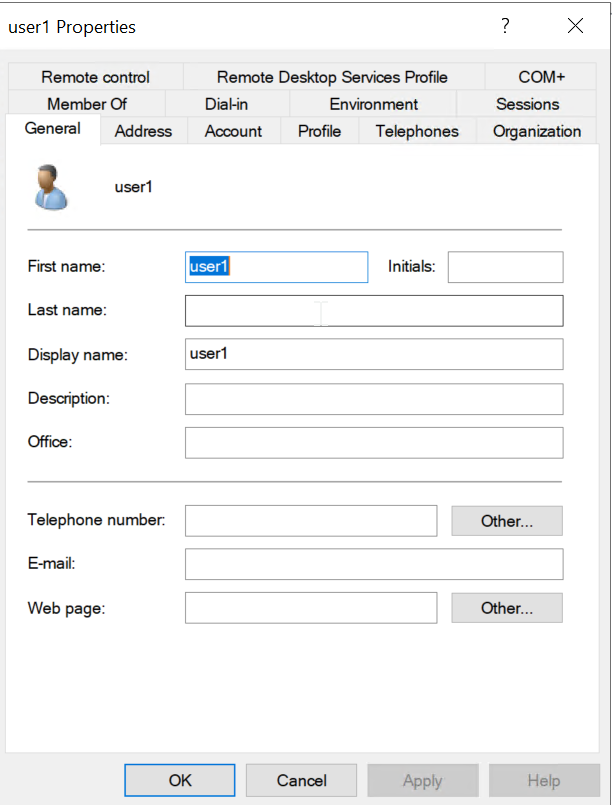
login to scheduler with AD user user1 with AD user password. it will create home directory under /shared/home.
$ ssh user1@10.222.2.9
user1@10.222.2.9's password:
Creating home directory for user1.
[user1@centos7slurm1-scheduler ~]$ pwd
/shared/home/user1
[user1@centos7slurm1-scheduler ~]$ ls -la .ssh/
total 12
drwx------. 2 user1 domain users   61 Feb  1 05:28 .
drwx------. 5 user1 domain users  103 Feb  1 05:28 ..
-rw-r--r--. 1 user1 domain users  411 Feb  1 05:28 authorized_keys
-rw-------. 1 user1 domain users 1679 Feb  1 05:28 id_rsa
-rw-r--r--. 1 user1 domain users  411 Feb  1 05:28 id_rsa.pub
[user1@centos7slurm1-scheduler ~]$ sinfo
PARTITION AVAIL  TIMELIMIT  NODES  STATE NODELIST
hpc*         up   infinite     50  idle~ centos7slurm1-hpc-pg0-[1-50]
htc          up   infinite     50  idle~ centos7slurm1-htc-[1-50]
[user1@centos7slurm1-scheduler ~]$
NOTE: Check the UID or GID support for the job submission. some scheduler has configuration to support UID/GID range.
All the best !