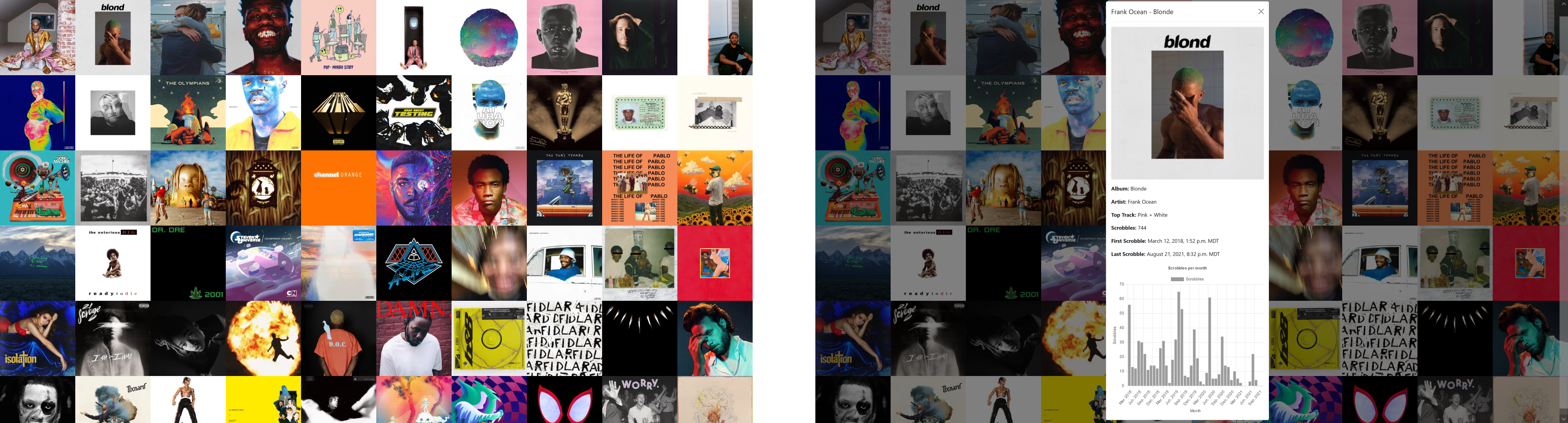
This is a project I built to explore my music listening history. It displays your top albums in a grid, and you can click on an album to see some cool stats like how many times you've listened to it, the first and last times you listened to it, and a graph of how often you listened to it over time. The music listening data all comes from last.fm, an awesome service which automatically logs your listening history.
It's not done yet either, I want to add much more in terms of data visualization in the future.
The frontend is a web app that loads a CSV containing all of your last.fm scrobbles, and displays them all. It is written in TypeScript and it uses Vue.js, Chart.js, and Papa Parse.
The backend resides in AWS and is entirely serverless, making it very cheap to run (less than $1/month). Scrobbles (records of listening to song X at time Y) are downloaded from the last.fm API in a Lambda function, and are stored as JSON in an S3 bucket. Every day, new scrobbles are automatically downloaded. The CSV the frontend uses is generated using Athena.
If you just want your last.fm account added, reach out to me and I'll see what I can do. But if you want to run your own instance, here's a setup guide. I think it should work but there's a chance I missed something.
- Fork the repo
- From
infrastructure/terraform, initialize terraform withterraform init - Set terraform variables in
infrastructure/terraform/variables.tf. You should set them in ainfrastructure/terraform/terraform.tfvarsfile, something like this:
lastfm_usernames = ["willfenton14"]
lastfm_api_key   = "<API KEY>"
cors_origins     = ["https://willfenton.dev", "https://willfenton.github.io"]  // your website
- From the project root, run the build script
build.shto build and package the AWS Lambda code - Create the AWS resources by running
terraform applyfrom/infrastructure/terraform - Run the
lastfm-serverless-query-athenalambda function (from the AWS console or CLI) with an event like this to create the AWS Athena table for your last.fm account:
{
  "lastfm_usernames": ["willfenton14"],
  "queries": ["create_table"]
}
- Run the
lastfm-serverless-get-all-scrobbleslambda function with an event like this to download all of your scrobbles using the last.fm API:
{
  "lastfm_username": "willfenton14"
}
- Run the
lastfm-serverless-query-athenalambda function again with an event like this to generate a CSV with all your scrobbles:
{
  "lastfm_usernames": ["willfenton14"],
  "queries": ["get_all_scrobbles"]
}
At this point you should have a CSV with all your scrobbles in your lastfm-serverless-public S3 bucket. If not, something went wrong.
- Change the data URL in
src/web/index.tsto point to your S3 bucket - Deploy the web app to GitHub pages by running
npm run deployfrom the project root - Load the web app and hope it works! Be sure to add
?username=<your last.fm username>to the end of the URL.
It's a lot of setup, but now you should be able to leave it alone indefinitely. Every day, lambda functions are automatically triggered to download your scrobbles for the day and update the CSV, so no more manual steps required!
If you want to destroy everything, run terraform destroy from infrastructure/terraform (although you will probably have to empty some S3 buckets and destroy some Athena tables manually).